
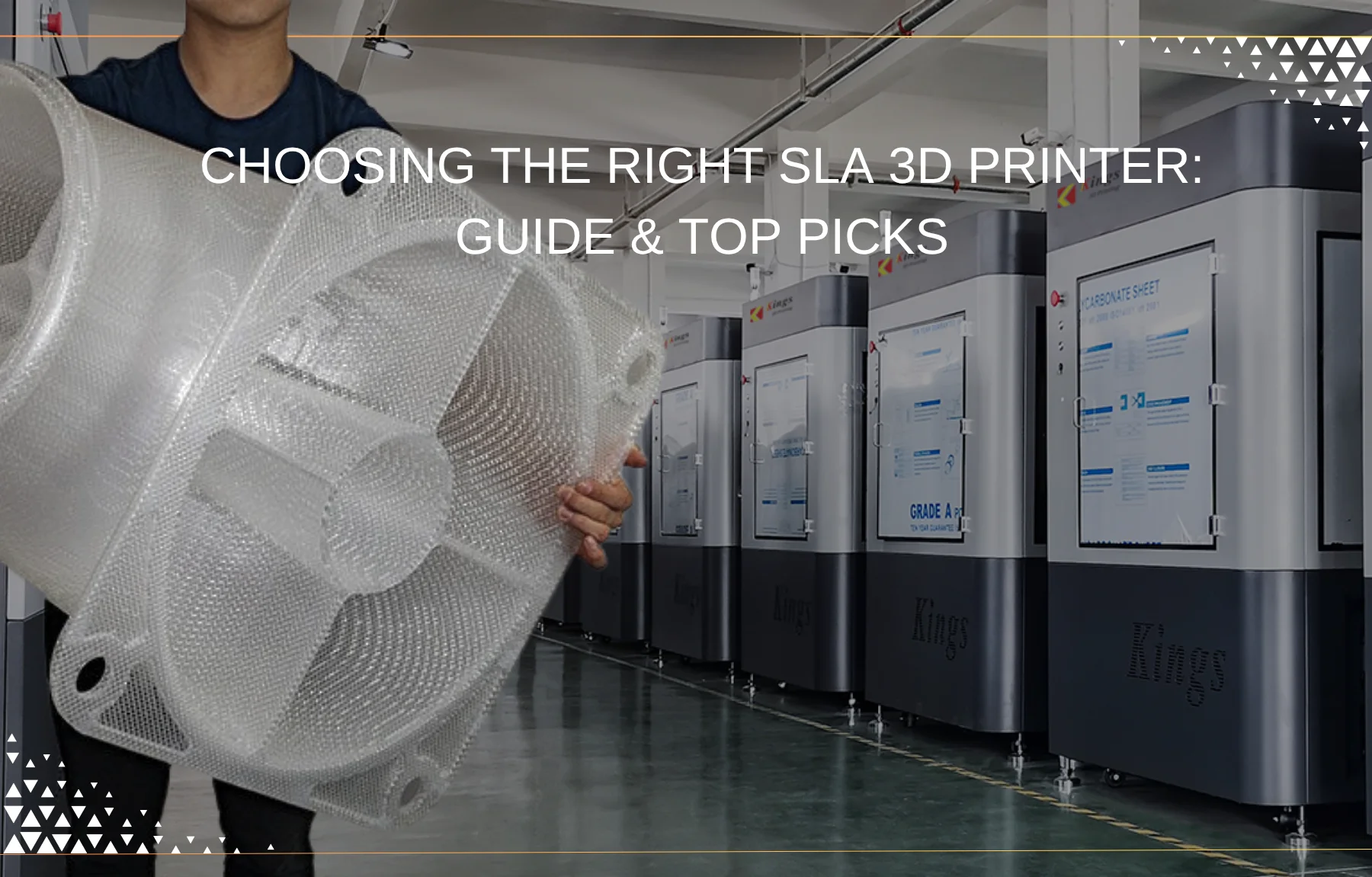
SLA (stereolithography) 3D printing is known for tight precision and a smooth surface finish. The technology covers a wide range of work — engineering prototypes, dental models, jewelry patterns, detailed miniatures — anywhere high-fidelity parts and clean surfaces matter.
The catch is choosing a machine. Models, resin ecosystems, and capabilities vary widely, and the right printer depends on your parts, throughput, and budget. This guide breaks down how SLA works, how it compares to FDM, and the criteria that actually decide a purchase.
 SLA 3D printer” />
Understanding SLA 3D printing: the basics
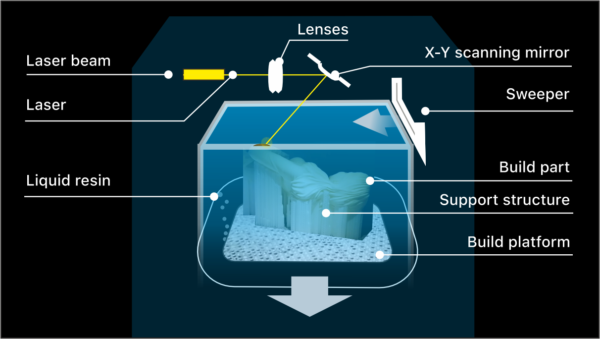
Stereolithography is a photochemical process: a UV laser cures liquid photosensitive resin layer by layer, building solid parts with fine detail, smooth surfaces, and complex geometry that other methods struggle to reach.
Two related technologies build on it:
- MSLA (masked stereolithography) uses an LCD to mask a UV source and cure a full layer at once instead of tracing it with a laser. That raises print speed, especially at larger build areas, while holding high resolution.
- DLP (digital light processing) flashes a full layer with a digital projector, so it is also fast. Its resolution is tied to the projected pixel size, which can leave faint voxel patterns on curved surfaces.
In short: SLA gives laser precision, MSLA adds masked speed, DLP adds projected speed. Knowing which one a machine uses tells you most of what you need about its detail-versus-speed tradeoff.
Why choose SLA? The benefits
SLA earns its place where output quality is the priority:
- Precision and accuracy. SLA printers commonly resolve down to 25–50 microns, capturing features finer than most FDM machines can hold — critical for intricate designs and dimensionally exact prototypes.
- Surface finish. Parts come off the plate with a smooth, near injection-molded surface, often cutting the sanding and finishing an FDM part would need.
- Material range. Photopolymer resins cover flexible, high-strength, castable, biocompatible, and transparent options, so you can match the resin to the job.
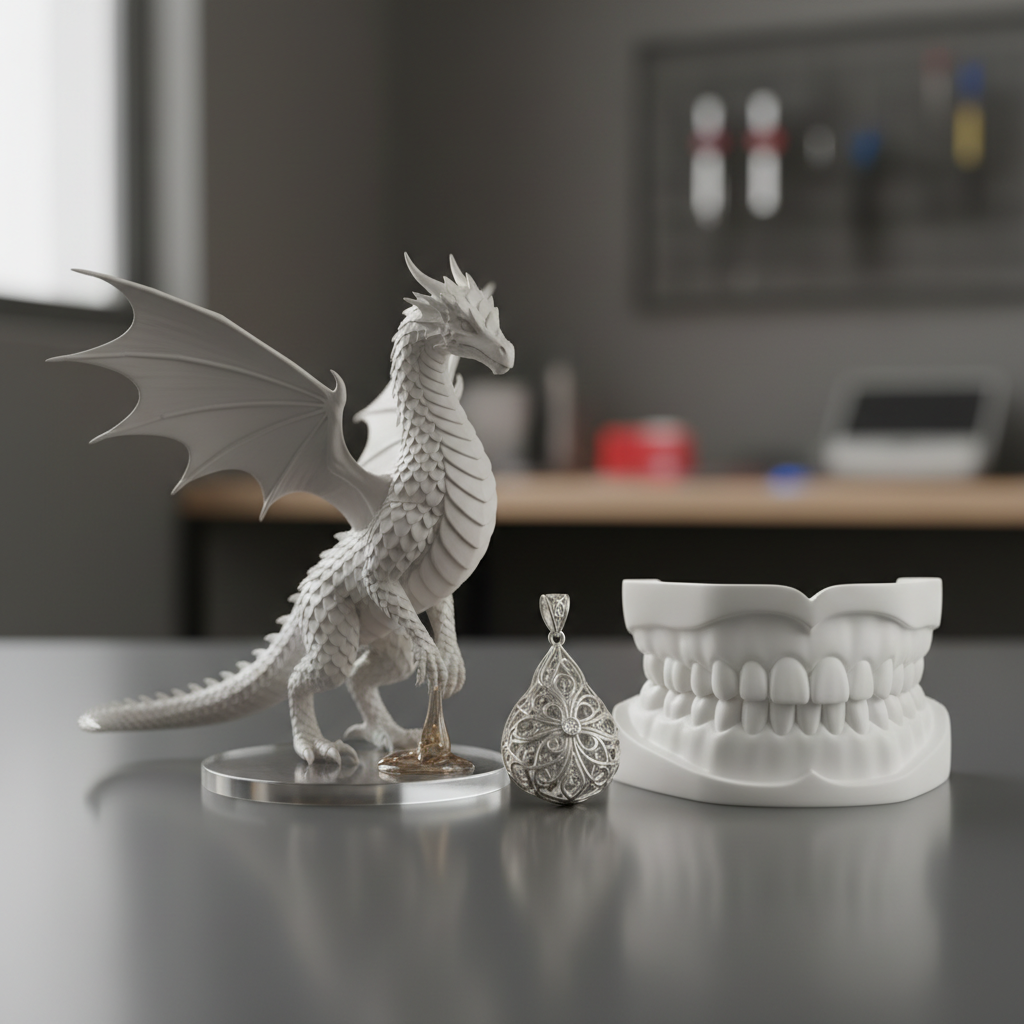
- Applications. Jewelry casting patterns, dental models and surgical guides, gaming and collectible miniatures, and high-fidelity design prototypes — any part where visual quality or fine detail is the point.
SLA vs FDM 3D printing: a direct comparison
Most buyers weigh SLA against FDM (fused deposition modeling). They serve different jobs. Our full breakdown is here: FDM vs SLA: filament or resin. In short:
| Feature | SLA (stereolithography) | FDM (fused deposition modeling) |
|---|---|---|
| Material | Photopolymer resins | Thermoplastics (PLA, ABS, PETG, etc.) |
| Resolution | 25–50 microns (fine detail) | ~100+ microns (coarser detail) |
| Surface finish | Very smooth, often glossy | Visible layer lines, textured |
| Speed | Fast for small parts; full layers with MSLA | Faster for large, simple parts |
| Cost | Equipment and resin usually higher | Entry-level options cheaper |
| Handling | Requires resin handling and post-processing | Easier for beginners, less hazardous material |
| Best for | Precision, aesthetics, intricate features | Structural strength, large parts, material variety |
Choose SLA when parts demand high detail, a clean surface, and intricate geometry — miniatures, detailed prototypes, custom jewelry. Choose FDM when you need mechanical strength, larger parts printed quickly, or a lower entry cost.
Key factors for selecting an SLA printer
- Build volume. Sets the largest part you can print. Match it to your work — one intricate piece or several large components. For bigger jobs, large-format resin 3D printers offer generous build plates.
- Resolution and accuracy. Check XY resolution (often below 50 microns) and minimum layer height (down to 0.025 mm). These decide how well the printer holds fine textures and sharp edges.
- Resin compatibility. Open systems accept third-party resins — more choice, often lower cost. Closed ecosystems (e.g. Formlabs) restrict resin but simplify the workflow with optimized profiles.
- Speed. Driven by exposure time per layer, plate lift speed, and curing efficiency. Matters most for batch jobs and fast iteration.
- Ease of use. Auto-leveling, guided setup, clear slicing software, and cartridge resin systems reduce mess and troubleshooting.
- Cost of ownership. Beyond the printer: resin, FEP film or LCD screens (MSLA), and wash/cure equipment. Professional-grade machines often start at $2,000–$3,000 and climb from there.
- Reliability and support. A vendor with a solid warranty and real technical support saves downtime. Check reputation and the scope of assistance.
- Connectivity and software. Wi-Fi or Ethernet, and in some cases cloud control and fleet management (e.g. Formlabs Form 3+). Slicing software quality — support generation, print prep — affects daily workflow.
Applications: who uses SLA, and for what
- Jewelry. Intricate master patterns for direct investment casting, with detail traditional methods can’t hold.
- Dental and medical. Accurate dental models, surgical guides, and retainers; biocompatible resins extend it to patient-contact devices.
- Prototyping and product design. High-fidelity concept models for form-and-fit testing and design validation.
- Miniatures and hobby. Highly detailed figures and scale models for gaming and collectibles.
- Engineering and manufacturing. Custom jigs, fixtures, and tools where precision and smooth surfaces matter.
Mastering the SLA workflow: beyond the print
Output quality depends as much on the workflow around the printer as on the printer itself.
Pre-print preparation
- Orientation and supports. Model placement drives print success and post-processing effort. Overhangs and hollows need well-designed supports; slicer auto-support helps, but manual refinement is often needed. Over-supporting damages fine features on removal; under-supporting causes defects.
- Resin and environment. Hold the room at roughly 20–25°C (68–77°F) for stable viscosity and reliable curing. Stir resin before use to prevent pigment settling. For open systems, watch expiration dates and store resin in opaque, airtight containers away from UV.
Post-processing
- Washing. Fresh parts carry uncured resin. Isopropyl alcohol (IPA) in a wash station removes it; a two-stage bath (dirty then clean) prevents sticky surfaces. Replace IPA regularly.
- Curing. A secondary UV cure fully polymerizes the resin and sets final strength. Cure time and intensity affect tensile strength and heat deflection — a critical step for functional parts.
- Support removal and finishing. Once cured, remove supports with snips or specialized tools; light sanding or polishing gives a clean final surface for aesthetic parts.
Advanced resins and their applications
Resin choice sets the mechanical, thermal, and aesthetic properties of the part:
- Engineering resins. Tough, rigid, high-temperature grades for functional prototypes, jigs, fixtures, and end-use parts; properties approach injection-molded plastics.
- Flexible and elastic resins. Rubber- and silicone-like materials for grips, gaskets, wearables, and compliant mechanisms.
- Castable resins. Burn out cleanly with no ash for investment casting — the standard for jewelry and dental patterns.
- Biocompatible resins. Certified for skin and mucous-membrane contact; used for surgical guides, dental aligners, and hearing-aid shells.
The economics of SLA printing
Total cost of ownership goes past the purchase price:
- Resin consumption. Resin runs higher per liter than FDM filament; plan for volume on large or batch builds. Open systems let you source cheaper third-party resin; closed systems trade that for optimized, consistent results.
- Post-processing consumables. IPA, gloves, wipes, and curing-station bulbs add up in high-volume work. Automated wash and cure stations cost more up front but cut labor and steady quality.
- Maintenance. Expect to clean the resin tank, replace FEP film, and occasionally swap the UV LCD screen (MSLA). Component life depends on vendor and usage; vendor reliability affects long-term cost and downtime.
Integrating SLA into professional workflows
- Scalability and fleet management. For bureaus and larger shops, fleet software and cloud connectivity (e.g. Formlabs Form 3+) allow remote monitoring and centralized job management across multiple machines.
- Automation. Automated wash and cure — and, in some setups, robotic part handling or resin dispensing — cut manual work, improve safety, and give repeatable results for demanding jobs.
- Data and traceability. In regulated industries, logging print jobs, material batches, and post-processing parameters gives the audit trail needed for compliance.
Conclusion
SLA delivers detail and surface quality that FDM can’t match, at the cost of resin handling and post-processing. The right machine comes down to your parts: weigh build volume, resolution, resin ecosystem, speed, ease of use, and total cost against what you actually print. Get that alignment right and SLA gives you the precision and finish the technology is known for.
Not sure whether SLA or FDM fits your parts? Start with our comparison: FDM vs SLA 3D printing.
Frequently asked questions
What’s the main difference between classic SLA and MSLA printers?
While both SLA (Stereolithography) and MSLA (Masked Stereolithography) use UV light to cure liquid resin layer by layer, their method of light delivery differs significantly. Classic SLA printers use a single, highly precise laser beam that draws each layer, offering exceptional accuracy and fine detail. MSLA printers, conversely, use an LCD screen to mask a UV light array, curing an entire layer at once. For hobbyists and professionals, MSLA often translates to faster print times for models that fit within its build plate, as the exposure time for a layer is constant regardless of how much of the layer is being printed. Both can achieve fine detail (25-50 microns), but MSLA is generally considered more cost-effective and faster for batch production or larger, high-resolution models.
Is SLA 3D printing difficult for beginners, especially with the resin handling compared to FDM?
SLA 3D printing has a steeper learning curve than FDM, primarily due to the nature of liquid resin and the required post-processing steps. While FDM prints usually just need support removal, SLA prints require washing in a cleaning solution (like IPA) to remove excess uncured resin and then curing under UV light to fully harden. This involves handling chemicals, wearing personal protective equipment (PPE) like gloves and eye protection, and working in a well-ventilated area. However, modern entry-level SLA printers like the Elegoo Saturn 4 Ultra are designed for easier setup and streamlined workflows, making the process more accessible for serious hobbyists willing to learn the safety and post-processing routines.
What's needed to start SLA printing besides the printer?
Beyond the SLA printer, you’ll need several critical accessories for a safe and efficient workflow. These include: Photopolymer resin: The primary printing material. Isopropyl Alcohol (IPA) or a specialized resin cleaner: For washing uncured resin off prints. Washing and Curing Station: While you can manually wash and cure, dedicated wash and cure stations (often sold separately) significantly streamline post-processing, saving time and reducing mess. Personal Protective Equipment (PPE): Nitrile gloves (always!), eye protection, and potentially a respirator mask, especially for prolonged exposure. Paper towels, microfiber cloths, and disposable wipes: For cleaning spills and general maintenance. Scrapers and flush cutters: For removing prints from the build plate and detaching supports. Resin filters: To filter unused resin back into the bottle, removing cured bits. UV lamp or sunlight access: For final curing if you don’t have a curing station. These items are non-negotiable for a safe and successful SLA printing experience.
How important is build volume when choosing an SLA 3D printer for hobby projects like miniatures?
Build volume is a crucial factor, especially for hobbyists. It dictates the maximum physical size of the object you can print in a single job. For miniatures, a smaller build volume might suffice, and often allows for higher resolution or faster printing of many small parts simultaneously. However, if you plan to print larger models, cosplay props, or bigger action figures, a printer with a generous build volume, like the Elegoo Saturn 4 Ultra, becomes essential. Always assess your current and future project requirements to ensure the printer’s build volume aligns with your creative aspirations, preventing the need to divide large models into multiple parts.
What are the safety precautions I must take when working with liquid resins for SLA 3D printing?
Working with liquid photopolymer resins requires strict adherence to safety protocols due to their chemical nature. Always wear nitrile gloves: Resin can irritate skin, so direct contact must be avoided. Wear eye protection: Splashes or fumes can harm eyes. Ensure excellent ventilation: Work in a well-ventilated area to disperse resin fumes, or use an air purifier/respirator. Keep resin away from food, drink, and children/pets: Never ingest resin, and store it securely. Properly dispose of waste: Uncured liquid resin should never be poured down drains. Cured resin (solids) can typically be disposed of with regular waste. Liquid waste like used IPA with dissolved resin should be cured under UV light until solid before disposal. Clean up spills immediately: Use IPA and paper towels, and cure any contaminated materials before discarding. These measures are paramount to prevent health risks and ensure a safe printing environment.
SLA prints aren’t coming out perfectly smooth. What are typical troubleshooting steps?
chieving perfect SLA prints sometimes requires troubleshooting. Prints not sticking to the build plate: Ensure the build plate is perfectly leveled and clean (no resin residue or fingerprints). Increasing the bottom layer exposure time in your slicing software can also help adhesion. Room temperature can also play a role; ensure it’s not too cold. Bumpy or weird surfaces: This might indicate insufficient supports, especially for overhangs or delicate features. Add more supports or adjust their density. Also, ensure the resin is well-mixed and the room temperature is stable. Missing parts: Often a sign of weak or poorly placed supports. Review your model in the slicer and strategically add stronger supports to isolated or fragile sections. Insufficient exposure time for layers can also lead to incomplete cures, resulting in parts breaking off during printing. Layer lines visible: While SLA is known for smooth finishes, layer lines can appear if layer height is too large or if there’s an issue with the printer’s Z-axis stability. Try reducing the layer height or inspecting for mechanical issues. Consulting your printer’s manual and online communities for specific model advice can also be highly beneficial.
Can I use any brand of resin with my SLA printer, or are there compatibility issues?
Resin compatibility varies depending on the printer’s ecosystem. Open Resin Systems: Printers like the Kings 3D Printers are considered “open,” meaning they are compatible with a wide range of third-party resins. This offers greater flexibility in material choice, potentially lower resin costs, and access to specialized resins (e.g., flexible, castable, dental-grade) from various manufacturers. Closed Resin Systems: Printers like the Formlabs Form 3+ operate within a “closed” ecosystem, meaning they are primarily designed to work only with the manufacturer’s proprietary resins, often dispensed via cartridges. While this might limit choice and potentially incur higher resin costs, it typically offers a more streamlined, reliable workflow with optimized print profiles and consistent results, along with dedicated support. Always check the manufacturer’s specifications to understand your printer’s resin compatibility before purchasing third-party resins.
What are the long-term costs of owning an SLA printer beyond the initial purchase?
The initial purchase of an SLA printer (which can range from hundreds to thousands of dollars for professional models) is only part of the investment. Ongoing long-term costs include: Resin: This is the primary consumable and can be a significant recurring expense, especially if printing frequently or with specialized resins. Resin typically costs $40-$100+ per liter. Cleaning Agents: Regularly purchasing Isopropyl Alcohol (IPA) or other resin cleaners. Replacement Parts: Over time, components like the FEP film (on the bottom of the resin tank) will wear out and need replacement. LCD screens on MSLA printers also have a limited lifespan and will eventually need to be replaced. PPE: Replenishing gloves, masks, and other safety gear. Post-processing equipment maintenance: Filters for wash stations, UV lamps for cure stations, etc. Factoring these consumables and maintenance needs into your budget is crucial for a realistic understanding of SLA 3D printing ownership.
Have a question or a project? Let’s talk.
Tell us what you need — a real applications engineer replies within 24 hours. NDA on request, no sales script.