
Made to order

Polymaker PolyBox Edition II 3D Printer Filament Dry Box – Humidity Below 15% | 1.75 & 2.85 mm
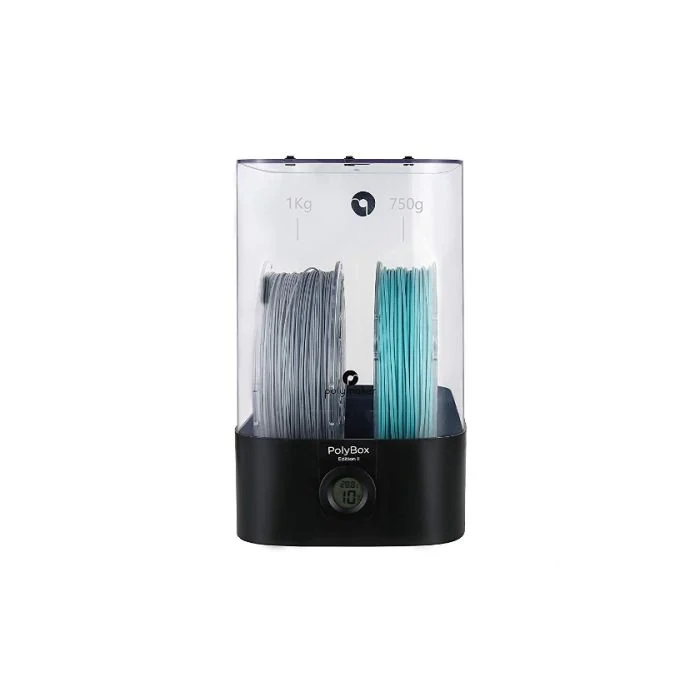
The Polymaker PolyBox Edition II is a sealed filament dry box that holds two 1 kg spools or one 3 kg spool and keeps 3D printing filament below 15% relative humidity — during storage and while you print.
- ✓ Holds 2×1 kg or 1×3 kg spools · 1.75 & 2.85 mm filament
- ✓ Built-in hygrometer + reusable silica-gel desiccant · humidity below 15%
- ✓ Feeds filament straight into the printer while sealed
$70
Keep every spool print-ready
Humidity held below 15%
A built-in high-precision hygrometer and reusable silica-gel desiccant hold the internal humidity below 15% — the range that stops Nylon, PVA, and PolySmooth from absorbing moisture and causing warping, poor layer adhesion, or brittle prints.
A materials engineer on the line
Not sure which materials need active drying, or how to store them between jobs? Our materials engineers have run these filaments and can advise on storage, drying, and handling. Sub-4h reply, NDA standard.
FEATURES
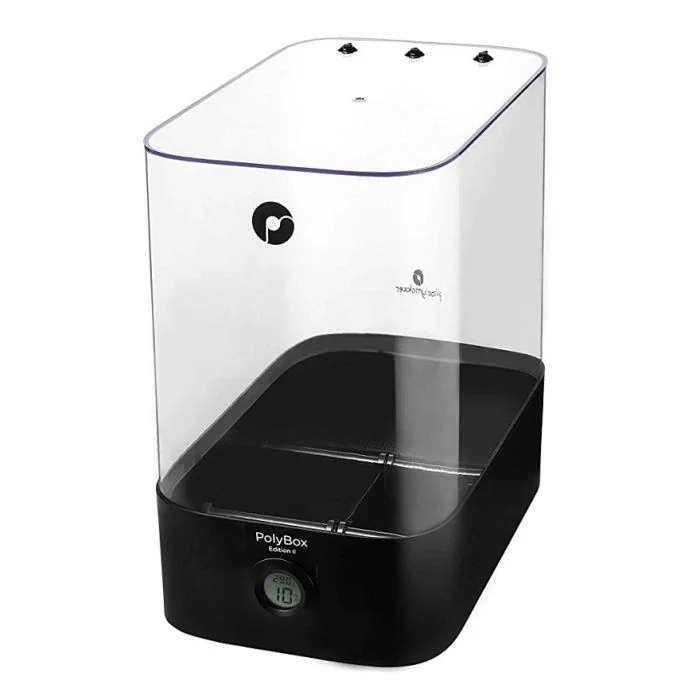
The Polymaker PolyBox Edition II is a sealed 3D printer filament dry box designed to provide the ideal storage environment for your 3D printing filaments. It is compatible with all 3D printers and helps protect your materials from moisture, ensuring consistent, reliable prints every time.
Key features include:
- Holds two 1kg spools or one 3kg spool, making it versatile for different filament sizes
- Optimum environment for filament storage, preventing moisture-related issues like warping or poor adhesion
- Compatible with all 3D printers, making it a universal solution for filament care
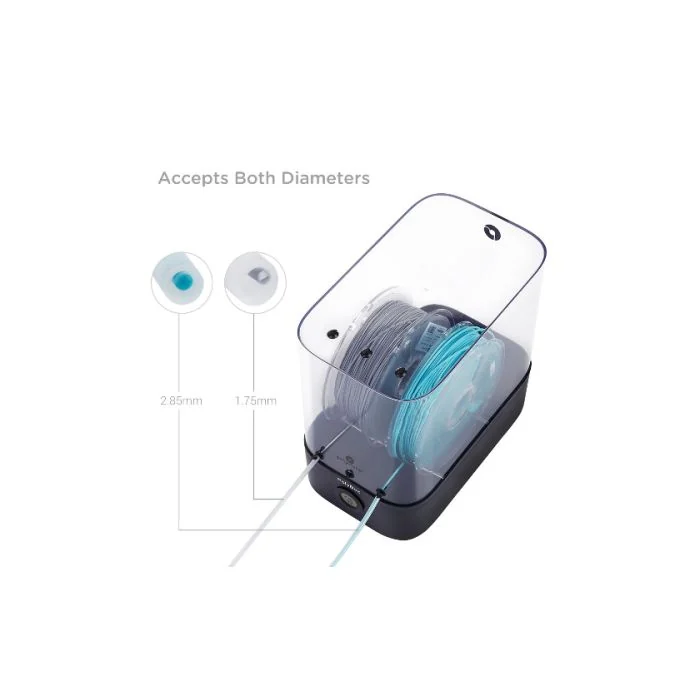
- Feeds filament directly to the printer while sealed, keeping it dry during the print
With the PolyBox Edition II, you can trust that your filament is stored properly and stays print-ready. Keep your materials dry and your prints consistent, no matter the filament type.
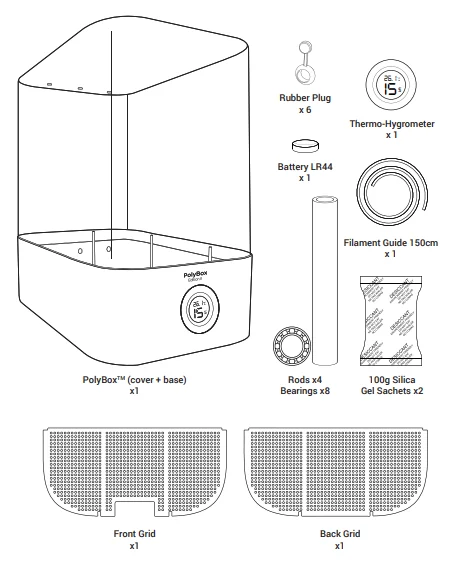
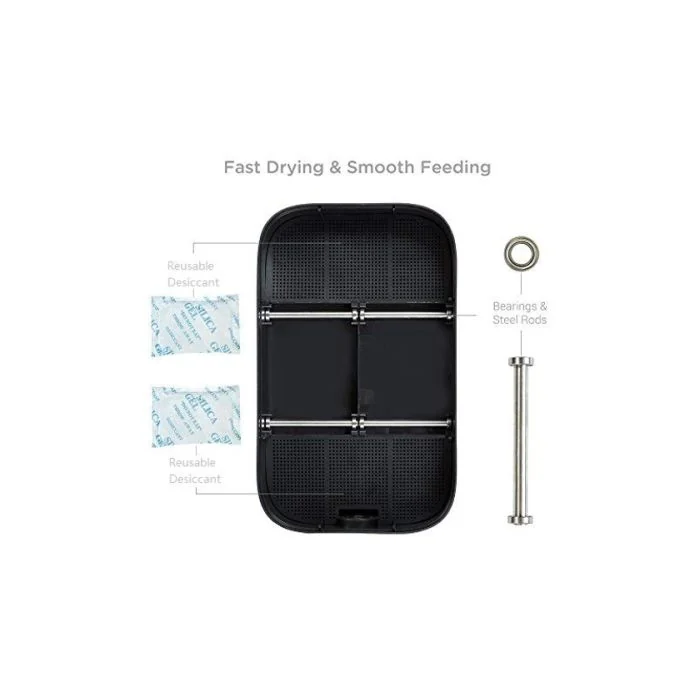
PolyBox™ includes a built-in high-precision hygrometer and silica gel desiccant sachets to control and absorb moisture from the air. The humidity within the box is maintained below 15% to prevent the filament from absorbing moisture during storage and even during the 3D printing process. It is specifically designed for Nylon, PVA, PolySmooth™ and other highly hygroscopic 3D printing materials.
However, it is good practice to keep all 3D printing filaments inside the PolyBox™ to preserve the optimum printing quality.
PolyBox™ is compatible with both 1.75mm and 2.85mm filaments and can contain up to two 1kg spools or one 3kg spool.
To install the hygrometer battery
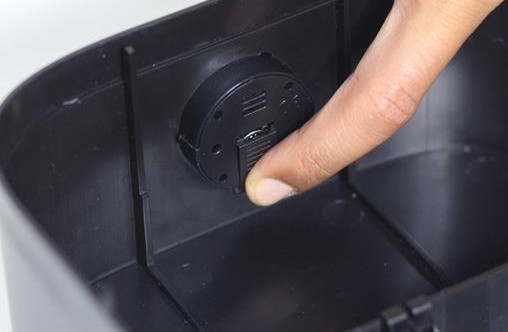
Slide down the hygrometer battery cover.
Remove the battery from the package, insert it in the designed compartment and put back the cover.
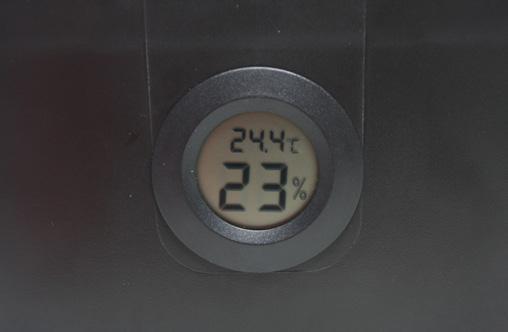
Check if the front display switches on. When you notice that the hygrometer display is fading, replace the button battery 1.5V LR44.
Note: The provided battery will last approximately 3 months.
To install the rods
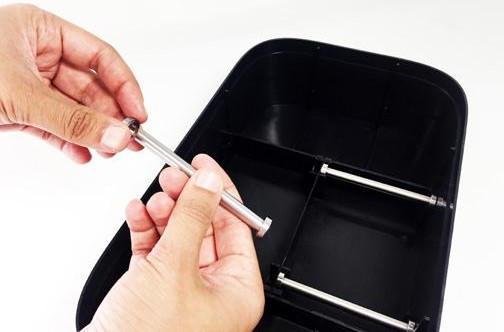
Slide two bearings onto both ends of the steel rod, then snap the rod and bearings into the PolyBox™.
To install the desiccant sachets
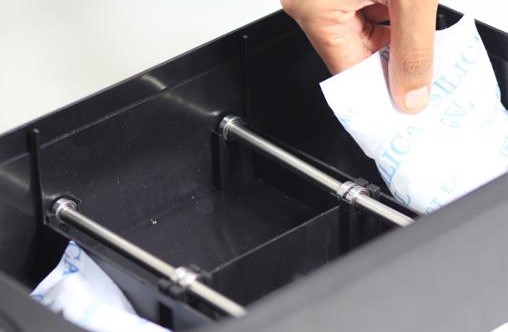
Remove the set of desiccants from the package and check if the sealed bag is intact.
If there are any leaks, please dry the sachets before using them. The provided desiccant bags can be dried in a microwave for 4 times 5min (defrost mode); make sure to flip the bags upside down between each iteration. Use oven mitts to touch the desiccant bags.
Note: other types of desiccant may not have the ability to recover and be reused.
Do not expose the desiccant sachets to the air for too long. We highly recommend silica gel for the type of desiccant.
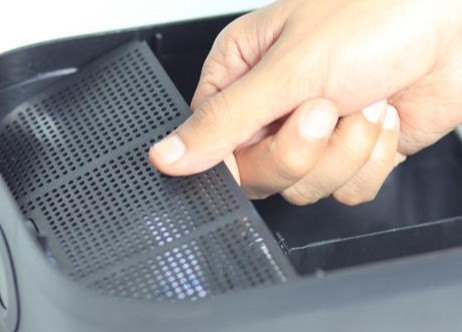
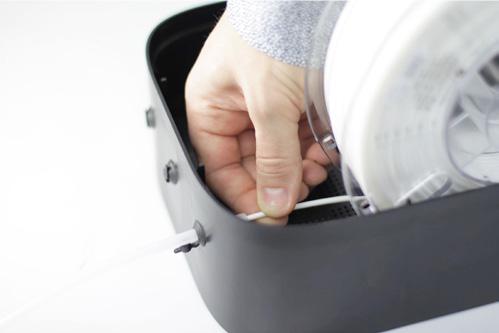
Put the two desiccant bags into the PolyBox™, one in each compartment.
Close the two compartments with the two grids.
To install the filament guide
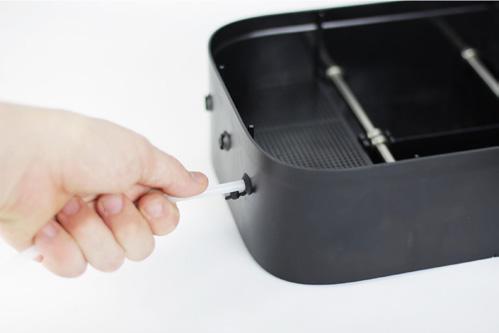
Cut the filament guide according to your need (distance from the PolyBox™ to the 3D printer) and insert it in the rubber holes on the back or on the top.
To place the spool
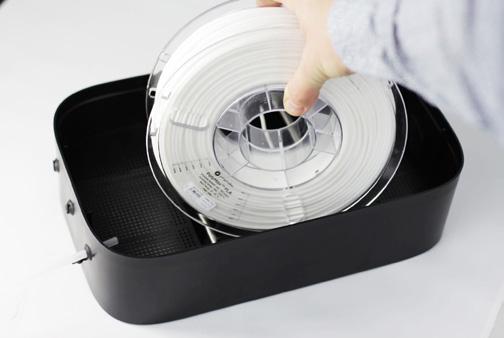
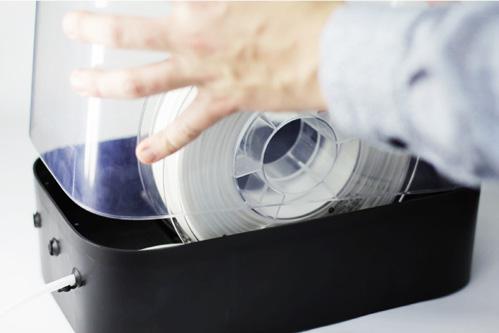
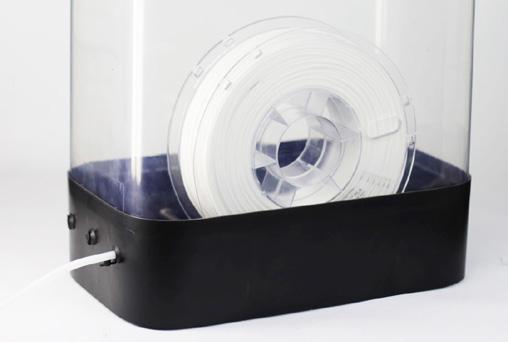
Place the spool in the PolyBox™ and feed the filament through the rubber plug.
Note: Make sure the material is fully dried before putting it in the PolyBox™.
Place the cover on the PolyBox™.
You should feel a small friction which ensures the fit. Make sure the cover fits correctly in the base to ensure an airtight environment for the spools. Do not open the PolyBox™ too frequently, and close all the unused rubber plugs to preserve the desiccant.
Gently pull the filament out to check if the spool rolls smoothly.
After 2 hours you should see the inside humidity dropping below 15%. The time will depend on the room humidity. The hygrometer should always display a humidity level below 15%.
Note: The minimum humidity level that can be displayed is 10%.
If the hygrometer displays a humidity level above 20%, replace the desiccant.
| Brand | Polymaker |
| Printing Materials | Plastic Filaments |
Other products teams run alongside Polymaker PolyBox Edition II 3D Printer Filament Dry Box – Humidity Below 15% | 1.75 & 2.85 mm
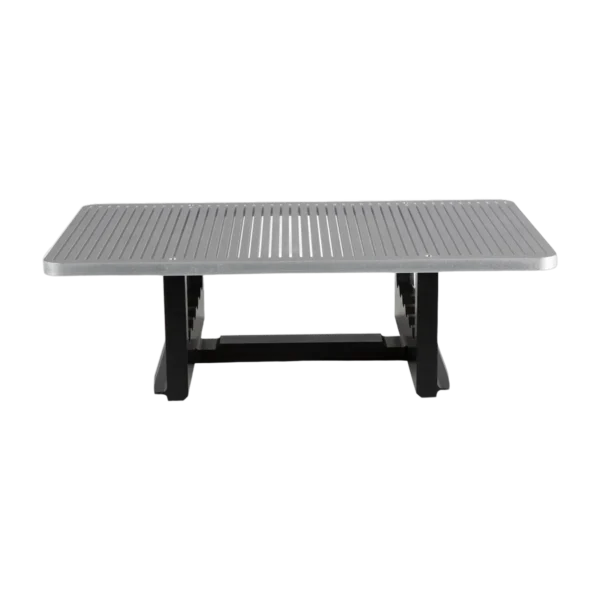
Slotted, chamfered replacement build plate assembly for the Nexa3D NX Pro and NXD (NXE 400 series). The slots ease resin drainage and peel forces; the chamfer aids part release. Swap a worn or warped plate to keep first-layer adhesion reliable.
- ✓ Slotted chamfer platform — drainage and easier release
- ✓ Fits Nexa3D NX Pro / NXD (NXE 400 series)
- ✓ Genuine Nexa3D part (P/N 12389) · ships in 2 business days
In stock
· 2 Business Days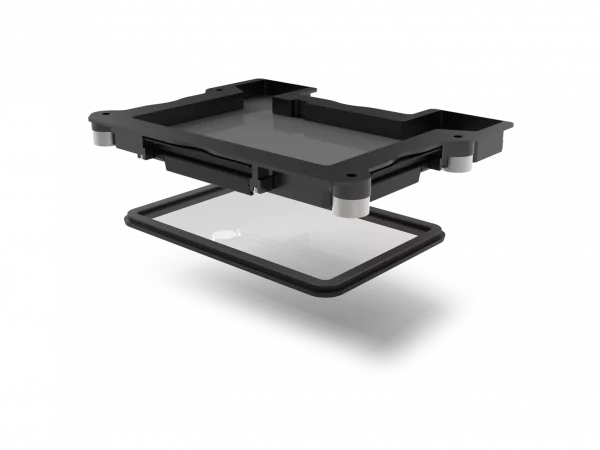
Replacement resin vat for the Nexa3D XiP — the tray that holds resin over the masking LCD and carries the membrane the print peels from each layer. As the membrane clouds or wears, print quality drops; a fresh vat restores clean, consistent layers.
- ✓ Resin vat assembly for the XiP LSPc engine
- ✓ Direct fit for the Nexa3D XiP desktop printer
- ✓ Genuine Nexa3D part · ships in 2 business days
In stock
· 2 Business Days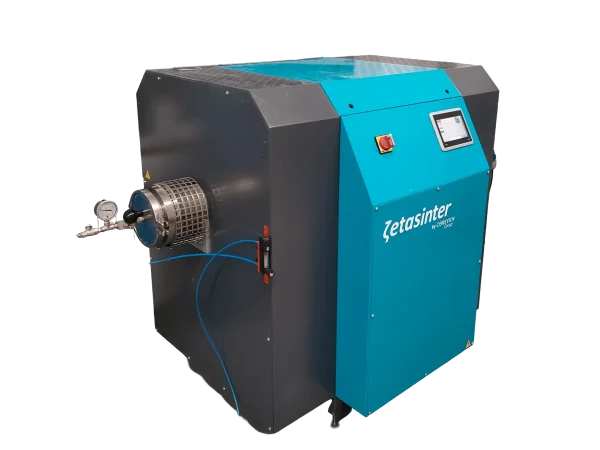
Replacement alumina tube for the Zetasinter 4L debinding and sintering furnace.
- ✔ Direct replacement part for the Zetasinter 4L
- ✔ Genuine Zetamix by Nanoe component
- ✔ Shipped from California, invoiced in USD
In stock
· Ships from California · 10–20 business days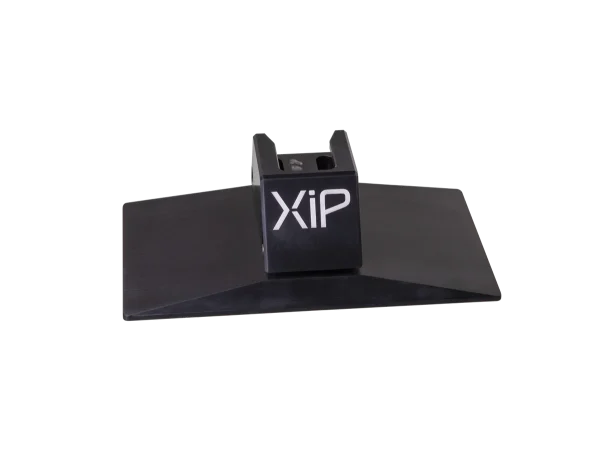
Replacement build plate for the Nexa3D XiP — the platform every print is grown on. A flat, clean plate is the foundation of reliable first-layer adhesion; swap a warped or gouged plate to stop parts detaching mid-print.
- ✓ Machined build platform for consistent first-layer adhesion
- ✓ Direct fit for the Nexa3D XiP desktop printer
- ✓ Genuine Nexa3D part · ships in 2 business days
In stock
· 2 Business Days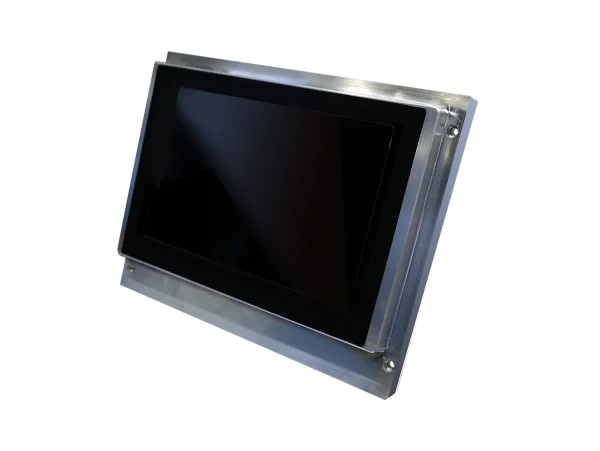
Replacement 9.3-inch 4K monochrome LCD for the Nexa3D XiP — the masking screen that projects each layer through the light engine. A worn or failing LCD shows up as dim areas, stuck pixels or incomplete cures; this drop-in module restores full-resolution printing.
- ✓ 9.3″ 4K monochrome masking LCD
- ✓ Direct replacement for the Nexa3D XiP desktop printer
- ✓ Genuine Nexa3D part · ships in 2 business days
In stock
· 2 Business Days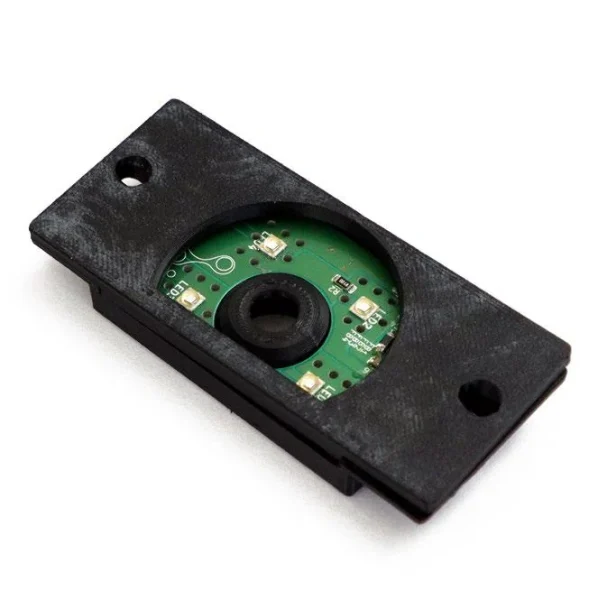
Genuine Sygnis UV module for the F-NIS 3D printer — 365 nm and 405 nm post-processor-controlled diodes that upgrade the machine from version A to version B.
- ✓ Dual-wavelength: 365 nm + 405 nm UV curing
- ✓ Post-processor-controlled diodes — self-installed A→B upgrade
- ✓ In stock — ships in 2 business days from US inventory
In stock
· 2 Business Days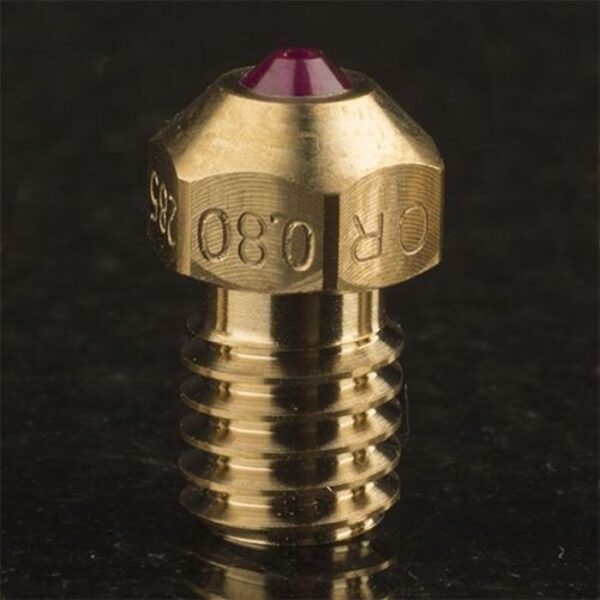
Genuine 3DVerkstan Olsson Ruby 0.8 mm nozzle for 1.75 mm filament — a synthetic-ruby tip in a brass body for abrasive composites.
- ✓ 0.8 mm orifice · 1.75 mm filament · standard M6 (E3D V6 / Olsson) thread
- ✓ Ruby tip resists carbon fiber, glass fiber, steel, and boron carbide fills
- ✓ Made to order — typically ships in 1–2 weeks
Made to order
· Made to order — typically ships in 1–2 weeks
Genuine UltiMaker replacement print head for the S3 and S5 — a complete assembly with printhead cable, PCB, cooling fans, nozzle seal and clamp clips to restore print quality and cut downtime.
- ✓ OEM UltiMaker P/N 225661 (supersedes 219259) — fits S3, S5 & S5 Pro Bundle
- ✓ Complete unit: cable, PCB, fans, nozzle seal, clamp clips
- ✓ Genuine part — made to order, typical lead time 1–2 weeks
Made to order
· Made to order — typical lead time 1–2 weeks (confirmed at checkout)Common questions
Don't see yours? Email [email protected] — NDA standard, typical reply within 4 hours.
Which 3D printers is the PolyBox Edition II compatible with?
Which filaments benefit most from the PolyBox?
How does it keep filament dry while printing?
What spool sizes and filament diameters does it hold?
Place your order, or talk to an engineer first
Order Polymaker PolyBox Edition II 3D Printer Filament Dry Box – Humidity Below 15% | 1.75 & 2.85 mm direct, or talk to materials engineer