
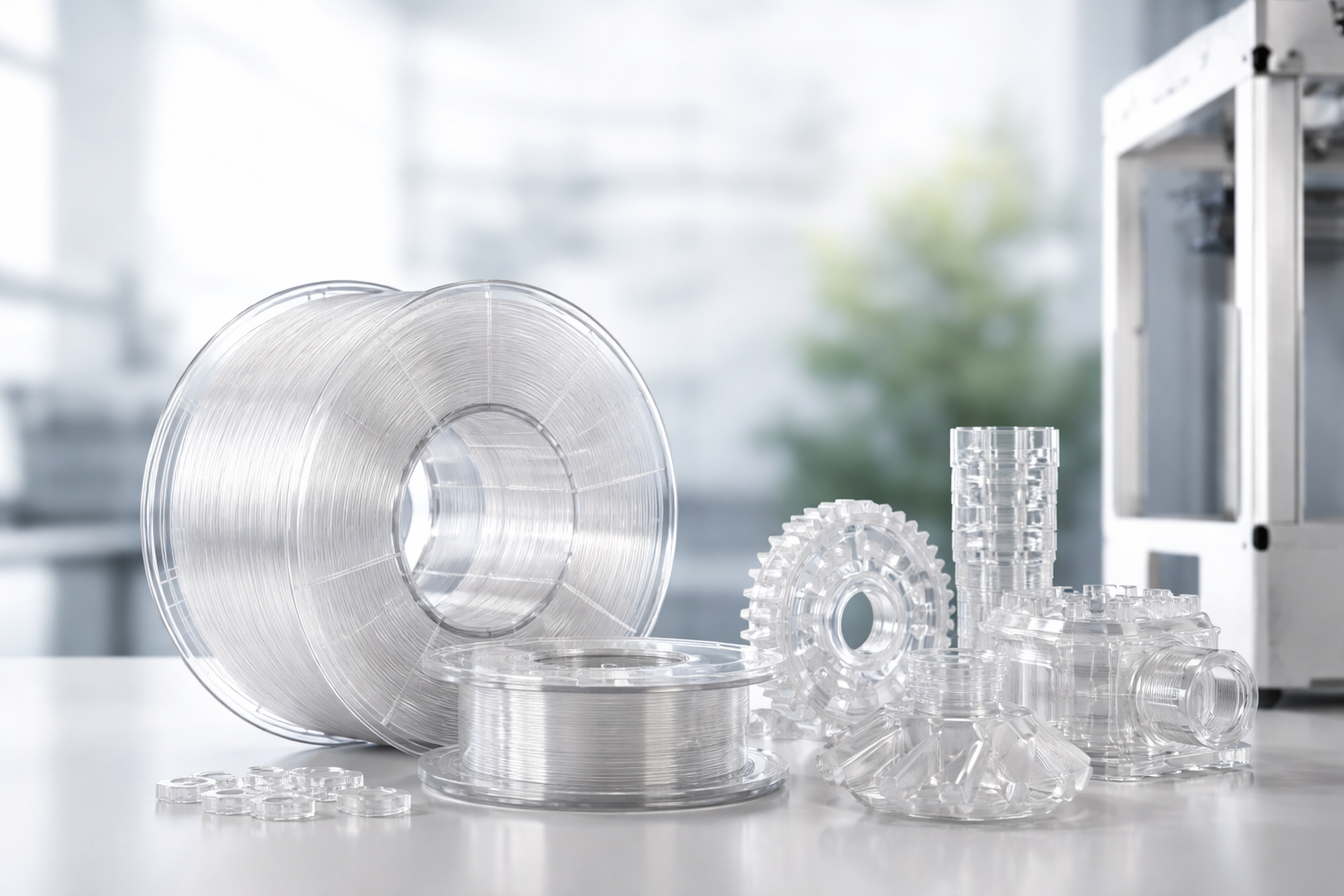
Transparent 3D printing filaments open up exciting possibilities for projects where clarity and precision matter. From eye-catching prototypes and display pieces to functional parts that need visibility, using the right transparent filament can make your prints look professional and polished.
But achieving that crystal-clear finish isn’t always easy. Small errors in print settings or surface finishing become much more noticeable when the material is transparent.
In this article, we’ll explore what transparent filament is, the challenges it presents, and the best ways to overcome them. You’ll learn practical printer settings, post-processing techniques, and tips for choosing the right material for your project.
We’ll also cover common applications, troubleshooting, and FAQs to help you get the most out of transparent 3D printing.
What Is Transparent 3D Filament?
Transparent 3D filament is a type of 3D printing material designed to allow light to pass through, creating a clear or semi-clear appearance. Unlike opaque filaments, it emphasizes clarity and smoothness, making it ideal for parts where visibility or aesthetics are important.
Benefits of transparent filament:
- Visually striking results for models and displays
- Realistic prototypes with a glass-like look
- Functional parts where seeing inside the component adds value
Key properties that affect print quality include clarity, strength, and flexibility. Each filament type balances these differently, so choosing the right one depends on your project’s needs.
Why Transparent 3D Filament Is Tricky To Print
Printing with transparent 3D filament can be more demanding than working with standard opaque materials. The same qualities that make it visually appealing also highlight flaws that would otherwise go unnoticed.
Key challenges include:
- Layer visibility – Even fine layer lines are more noticeable in clear materials, making prints look cloudy rather than smooth.
- Surface imperfections – Scratches, rough edges, or inconsistent extrusion stand out sharply when light passes through the print.
- Stringing and warping – Transparent PLA, PETG, and ABS are more prone to fine strings, blobs, and corner lifting, which can ruin the clarity of a part.
- Clarity sensitivity – Transparent filaments demand tighter control of temperatures, cooling, and layer height to achieve a glass-like finish.
In short, while transparent filament offers stunning results, it requires patience and careful tuning of print settings to unlock its full potential.
Best 3D Printing Settings For Transparent Filament
Getting crystal-clear results from transparent filament often comes down to fine-tuning your printer settings. Even small adjustments can make the difference between a cloudy part and a smooth, glass-like finish.
Here are some printer settings to consider
| Setting | Recommendation | Why It Matters |
| Extruder Temperature | Use the recommended range for each filament. Slightly higher temps improve layer bonding, but avoid overheating to prevent bubbles. | Directly impacts clarity and strength. |
| Bed Temperature & Adhesion | PLA: 50–70 °C • PETG: 70–90 °C • ABS: 90–110 °C. Use adhesives like glue stick or PEI sheets. | Prevents warping and ensures strong first layers. |
| Printing Speed | 30–50 mm/s for best clarity. | Slower speeds help layers fuse evenly and reduce cloudiness. |
| Layer Height & Resolution | 0.1–0.2 mm for transparent prints. | Smaller layers create smoother surfaces and reduce visible lines. |
| Cooling & Fans | 50–70% fan speed. | Balanced cooling avoids layer separation and minimizes cloudy finishes. |
| Retraction Settings | Adjust retraction distance and speed to reduce stringing. | Keeps transparent surfaces clean and free of blemishes. |
With the right balance of heat, speed, and cooling, you can significantly improve the transparency of your prints and reduce visible imperfections.
Surface Finishing For Crystal-Clear Results
Even with the best printer settings, transparent filament often needs extra finishing to achieve a truly glass-like look. Post-processing helps remove layer lines, eliminate small imperfections, and bring out maximum clarity.
Sanding and Polishing
Start with fine-grit sandpaper and work your way to ultra-fine sanding pads. Finishing with a polishing compound can give prints a smooth, glossy surface and significantly improve transparency.
Chemical Smoothing
For ABS, acetone vapor smoothing is a common technique. By lightly melting the outer surface, it removes visible layer lines and leaves behind a uniform, glassy finish. This should always be done with proper ventilation and care.
Coating and Sealing
Applying a clear resin or spray coating can enhance transparency while also protecting the surface from scratches. This method works for most transparent materials, including PLA and PETG.
Heat Treatment
Gently reheating a printed part can reflow the surface slightly, helping to reduce imperfections and improve clarity. This approach is particularly effective for PETG and ABS.
Painting Techniques
If you plan to add color, transparent paints allow you to tint the model while still maintaining light transmission and translucency.
The right finishing method often depends on your chosen filament type and the desired result, but combining sanding with either coating or chemical smoothing usually delivers the clearest outcome.
Also Read:
Best PLA Filament To Start With: A Beginner’s Guide To Choosing The Right Material
Choosing The Right Transparent Filament For Your Project
Not all transparent filaments behave the same way. Each material has its own strengths and trade-offs, so selecting the right one is key to getting the best results.
PLA
Transparent PLA is easy to work with and produces smooth, clear prints. It’s ideal for decorative pieces, prototypes, and models where durability isn’t critical. However, it’s more brittle and less heat-resistant than other options.
PETG
A versatile choice that balances strength and clarity. Transparent PETG is tougher than PLA, more flexible, and suitable for functional parts. It can be slightly harder to dial in settings but it offers great long-term clarity.
ABS
Transparent ABS is durable and heat-resistant, making it useful for mechanical parts and applications requiring toughness. It does, however, demand more advanced print settings and often benefits from chemical smoothing for clarity.
When deciding which material to use, think about the balance between ease of printing, clarity, and strength. For simple prototypes, PLA might be perfect. For durable parts, PETG often stands out. And for high-performance projects, ABS can deliver if you’re comfortable with more advanced techniques.
At Additive Plus, we provide a wide range of transparent 3D printing filaments, including PLA, PETG, and ABS, so you can choose the material that best fits your project.
See our Materials
Where Transparent Prints Shine
Transparent filament is valued both for its visual appeal and its practical uses. Designers rely on it for prototypes and visual models, as the clarity helps showcase internal structures during presentations or product development.
In commercial settings, it’s often used for displays and packaging, creating protective yet see-through cases that highlight the product inside.
Transparent PETG and ABS also find a role in lighting, from lamp covers to decorative fixtures, where controlled light diffusion is essential.
Beyond aesthetics, transparency brings functionality; engineers and researchers use it in parts where monitoring internal flow or mechanics is critical.
Where Transparent Prints Shine
Transparent filament is valued both for its visual appeal and its practical uses. Designers rely on it for prototypes and visual models, as the clarity helps showcase internal structures during presentations or product development. In commercial settings, it’s often used for displays and packaging, creating protective yet see-through cases that highlight the product inside.
Transparent PETG and ABS also play a growing role in lighting, from lamp covers to decorative fixtures, where controlled light diffusion is essential. Beyond aesthetics, transparency brings functionality, engineers and researchers use it in parts where monitoring internal flow or mechanics is critical.
The PETG filament market alone is already worth USD 1.2 billion in 2024 and is expected to more than double by 2033, reflecting strong demand for transparent and durable materials.
Troubleshooting Transparent Filament
Even with the right printer settings, transparent filament can be challenging to perfect. Knowing the most common issues and how to solve them helps you avoid wasted time and materials.
- Cloudy or Opaque Prints: Usually caused by printing too fast, too cool, or with inconsistent cooling. Slow down your speed, increase the temperature slightly within the safe range, and fine-tune fan settings to improve clarity.
- Surface Imperfections: Visible scratches, blobs, or uneven extrusion can ruin transparency. Regularly clean the nozzle, calibrate extrusion, and use post-processing methods like sanding or polishing to smooth them out.
- Bubbles and Air Pockets: Often the result of moisture in the filament. Store spools in a dry box and, if needed, dry the filament before use to restore clarity.
- Adhesion and Warping Issues: Transparent PLA, PETG, and ABS all need proper bed adhesion. Use the right bed temperature, add adhesives like glue stick, or apply a PEI sheet to keep corners from lifting.
With a bit of patience and adjustment, these problems can be minimized, ensuring your transparent prints look clean and professional.
Clear Results Start With The Right Approach
Transparent 3D filament can deliver stunning, crystal-clear prints when used with the right techniques. By carefully selecting the material, fine-tuning print settings, and applying post-processing methods, you can achieve professional-quality results that stand out in both design and function. Challenges like stringing, surface imperfections, or cloudy finishes are common, but with patience and the right troubleshooting steps, they’re easy to overcome.
At Additive Plus, we make it easier for creators and businesses to achieve these results. Whether you’re looking for high-quality transparent 3D printing filaments or professional 3D printing services, our team is here to help you bring your designs to life with clarity and precision. Explore our selection today and start your next project with confidence.
Frequently asked questions
How do I keep transparent filament from turning yellow?
Transparent 3D filament can turn yellow if it’s exposed to UV light, heat, or moisture over time. The best way to prevent this is to store your spools in airtight containers with desiccant and away from direct sunlight. Proper storage helps maintain clarity and extends the life of your transparent filament for 3D printers.
Which transparent filament is food-safe?
PETG is often the preferred transparent 3D printer filament for food-related projects because it’s durable, resistant to moisture, and less brittle than PLA. However, only PETG certified as food-safe should be used, and even then, post-processing or coatings may be required to ensure safety. Always check with the filament supplier to confirm compliance.
Can I mix transparent filament with other colors?
Yes, you can blend transparent filament with opaque or translucent filaments to create tinted effects or layered designs. Keep in mind that mixing reduces the overall clarity, so if maximum transparency is the goal, stick to a single material. This is especially important for applications like lighting covers or display cases where visibility is key.
Do I need a special printer for transparent 3D prints?
You don’t need specialized hardware, most standard FDM printers work well with transparent PLA, PETG, and ABS when tuned correctly. For ultra-smooth results with crystal-clear parts, SLA or resin printers can provide higher resolution and better light transmission. Choosing the right printer depends on whether you prioritize ease of use, strength, or maximum transparency.
What’s the easiest transparent filament for beginners?
Transparent PLA is the most beginner-friendly option since it prints at lower temperatures, sticks well to the bed, and rarely warps. While it’s not as strong as PETG or ABS, it delivers good clarity with proper settings and simple finishing methods. If you’re new to working with transparent filament, PLA is the best starting point.
Have a question or a project? Let’s talk.
Tell us what you need — a real applications engineer replies within 24 hours. NDA standard, no sales script.