
In stock
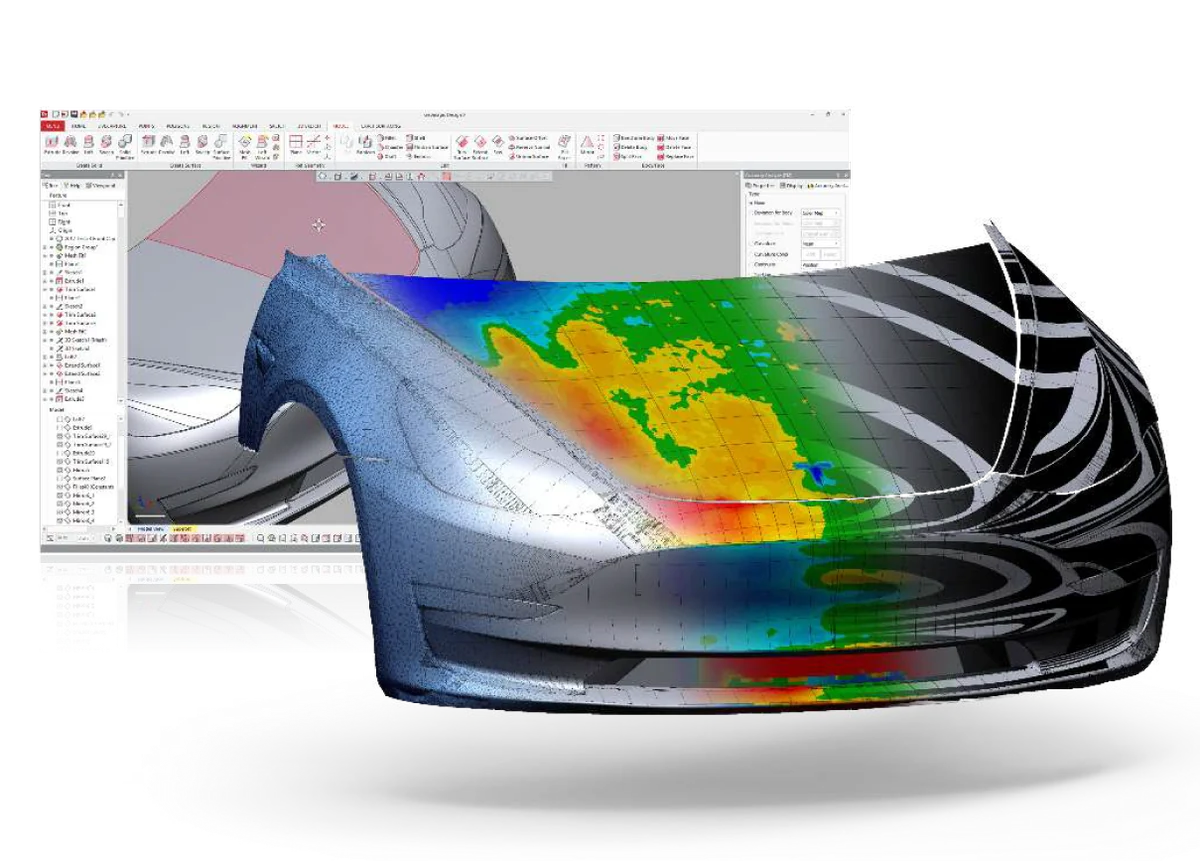
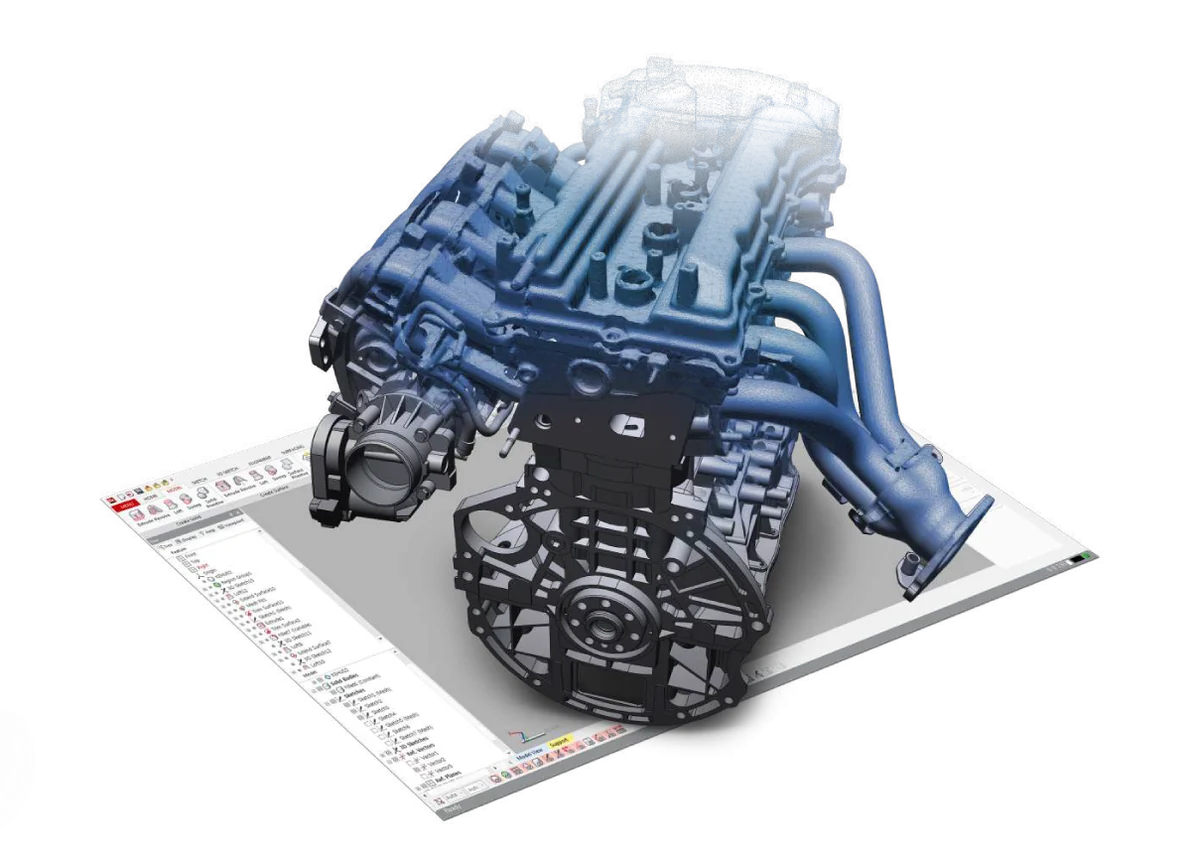
- License + edition setup matched to your workload
- Onboarding + workflow scan-to-CAD configured
Geomagic Design X Reverse Engineering Software – Scan-to-CAD | Parametric Solid Modeling
- ✓ Mesh & point cloud to parametric CAD · Auto Surface, feature-based & hybrid modeling
- ✓ Patented LiveTransfer — full feature tree into SOLIDWORKS, NX, Solid Edge, Inventor, Creo; plus neutral STEP, IGES, DXF
- ✓ Accuracy Analyzer real-time deviation check · runs on Windows 10 / 11 (64-bit)
- ✓ Delivered as a licensed download; issued to order · 14-day trial available
What your design team actually checks
A real parametric CAD model
Geomagic Design X produces a true feature-based, parametric CAD model with an editable feature tree — not a frozen mesh. Patented LiveTransfer sends it into SOLIDWORKS, NX, Solid Edge, Inventor, or Creo with history intact, and neutral STEP, IGES, and DXF cover everything else, so the rebuilt part is ready to manufacture and to modify.
An applications engineer on the line
Help with surfacing strategy, the scan-to-CAD workflow, and LiveTransfer into your CAD — from engineers who run this software. Try it on the 14-day trial first. Sub-4h reply, NDA standard.
Geomagic Design X is professional scan-to-CAD reverse-engineering software that turns 3D-scan mesh and point-cloud data into a feature-based, parametric CAD model. It processes billions of scan points with automatic and guided solid extraction — a path to CAD 3 to 10 times faster than traditional tools — and pushes finished models straight into mainstream CAD with patented LiveTransfer, or exports neutral STEP, IGES, and DXF.
Why engineers choose Geomagic Design X
A direct path from a physical part to an editable, manufacturable CAD model.
Mesh & point cloud to CAD, fast
Process billions of scan points and rebuild them into a feature-based CAD model 3 to 10 times faster than traditional tools, with automatic and guided solid extraction — no modeling a part by hand from scratch.
Feature-based, parametric history
Build with a full feature tree — extrude, revolve, loft, sweep — and blend prismatic and organic geometry in hybrid modeling. Edits stay parametric, so the rebuilt part remains editable, not frozen.
Exact & auto surfacing
Auto Surface wraps organic freeform scans with accurate exact surfaces, while the patented Accuracy Analyzer checks deviation between your model and the scan data in real time.
LiveTransfer to your CAD
Patented LiveTransfer pushes complete, editable models with full feature trees straight into SOLIDWORKS, Siemens NX, Solid Edge, Autodesk Inventor, and PTC Creo — plus neutral STEP, IGES, and DXF.
How Additive Plus delivers Geomagic Design X
Licensed, set up, and supported for your reverse-engineering workflow.
License & install
We license Geomagic Design X for your team and get it installed, with the free trial available so you can evaluate on your own scans first.
Train & workflow
Onboarding on the scan-to-CAD workflow — mesh cleanup, Auto Surface, feature modeling, and LiveTransfer into your CAD — so your team rebuilds parts productively from the start.
Support that answers
Questions on a tricky surface or a specific modeling step go to engineers who run this software. Sub-4h reply, NDA standard.
From Scan to Parametric CAD
Geomagic Design X guides scan mesh and point-cloud data through cleanup and modeling into a finished, feature-based CAD solid. Mesh-editing tools handle hole filling, smoothing, and defeaturing, then Auto Surface wraps organic shapes and feature-based tools rebuild prismatic geometry against the scan. Because the result is a true parametric CAD model with an editable feature tree — not a frozen mesh — it is ready to manufacture and to modify. See the full feature list below.
LiveTransfer to Your CAD Platform
Patented LiveTransfer technology transfers complete models, including the feature tree, directly into mainstream CAD — SOLIDWORKS, Siemens NX, Solid Edge, Autodesk Inventor, and PTC Creo — with the parametric history intact, so there is no IGES/STEP re-import to rebuild. For any other package, Geomagic Design X also exports neutral STEP, IGES, and DXF. The result drops into your existing design and CAD/CAM pipeline for CNC machining, tooling, or 3D printing.
Typical applications
Reverse engineering across design and manufacturing.
System Requirements
| Component | Recommended |
|---|---|
| Operating system | Windows 10 or Windows 11 (64-bit) |
| Processor | Quad-core CPU, 3 GHz or higher; multi-core recommended |
| Memory | 8 GB RAM minimum; 16 GB recommended |
| Graphics | Dedicated OpenGL 4.0+ GPU with 2 GB or more VRAM |
| Storage | 30 GB available disk space |
Typical workstation specification — confirm against the current vendor guide for your Design X release.
Why Source Geomagic Design X Through Additive Plus
- Authorized reseller — licensing matched to your reverse-engineering work, with a trial and a demo before you commit
- Onboarding on the scan-to-CAD workflow and LiveTransfer into your CAD included
- Application engineers who run this software — surfacing strategy and modeling help
- US-based support with a sub-4h response · 200+ scanning and AM systems delivered across 23 countries
Pair Design X with a scanner or inspection
Complete the scan → model → verify workflow.
Lite / Pro softwareSHINING3D EXModelView software →
Inspection softwareSHINING3D InspectView software →
| Brand | Geomagic |
| Software Type | Reverse-engineering / scan-to-CAD software |
| Technology | Feature-based & parametric reverse engineering · Auto Surface · patented LiveTransfer |
| Workflow | Mesh & point cloud to parametric CAD model · automatic and guided solid extraction |
| Modeling Tools | Mesh Buildup Wizard, mesh editing, Auto Surface, feature-based modeling (extrude, revolve, loft, sweep), hybrid modeling, Accuracy Analyzer |
| CAD Interoperability | LiveTransfer to SOLIDWORKS, Siemens NX, Solid Edge, Autodesk Inventor, PTC Creo Neutral export: STEP, IGES, DXF |
| Free Trial | 14-day free trial (on request) |
| Compatible Hardware | Shining 3D scanners and standard 3D-scan / point-cloud data |
| Operating System | Windows 10 / 11 (64-bit) |
| System Requirements | Quad-core 3 GHz+ CPU · 8 GB RAM min (16 GB rec.) · OpenGL 4.0+ GPU with 2 GB+ VRAM · 30 GB disk |
| Licensing | Perpetual or subscription, multi-seat — request licensing and pricing |
Product videos
Start the 14-day trial and we'll walk you through a sample scan-to-CAD job on your own scan — see the parametric result before you license.
Other products teams run alongside Geomagic Design X Reverse Engineering Software – Scan-to-CAD | Parametric Solid Modeling
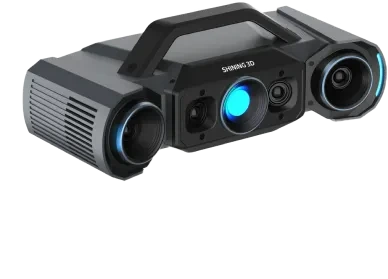
Blue-light structured-light 3D inspection scanner delivering up to 0.005 mm accuracy with four industrial cameras and switchable dual scan ranges — verified in an ISO/IEC 17025 accredited lab for production quality control.
- ✓ 0.005 mm (small range) / 0.015 mm (large range) accuracy · VDI/VDE 2634 Part 2, ISO 10360
- ✓ Q12: 4 × 12.3 MP · Q9: 4 × 9 MP · dual FOV 160 × 110 / 430 × 300 mm · < 1 s per shot
- ✓ Handheld, tripod, automatic turntable, or robot-integrated · 3.5 kg
- ✓ Lead time: 4–6 weeks — configured to order
Made to order
· Lead time: 4–6 weeks — configured to order
Scan-to-CAD reverse-engineering software that turns a 3D-scan mesh into a professional CAD solid model in a few steps — with seamless one-click import from Shining 3D scanners and export to IGES, STEP, and DXF for CAD/CAM, CNC, or 3D printing.
- ✓ Mesh to production-ready CAD solid · one-click auto-surfacing, feature-based & hybrid modeling
- ✓ One-click scan import from Shining 3D scanners — no export/import juggling
- ✓ Lite (IGES, DXF) and Pro (parametric STEP + full toolset) editions · 30-day free trial
- ✓ Delivered as a license — request editions and pricing
In stock
· License delivered on purchase — 30-day trial available; onboarding scheduled with your team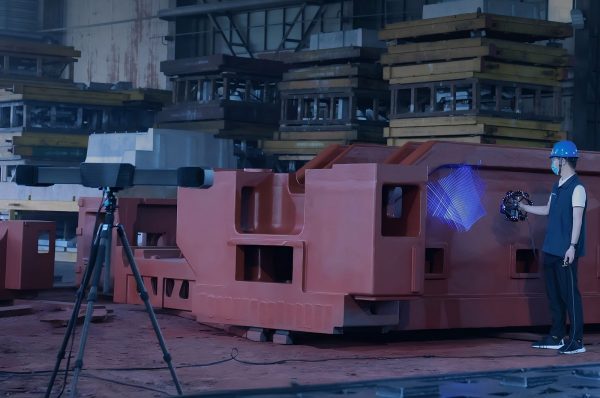
Wireless dynamic-tracking metrology system with an ultra-wide 206.7 m³ single-station volume and tracking up to 8.6 m — markerless video photogrammetry (VPG) measurement of very large parts at 0.023 mm single-point accuracy.
- ✓ 0.023 mm point accuracy · 0.044 + 0.012 mm/m with VPG · verified in ISO/IEC 17025 lab (VDI/VDE 2634 Part 3, ISO 10360)
- ✓ 8.6 m tracking range · 206.7 m³ single-station volume · 50 laser lines · 5,500,000 points/s
- ✓ Markerless VPG · wireless + fiber · FreeProbe-compatible · TE25W scanner 1.4 kg
- ✓ Lead time: 4–6 weeks — configured to order
Made to order
· Lead time: 4–6 weeks — configured to order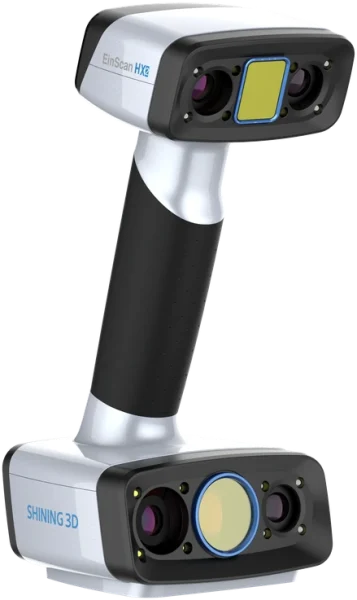
Hybrid handheld 3D scanner with up to 0.04 mm accuracy and a 350–700 mm working range — dual blue laser and LED light sources in one device for reverse engineering and inspection of small-to-mid-size parts.
- ✓ Up to 0.04 mm accuracy · 0.04 + 0.06 mm/m volumetric accuracy in Laser Scan mode
- ✓ Dual light source: 13 crossed blue laser lines for fine detail, blue LED for full-color rapid capture
- ✓ Up to 1,600,000 points/s at 120 FPS — feature, marker, texture, and hybrid alignment modes
- ✓ Lead time: 2–4 weeks — configured to order
Made to order
· Lead time: 2–4 weeks — configured to order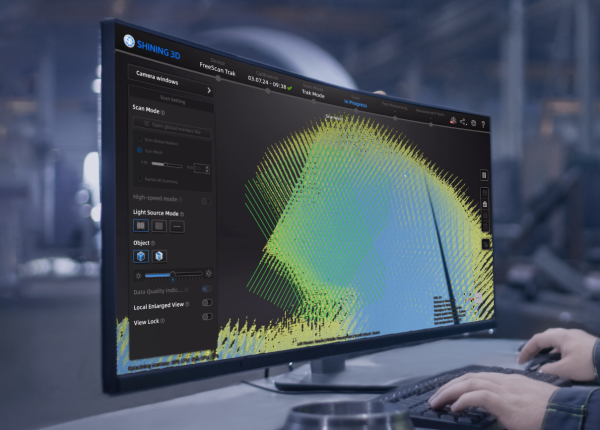
- ✓ Software for FreeScan handheld & metrology scanners — UE Nova, UE Pro2, Trio, Trak Nova, Combo
- ✓ Intelligent noise/feature algorithm · real-time mesh + data-quality & laser-line color feedback
- ✓ Video Photogrammetry (VPG) up to 0.02 + 0.015 mm/m · bridges to EXModel, Geomagic, PolyWorks
- ✓ Delivered as a licensed download — issued to order; request licensing
In stock
· Delivered as a licensed download; issued to order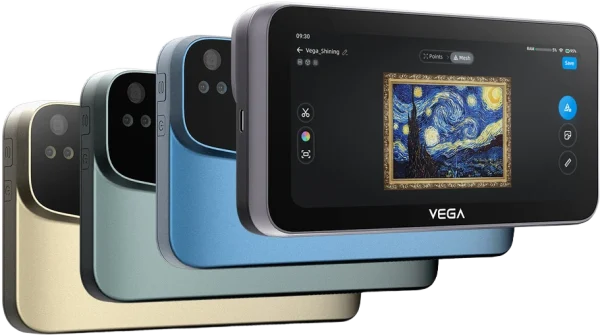
Wireless standalone handheld 3D scanner with up to 0.05 mm resolution and a 100–1500 mm combined working range — full-color capture and an onboard 6.4″ touchscreen for PC-free scanning on the floor or in the field.
- ✓ Up to 0.05 mm resolution (HD Mode) · 100–1500 mm combined working range across two modes
- ✓ Standalone, PC-free: 6.4″ 2K OLED touchscreen, 8-core CPU, 32GB RAM, 512GB SSD onboard
- ✓ 48MP full-color capture · markerless feature, texture, and hybrid alignment
- ✓ Lead time: 2–4 weeks — configured to order
Made to order
· Lead time: 2–4 weeks — configured to order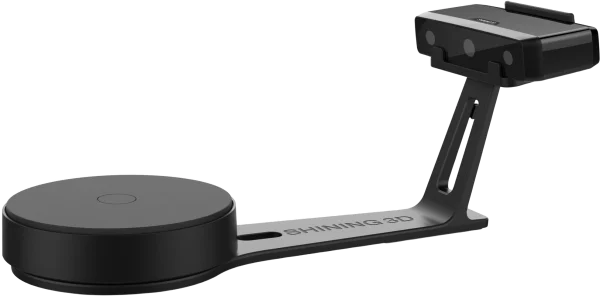
Structured-light desktop 3D scanner with ≤0.1 mm accuracy and up to 700 mm capture range — fixed and auto-turntable scanning for small parts, full-color texture, on one affordable system.
- ✓ ≤0.1 mm single-shot accuracy, 0.17–0.2 mm point distance
- ✓ Fixed mode up to 700 × 700 × 700 mm; turntable mode for 30–200 mm parts
- ✓ Full-color texture capture; OBJ, STL, PLY, 3MF, ASC export
- ✓ Lead time: 2–4 weeks — configured to order
Made to order
· Lead time: 2–4 weeks — configured to order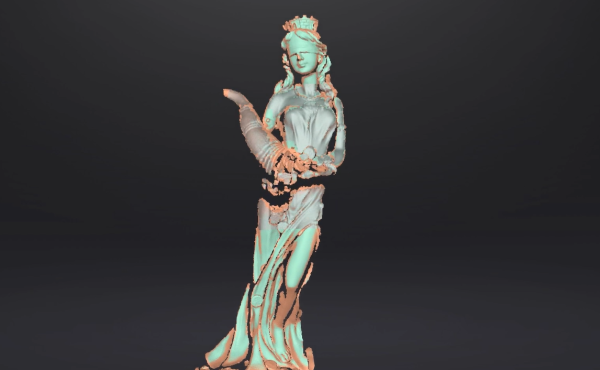
EXScan is the versatile scanning software for EinScan series 3D scanners — it drives capture with step-by-step guidance, aligns and cleans the scan, and exports a watertight mesh to STL, OBJ, PLY, ASC, 3MF, and P3 for reverse engineering, inspection, or 3D printing.
- ✓ Guided capture with Scan Rewind, Auto Cutting Plane, and a live data-quality indicator
- ✓ Full mesh post-processing — align, clean, fill holes, simplify, smooth, sharpen, texture
- ✓ Exports STL, OBJ, PLY, ASC, 3MF, P3 · one-click handoff to EXModel and Geomagic
- ✓ Delivered as a licensed download — issued to order
In stock
· Delivered as a licensed download — issued to order with your EinScan scanner; onboarding scheduled with your teamCommon questions
Don't see yours? Email [email protected] — NDA standard, typical reply within 4 hours.
What is Geomagic Design X and what does it do?
Which CAD platforms does Geomagic Design X export to?
How does Design X turn a scan into a parametric model?
What is the Accuracy Analyzer?
Which scanners and scan data work with Geomagic Design X?
What are the system requirements for Geomagic Design X?
Is there a trial, and how is Design X licensed?
Place your order, or talk to an engineer first
Order Geomagic Design X Reverse Engineering Software – Scan-to-CAD | Parametric Solid Modeling direct, or talk to materials engineer