
In stock
- Software + edition setup Lite or Pro matched to your work
- Onboarding + workflow scan-to-CAD configured
SHINING3D EXModel Scan-to-CAD Reverse Engineering Software – Lite & Pro
Scan-to-CAD reverse-engineering software that turns a 3D-scan mesh into a professional CAD solid model in a few steps — with seamless one-click import from Shining 3D scanners and export to IGES, STEP, and DXF for CAD/CAM, CNC, or 3D printing.
- ✓ Mesh to production-ready CAD solid · one-click auto-surfacing, feature-based & hybrid modeling
- ✓ One-click scan import from Shining 3D scanners — no export/import juggling
- ✓ Lite (IGES, DXF) and Pro (parametric STEP + full toolset) editions · 30-day free trial
- ✓ Delivered as a license — request editions and pricing
What your design team actually checks
An editable, manufacturable model
EXModel produces a real CAD solid — feature-based and, in Pro, parametric — not a frozen mesh. That means the rebuilt part is editable and exports to STEP and IGES for CNC, tooling, or 3D printing, ready to manufacture rather than just visualize.
An applications engineer on the line
Help with surfacing strategy, the scan-to-CAD workflow, and export into your CAD/CAM — from engineers who run this software. Try it on the 30-day trial first. Sub-4h reply, NDA on request.
SHINING3D EXModel is scan-to-CAD reverse-engineering software that turns a 3D-scan mesh into a professional, production-ready CAD solid model in a few steps. One-click import from Shining 3D scanners removes the export/import juggling, and finished models export to IGES, STEP, and DXF for CAD/CAM, CNC, or 3D printing.
Why engineers choose EXModel
A direct path from a physical part to an editable, manufacturable CAD model.
Mesh to CAD solid, fast
Turn a scan mesh into a professional CAD solid in a few steps, including one-click auto-surfacing for organic shapes — no need to rebuild a part by hand from scratch.
Feature-based & hybrid modeling
Build with extrude, revolve, loft, sweep, and helix, or blend free-form and prismatic geometry in hybrid modeling — and revisit modifications, so the model stays editable.
One-click scan import
Seamless integration with Shining 3D scanners imports scan data directly, so you move from capture to modeling without exporting and re-importing between separate tools.
Export to CAD/CAM & print
Output IGES and STEP (parametric in Pro) plus DXF for downstream CAD/CAM, CNC machining, or 3D printing — the model drops straight into your existing pipeline.
How Additive Plus delivers EXModel
Licensed, set up, and supported for your reverse-engineering workflow.
License & install
We match Lite or Pro to your work and get the software licensed and installed, with the 30-day trial available so you can evaluate first.
Train & workflow
Onboarding on the scan-to-CAD workflow, auto-surfacing, and export into your CAD/CAM — so your team is rebuilding parts productively from the start.
Support that answers
Questions on a tricky surface or a specific modeling step go to engineers who run this software. Sub-4h reply, NDA on request.
From Scan to Solid Model
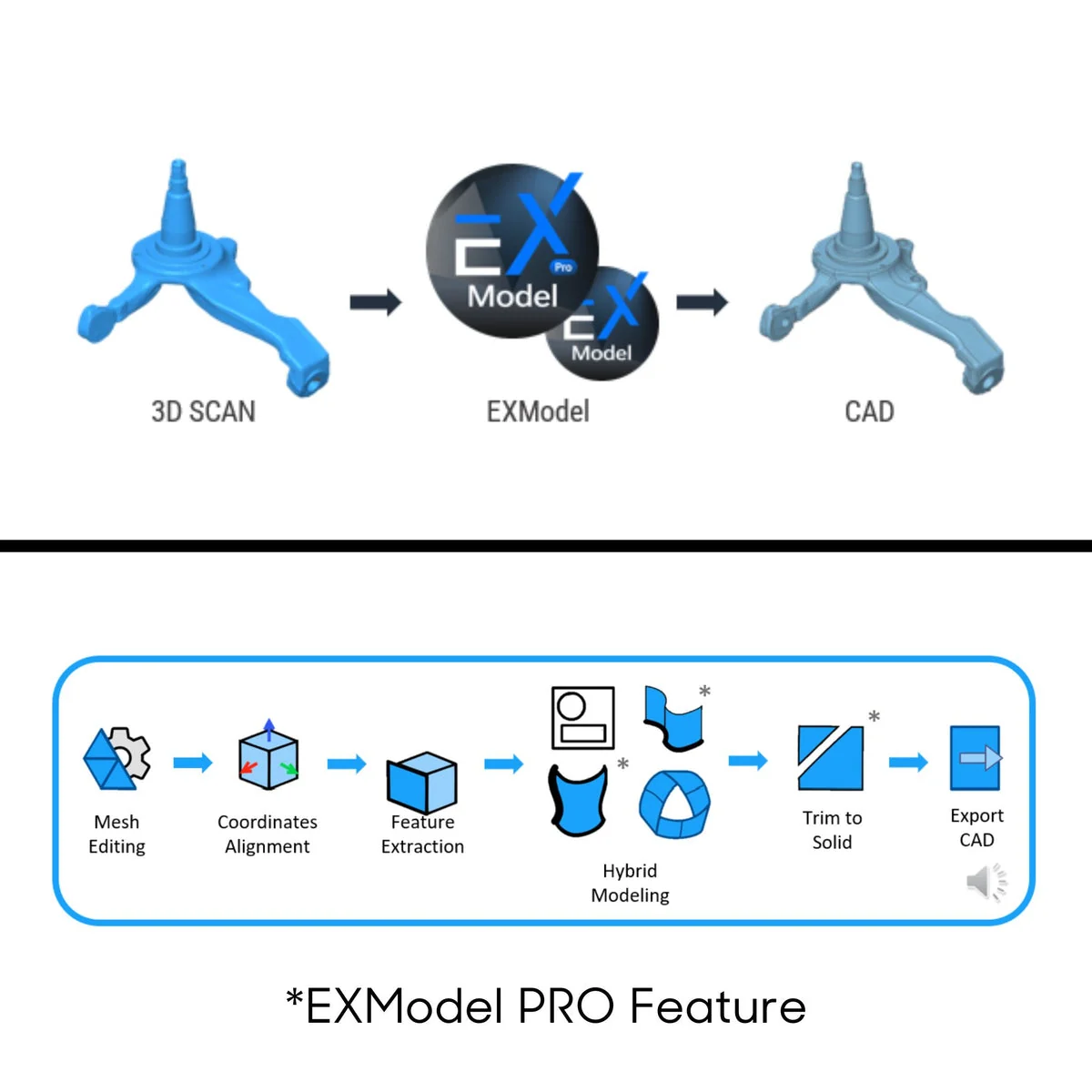
EXModel guides a scan mesh through cleanup and modeling into a finished CAD solid. Mesh-editing tools handle hole filling, smoothing, and boundary editing, then one-click auto-surfacing wraps organic shapes and feature-based tools rebuild prismatic geometry. Because the result is a proper CAD model rather than a frozen mesh, it is editable and ready to manufacture. See the full feature list below.
EXModel Lite vs EXModel Pro
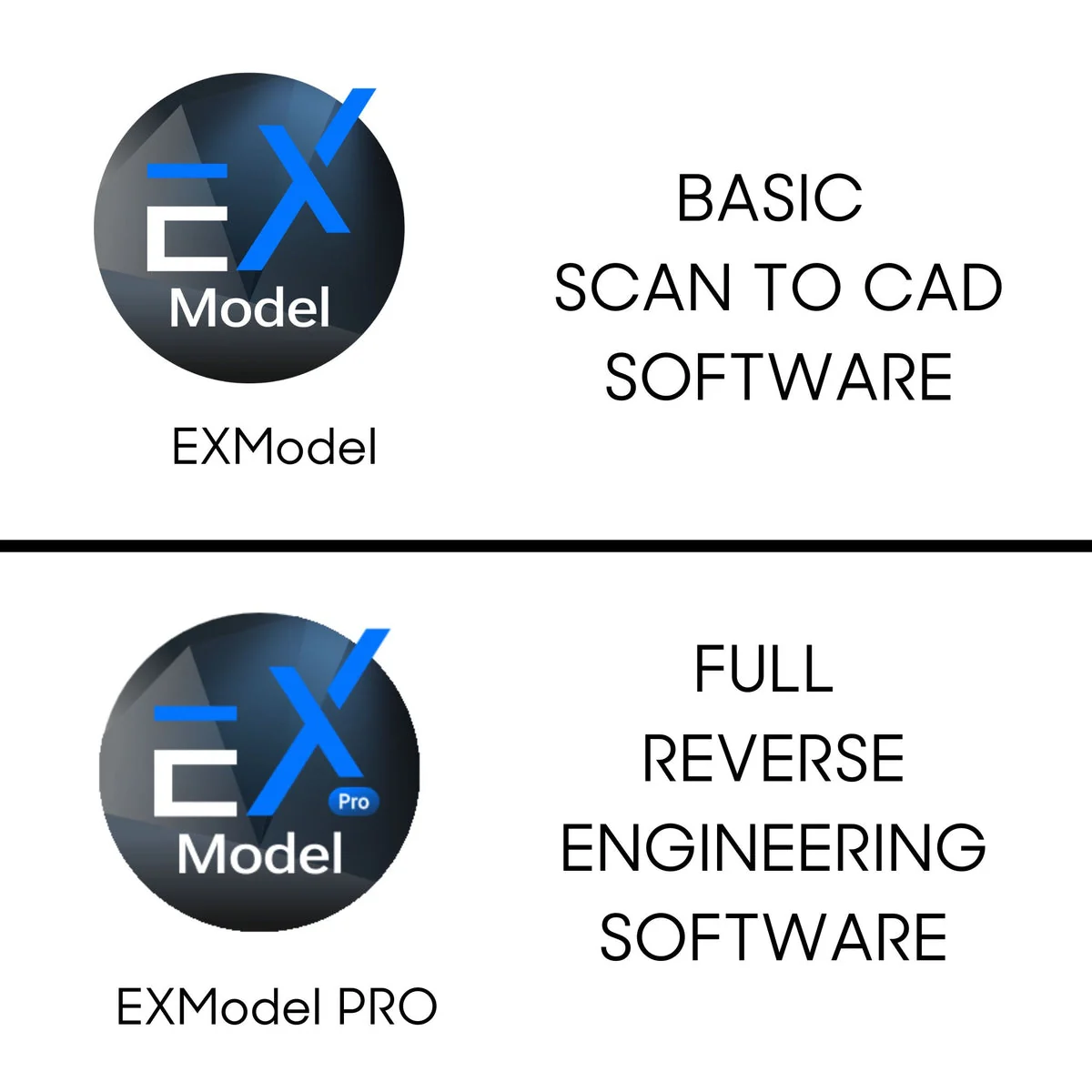
EXModel comes in two editions. EXModel Lite covers core modeling and exports IGES and DXF — a solid entry point for straightforward reverse engineering. EXModel Pro adds the full toolset, including parametric STEP export, hybrid modeling, constraints, and advanced filleting for professional, production-quality solids. A 30-day free trial lets you evaluate, with 15 days of Pro features included, so you can confirm the right edition before you license.
Typical applications
Reverse engineering across design and manufacturing.
Why Source EXModel Through Additive Plus
- Authorized reseller — Lite or Pro licensing matched to your work, with the trial and a demo before you commit
- Onboarding on the scan-to-CAD workflow and export included
- Application engineers who run this software — surfacing strategy and modeling help
- US-based support with a sub-4h response · 200+ scanning and AM systems delivered across 23 countries
Pair EXModel with a scanner or inspection
Complete the scan → model → verify workflow.
DesktopEinScan SP V2View scanner →
Inspection softwareSHINING3D InspectView software →
| Brand | Shining 3D |
| Software Type | Reverse-engineering / scan-to-CAD software |
| Editions | EXModel Lite, EXModel Pro |
| Workflow | Mesh to CAD solid model in a few steps · one-click import from Shining 3D scanners |
| Modeling Tools | One-click auto-surfacing, feature-based modeling (extrude, revolve, loft, sweep, helix), hybrid modeling, mesh editing |
| Export Formats | Lite: IGES, DXF Pro: IGES, STEP (parametric), DXF |
| Free Trial | 30-day free trial (includes 15 days of Pro features) |
| Compatible Hardware | Shining 3D scanners (seamless integration) |
| Operating System | Windows |
| Licensing | Lite / Pro editions — request licensing and pricing |
Start the 30-day trial and we'll walk you through a sample scan-to-CAD job on your own part — see the result before you commit.
Other products teams run alongside SHINING3D EXModel Scan-to-CAD Reverse Engineering Software – Lite & Pro
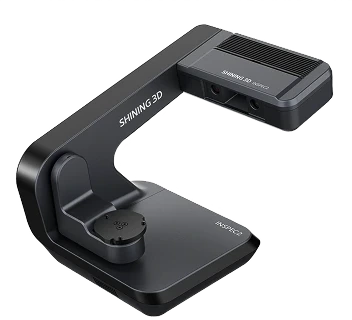
Automatic desktop blue-light 3D scanner for small, intricate parts — 0.01 mm accuracy, a 3-axis turntable, one-click scanning with AI-assisted UltraScan software, and a PTB-certified inspection module.
- ✓ 0.01 mm accuracy · 0.05 mm point distance · 2 × 5 MP cameras · full-color scanning
- ✓ Automatic 3-axis turntable · automatic calibration · one-click scanning · up to 8 objects per scan
- ✓ PTB-certified inspection module · SHINING3D Inspect, PolyWorks, Geomagic · 5 kg desktop
- ✓ 1-year Shining 3D warranty · authorized US reseller
- ✓ Ship date confirmed by email after you order
Made to order
· Ship date confirmed by email after you order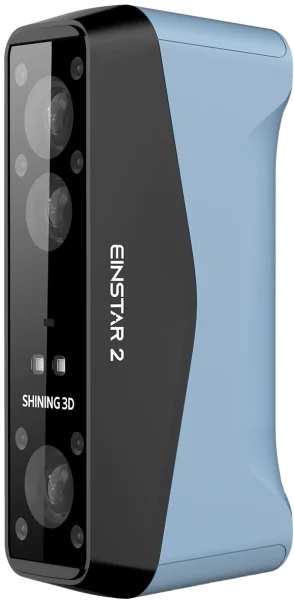
Wireless handheld 3D scanner and the successor to the original Einstar — 17 blue laser lines for detail plus an IR mode for large objects and people, capturing from 5 mm details to 10 m scenes at 0.05 mm resolution, a full body in about 60 seconds.
- ✓ 0.05 mm resolution (Laser HD) · 17 parallel blue laser lines · 2.5M–4.8M points/s
- ✓ Dual mode: laser (small–medium detail) + IR (large objects, full body)
- ✓ Built-in Wi-Fi · swappable battery up to 3 h · 420 g · full body in ~60 s
- ✓ 1-year Shining 3D warranty · authorized US reseller
- ✓ Ship date confirmed by email after you order
Made to order
· Ship date confirmed by email after you order
Fully wireless, metrology-grade blue-laser handheld 3D scanner for large parts — 0.072 mm accuracy, 50 laser lines at 4,600,000 points/s, and integrated video photogrammetry (VPG) with no coded markers, with a field of view up to 102 × 87 in / 2600 × 2200 mm.
- ✓ 0.072 mm accuracy · 0.072 + 0.012 mm/m with VPG · acceptance-tested to VDI/VDE 2634 Part 3 & ISO 10360 in Shining 3D’s ISO/IEC 17025 lab
- ✓ 50 blue-laser lines · 4,600,000 points/s · FOV up to 102 × 87 in / 2600 × 2200 mm
- ✓ Fully wireless · 3.5 lbs / 1.6 kg · integrated VPG, no coded markers · normal, black & reflective surfaces
- ✓ 1-year Shining 3D warranty
- ✓ Ship date confirmed by email after you order
Made to order
· Ship date confirmed by email after you order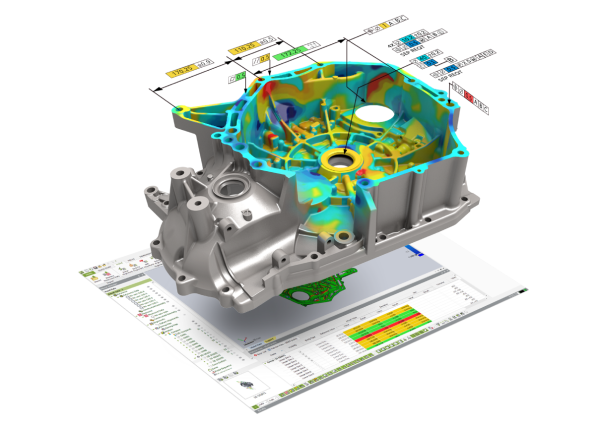
Geomagic Control X is a standalone 3D metrology inspection software — compare 3D scan data to a CAD model, run full GD&T to ASME Y14.5 and ISO, and generate customizable, traceable inspection reports, with scanner-agnostic hardware support and visual-scripting automation.
- ✓ Scan-to-CAD full-field deviation color maps · CAD-free golden-part inspection · automatic feature recognition
- ✓ GD&T to ASME Y14.5 & ISO · 2D + 3D dimensioning · cross-section · multi-alignment · airfoil analysis
- ✓ Live Inspect · trend monitoring · visual-scripting automation · reports to Excel, Word, PowerPoint, PDF & XML
- ✓ Works with major 3D scanners & portable CMMs · delivered as a licensed download, issued to order
In stock
· Delivered as a licensed download; issued to order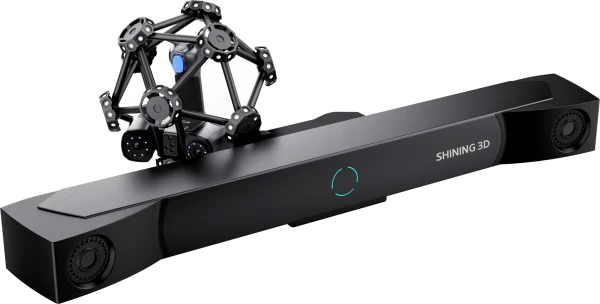
Optical 3D measuring and dynamic-tracking metrology system that pairs an infrared optical tracking bar with a large-FOV laser scanner and an optional FreeProbe contact probe — markerless measurement at 0.023 mm accuracy across parts from a 0.1 m feature to a 10 m assembly.
- ✓ 0.023 mm accuracy · 0.044 + 0.012 mm/m volumetric — VDI/VDE 2634 Part 3, tested in Shining 3D’s ISO 17025-certified lab
- ✓ 50 laser lines · 3,070,000 points/s · markerless optical tracking, marker scanning, and optional FreeProbe contact probe
- ✓ 25.6 × 22.8 in / 650 × 580 mm max FOV · objects up to 33 ft / 10 m
- ✓ 1-year Shining 3D warranty
- ✓ Ship date confirmed by email after you order
Made to order
· Ship date confirmed by email after you order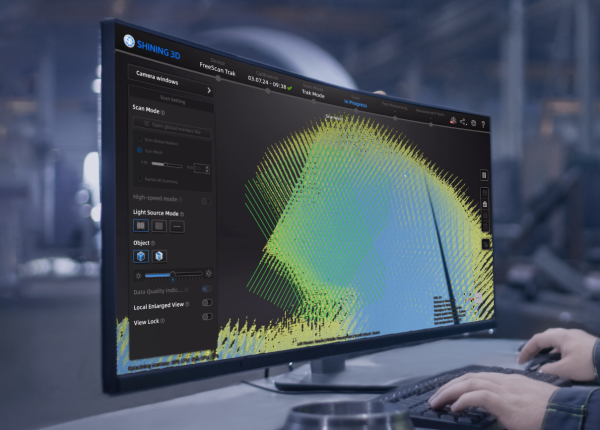
- ✓ Software for FreeScan handheld & metrology scanners — UE Nova, UE Pro2, Trio, Trak Nova, Combo
- ✓ Intelligent noise/feature algorithm · real-time mesh + data-quality & laser-line color feedback
- ✓ Video Photogrammetry (VPG) up to 0.02 + 0.015 mm/m · bridges to EXModel, Geomagic, PolyWorks
- ✓ Delivered as a licensed download — issued to order; request licensing
In stock
· Delivered as a licensed download; issued to order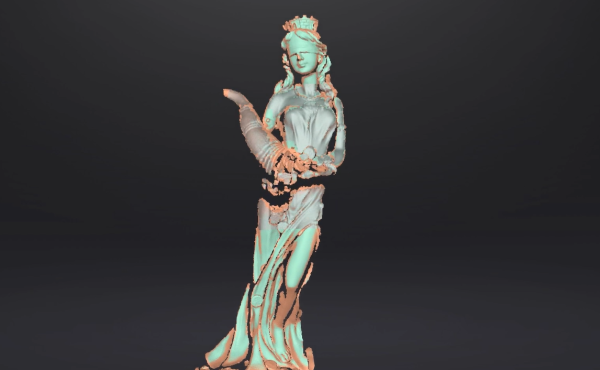
EXScan is the versatile scanning software for EinScan series 3D scanners — it drives capture with step-by-step guidance, aligns and cleans the scan, and exports a watertight mesh to STL, OBJ, PLY, ASC, 3MF, and P3 for reverse engineering, inspection, or 3D printing.
- ✓ Guided capture with Scan Rewind, Auto Cutting Plane, and a live data-quality indicator
- ✓ Full mesh post-processing — align, clean, fill holes, simplify, smooth, sharpen, texture
- ✓ Exports STL, OBJ, PLY, ASC, 3MF, P3 · one-click handoff to EXModel and Geomagic
- ✓ Delivered as a licensed download — issued to order
In stock
· Delivered as a licensed download — issued to order with your EinScan scanner; onboarding scheduled with your team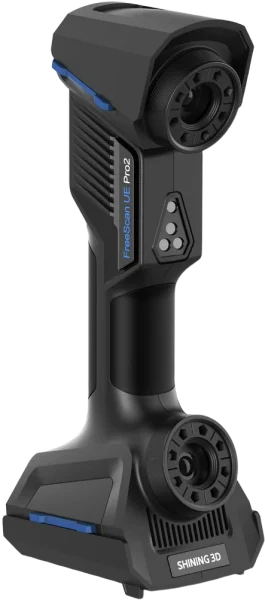
Fully wireless, metrology-grade laser handheld 3D scanner — 0.02 mm accuracy, 50 laser lines at 3,460,000 points/s, and patented video photogrammetry (VPG) that eliminates the need for coded markers, with an integrated inspection module for QC on the move.
- ✓ 0.02 mm accuracy · 0.02 + 0.015 mm/m with photogrammetry · VDI/VDE 2634 Part 3 & ISO 10360, tested in Shining 3D’s ISO/IEC 17025 accredited lab
- ✓ 50 laser lines · 3,460,000 points/s · up to 180 fps · VPG, no coded markers needed
- ✓ Fully wireless · 950 g · indoors or outdoors · on-board inspection module
- ✓ 1-year Shining 3D warranty · authorized US reseller
- ✓ Ship date confirmed by email after you order
Made to order
· Ship date confirmed by email after you orderWhat our customers say
“Harry and team were professional, effective communicators as we set up the order, then they executed quickly and produced an amazing product for us at a very competitive price. Am looking forward to our next print w Additive Plus!”
“Great 3D printing service and the resin parts look super smooth and clean. Really happy with how everything turned out!”
“Harry was very professional and helped me out with my 3D printing needs and explained what options I have in terms of filaments such as PEEK. Highly recommended.”
“I needed a 3D enclosure printed urgently in a specific time period, they did great!”
Common questions
Don't see yours? Email [email protected] — NDA on request, typical reply within 4 hours.
What is EXModel and what does it do?
What is the difference between EXModel Lite and Pro?
What file formats does EXModel export?
Which scanners does EXModel work with?
Is there a free trial?
What modeling tools does EXModel include?
How is EXModel licensed, and what OS does it need?
Place your order, or talk to an engineer first
Order SHINING3D EXModel Scan-to-CAD Reverse Engineering Software – Lite & Pro direct, or talk to materials engineer