
Made to order
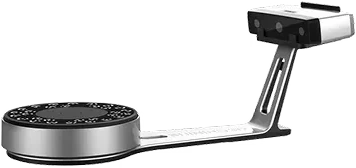
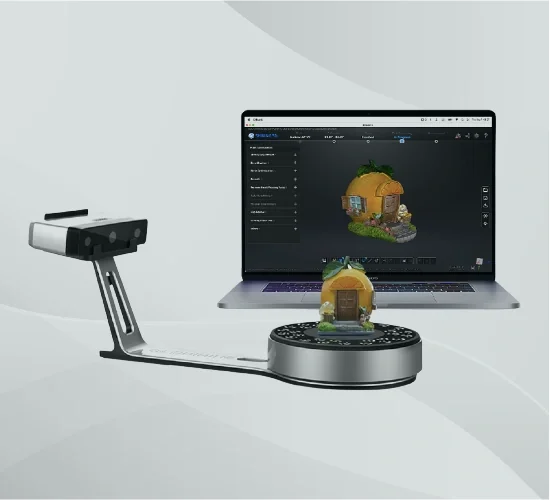
- Scanner + turntable + calibration board everything to start scanning
- EXScan S software free — Windows and Mac
Shining 3D EinScan SP V2 Desktop 3D Scanner – Structured Light | 0.05 mm Accuracy
Structured-light desktop 3D scanner with ≤ 0.05 mm accuracy and dual fixed + turntable scanning — full-color capture of objects from 30 mm to 1.2 m for reverse engineering, design, and 3D printing.
- ✓ ≤ 0.05 mm accuracy · 0.17–0.2 mm point distance · 24-bit color texture
- ✓ Fixed + Auto turntable modes · objects 30 mm to 1200 mm · 5 kg turntable load
- ✓ < 1 s single scan · < 45 s full 360° turn · EXScan S software
- ✓ Lead time: 2–4 weeks — configured to order
What your design team actually checks
Accuracy and color you can trust
Up to 0.05 mm accuracy with 24-bit color texture — sharp geometry for reverse engineering and realistic surface color for design and documentation. Fixed optical spec, verified before shipment, not a marketing estimate.
An applications engineer on the line
Pre-sale advice on whether a desktop or handheld scanner fits your parts, post-sale help with settings, alignment, and export. From engineers who run these scanners. Sub-4h reply, NDA standard.
The Shining 3D EinScan SP V2 is a structured-light desktop 3D scanner that captures small to medium objects at up to 0.05 mm accuracy, in fixed or automatic turntable modes, with full 24-bit color — a reliable, affordable entry into professional 3D scanning for design, reverse engineering, and 3D printing.
Why designers choose the EinScan SP V2
Desktop-simple, with the accuracy and color a professional workflow needs.
Two ways to scan
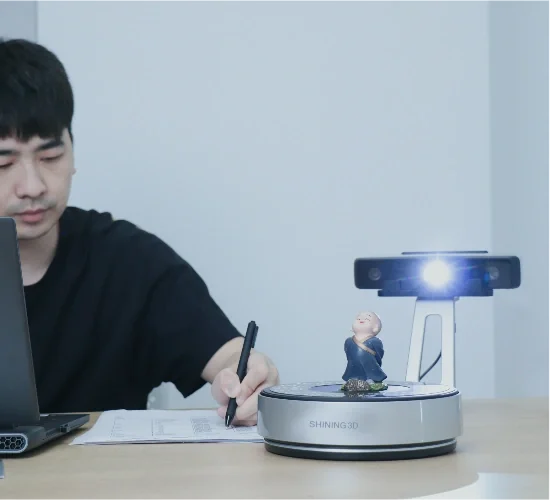
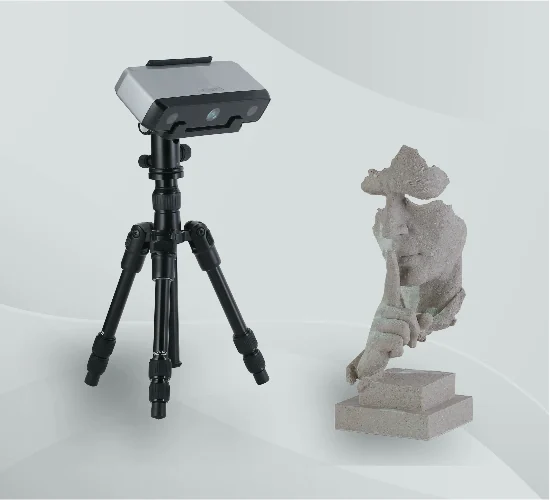
Auto Scan spins the object on the turntable for a hands-free 360° capture; Fixed Scan mounts on a tripod for larger parts. Switch between them in the same project.
0.05 mm accuracy, full color
Up to 0.05 mm accuracy with a 0.17–0.2 mm point distance and 24-bit color texture — sharp geometry and realistic surface color for design and documentation. See specifications below.
From a coin to 1.2 metres
Capture objects from 30 mm up to 1200 mm, with a 5 kg turntable for parts you can set down and scan — one desktop unit covers a wide range of work.
Guided software, Windows or Mac
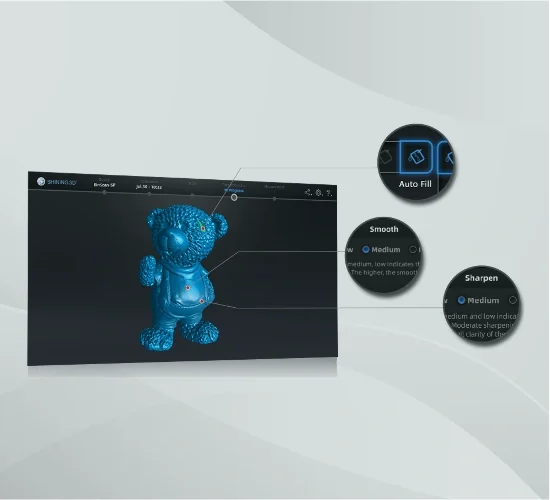
EXScan S walks you from calibration to scan to mesh editing. Beginners get usable results quickly; the free software is designed for both Windows and Mac.
How Additive Plus delivers your SP V2
Set up, supported, and ready to scan out of the box.
Calibrate & verify
Each unit ships with its HD calibration board and is checked before it leaves us, so your first scans meet the stated accuracy.
Onboard & export
Guidance on scan strategy, turntable vs. tripod, and export into your CAD or slicer — you are producing clean meshes on day one.
Support that answers
Questions on settings, alignment, or a tricky surface go to engineers who run these scanners. Sub-4h reply, NDA standard.
Scanning Performance
The EinScan SP V2 uses white-LED structured light with dual 1.3 MP cameras to reach up to 0.05 mm accuracy and a 0.17–0.2 mm point distance. A single scan completes in under a second, and a full 360° turntable scan finishes in under 45 seconds. Its 24-bit color texture captures realistic surface color alongside geometry. See the full specification table below.
Scan Modes & Working Range
Auto Scan mode uses a marker-based turntable rated to 5 kg for hands-free 360° capture of smaller objects; Fixed Scan mounts the head on a tripod for parts up to 1200 mm. Alignment supports turntable, feature, markers, and manual modes, so you can stitch multiple views into a complete model. The scanner handles objects from roughly a 30 mm coin to a 1.2 m part.
Software & Output
EXScan S guides the full workflow — calibration, capture, alignment, mesh editing, and export. Output in OBJ, STL, ASC, PLY, and 3MF drops straight into CAD, reverse-engineering, and 3D-printing software. Intelligent color capture records the object’s full texture for realistic models and documentation.
Typical applications
A desktop scanner for design, engineering, and making.
Why Source the EinScan SP V2 Through Additive Plus
- Authorized reseller — real support, not a grey-market box
- Calibration verified before shipment; onboarding on scan strategy and export
- Application engineers who run these scanners — settings, alignment, and CAD/print workflow help
- US-based support with a sub-4h response · 200+ scanning and AM systems delivered across 23 countries
Not sure the SP V2 is the right scanner?
Compare it with the other desktop and entry scanners we support.
Handheld entryEinstarCompare scanner →
All-in-one laserEinScan LibreView scanner →
| Brand | Shining 3D |
| Country of origin | China |
| Technology | Structured white light |
| Scan Accuracy | ≤ 0.05 mm (single shot) |
| Point Distance | 0.17 – 0.2 mm |
| Scan Modes | Fixed Scan, Auto Scan (turntable) |
| Scan Speed | Single scan: < 1 s Full 360° turn: < 45 s |
| Scan Volume | 30 × 30 × 30 mm to 1200 × 1200 × 1200 mm |
| Turntable Load | 5 kg / 11 lbs |
| Light Source | White LED |
| Camera Resolution | 1.3 MP × 2 |
| Data Alignment Mode | Turntable, feature, markers, manual |
| Full Color Scanning | Yes — 24-bit color texture |
| Output Formats | OBJ, STL, ASC, PLY, 3MF |
| Software | EXScan S (Windows; Mac compatible) |
| Interface | USB |
| Weight | 4.2 kg, 9.3 lbs |
Product videos
Send us a representative part and we'll scan it, or book a quick demo — see the mesh and color before you buy.
Other products teams run alongside Shining 3D EinScan SP V2 Desktop 3D Scanner – Structured Light | 0.05 mm Accuracy

Fully wireless, metrology-grade blue-laser handheld 3D scanner for large parts — 0.072 mm accuracy, 50 laser lines at 4,600,000 points/s, and markerless capture through integrated video photogrammetry (VPG), with a field of view up to 102 × 87 in / 2600 × 2200 mm.
- ✓ 0.072 mm accuracy · 0.072 + 0.012 mm/m with VPG · ISO/IEC 17025 verified (VDI/VDE 2634 Part 3, ISO 10360)
- ✓ 50 blue-laser lines · 4,600,000 points/s · FOV up to 102 × 87 in / 2600 × 2200 mm
- ✓ Fully wireless · 3.5 lbs / 1.6 kg · markerless integrated VPG · normal, black & reflective surfaces
- ✓ Lead time: 4–6 weeks — configured to order
Made to order
· Lead time: 4–6 weeks — configured to order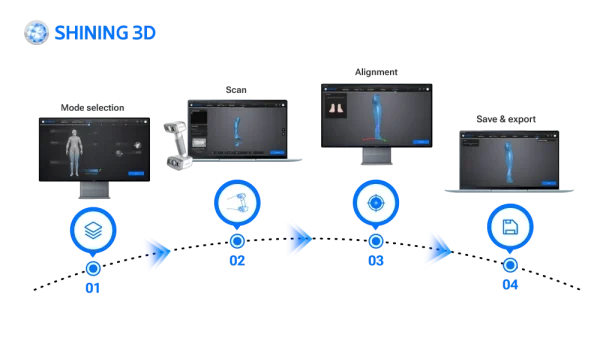
EXScan O&P is orthotics & prosthetics scanning software for the EinScan H2 handheld 3D scanner — preset body scan modes and an intelligent automatic alignment algorithm capture socket, limb, cranial, torso, foot, and seating scans, then export clean STL and OBJ meshes for your O&P CAD/CAM and design software.
- ✓ 8 preset O&P scan modes · cranial, face, upper/lower limb, torso, foot station, seating, socket
- ✓ Intelligent automatic alignment — real-time, step-by-step, minimal manual post-processing
- ✓ Exports STL and OBJ to CAD/CAM and specialized O&P design software
- ✓ Delivered as a licensed download — request editions and pricing
In stock
· Delivered as a licensed download; issued to order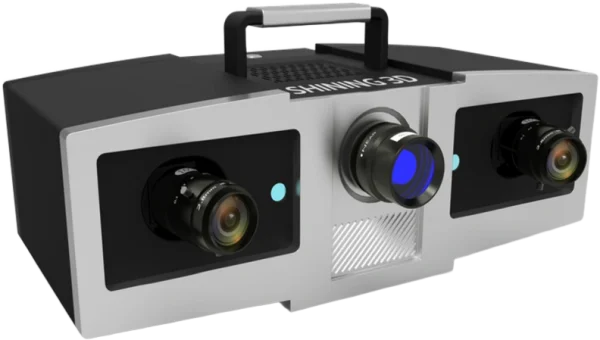
Blue-light structured-light metrology scanner with 0.005 mm single-shot accuracy and three interchangeable working ranges (100/200/400 mm) — a stationary benchtop system for dimensional inspection of small, high-precision parts.
- ✓ Two 5 MP cameras + 1080P blue-LED DLP projector, verified to VDI/VDE 2634 Part 3 in an ISO 17025-certified lab
- ✓ Automatic marker alignment and GREC global-deviation control minimize cumulative error across multi-scan datasets
- ✓ Interchangeable 100/200/400 lens configurations match accuracy and scan area to the part
- ✓ Lead time: 2–4 weeks — configured to order
Made to order
· Lead time: 2–4 weeks — configured to order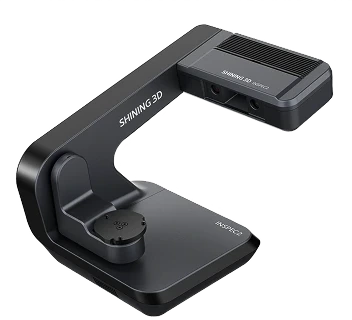
Automatic desktop blue-light 3D inspection scanner for small, intricate parts — 0.01 mm accuracy, a 3-axis turntable, and one-click automated scanning with AI-assisted software and a PTB-certified inspection module.
- ✓ 0.01 mm accuracy · 0.05 mm resolution · dual 5 MP cameras · full-color scanning
- ✓ Automatic 3-axis turntable · automatic calibration · one-click scanning
- ✓ PTB-certified inspection module · SHINING3D Inspect, PolyWorks, Geomagic · 5 kg desktop
- ✓ Lead time: 4–6 weeks — configured to order
Made to order
· Lead time: 4–6 weeks — configured to order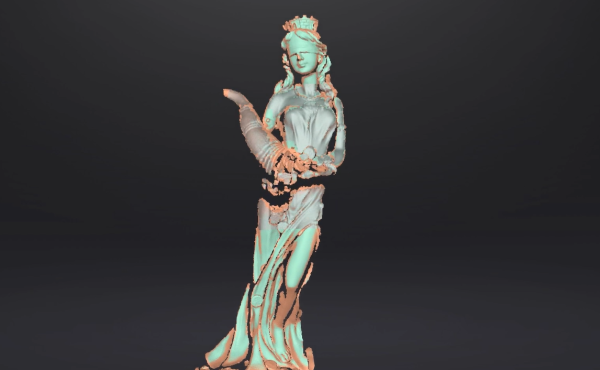
EXScan is the versatile scanning software for EinScan series 3D scanners — it drives capture with step-by-step guidance, aligns and cleans the scan, and exports a watertight mesh to STL, OBJ, PLY, ASC, 3MF, and P3 for reverse engineering, inspection, or 3D printing.
- ✓ Guided capture with Scan Rewind, Auto Cutting Plane, and a live data-quality indicator
- ✓ Full mesh post-processing — align, clean, fill holes, simplify, smooth, sharpen, texture
- ✓ Exports STL, OBJ, PLY, ASC, 3MF, P3 · one-click handoff to EXModel and Geomagic
- ✓ Delivered as a licensed download — issued to order
In stock
· Delivered as a licensed download — issued to order with your EinScan scanner; onboarding scheduled with your team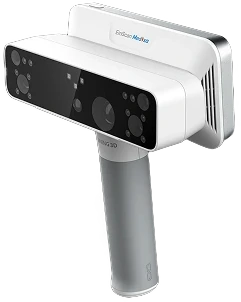
All-in-one wireless 3D scanner built for orthotics and prosthetics — white-light and infrared VCSEL capture with RMS < 0.3 mm accuracy, on-device processing, and motion compensation for patients who can't hold still.
- ✓ RMS < 0.3 mm accuracy · 5 MP full-color texture · contact-free capture
- ✓ White light + IR VCSEL · body presets for face, cranial, torso, limbs, feet, socket, seating
- ✓ Wireless standalone: onboard processing, up to 3 h scanning, no PC required
- ✓ Lead time: 2–4 weeks — configured to order
Made to order
· Lead time: 2–4 weeks — configured to order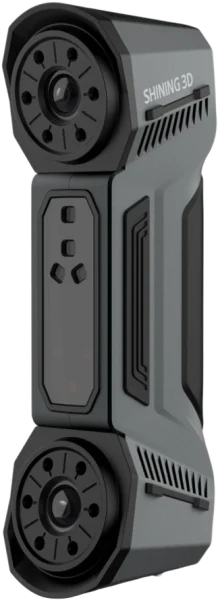
The Shining3D FreeScan Combo is a dual-mode handheld 3D scanner combining blue laser and infrared VCSEL in a 620 g package, achieving up to 0.02 mm accuracy for metrology, reverse engineering and inspection.
- ✓ 0.02 mm point accuracy — traceable figures for first-article and in-process inspection
- ✓ Dual light source — 26-line blue laser + marker-free infrared VCSEL in one device
- ✓ Four scan modes — deep bores to large assemblies without switching hardware
- ✓ Authorized Shining3D reseller — US install, training and a demo on your parts included
Made to order
· Configured to order — US install, training and calibration included; contact for lead time.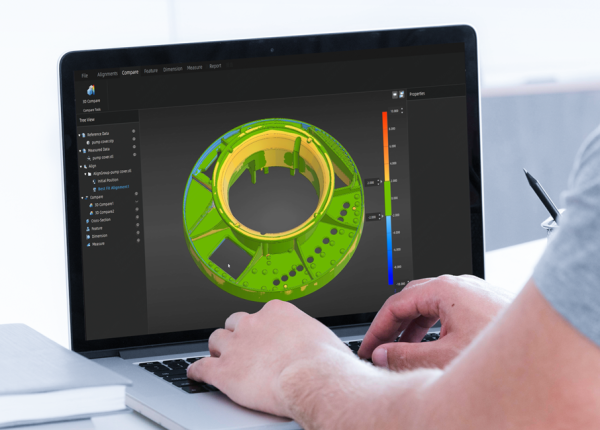
Modular 3D metrology inspection software with PTB-certified measurement — compare scans to CAD, run full GD&T to ISO and ASME, and generate traceable reports on the desktop, on the scanner, or in an automated cell.
- ✓ Full-field deviation analysis vs. CAD · GD&T (ISO & ASME) · 2D + 3D dimensioning · cross-sections
- ✓ PTB-certified measurement · automated customizable reports · color deviation maps
- ✓ Desktop, on-device (FreeScan Omni), and automated (RobotScan) workflows · works with all Shining 3D metrology scanners
- ✓ Delivered as a license — request editions and pricing
In stock
· License delivered on purchase — onboarding scheduled with your teamCommon questions
Don't see yours? Email [email protected] — NDA standard, typical reply within 4 hours.
What accuracy and resolution does the EinScan SP V2 achieve?
What is the difference between Fixed and Auto scan modes?
How large or small an object can the SP V2 scan?
Does the SP V2 capture color, and at what quality?
What software does it use, and does it run on Mac?
What file formats does the SP V2 export?
Can it scan shiny or dark objects — do I need spray?
Place your order, or talk to an engineer first
Order Shining 3D EinScan SP V2 Desktop 3D Scanner – Structured Light | 0.05 mm Accuracy direct, or talk to materials engineer