
In stock
- Software + scan-mode setup configured with your EinScan H2
- Onboarding + workflow capture-to-export configured
Shining 3D EXScan O&P Software – Orthotics & Prosthetics Scan-to-Design | For EinScan H2
EXScan O&P is orthotics & prosthetics scanning software for the EinScan H2 handheld 3D scanner — preset body scan modes and an intelligent automatic alignment algorithm capture socket, limb, cranial, torso, foot, and seating scans, then export clean STL and OBJ meshes for your O&P CAD/CAM and design software.
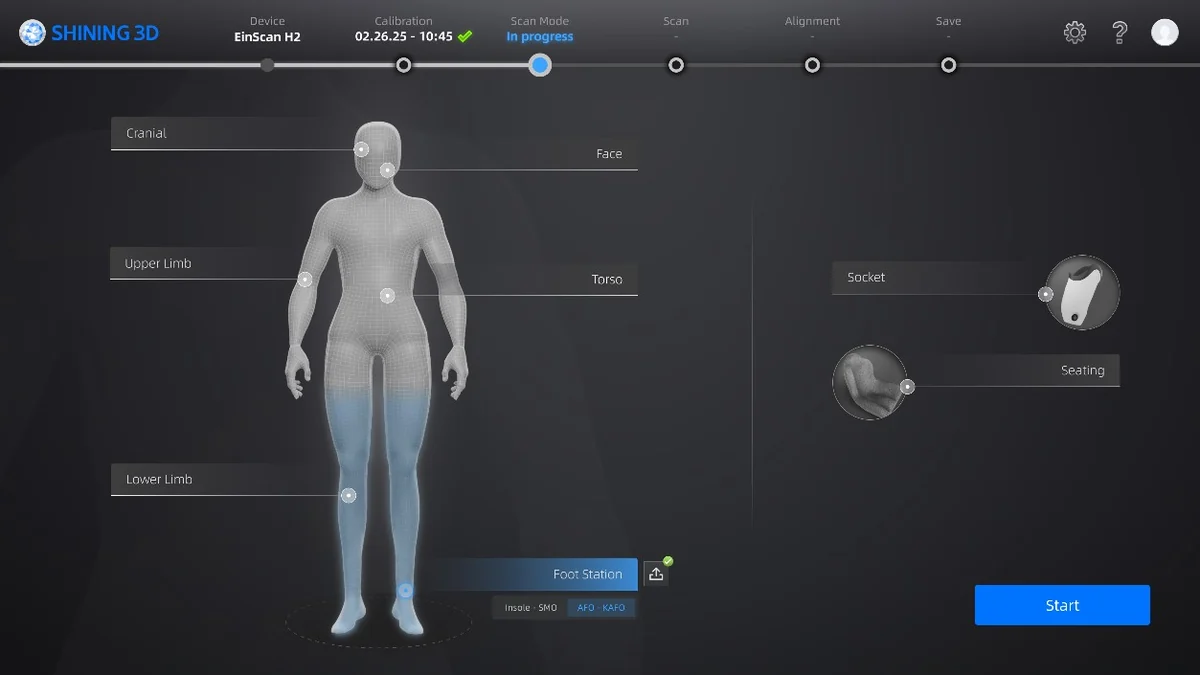
- ✓ 8 preset O&P scan modes · cranial, face, upper/lower limb, torso, foot station, seating, socket
- ✓ Intelligent automatic alignment — real-time, step-by-step, minimal manual post-processing
- ✓ Exports STL and OBJ to CAD/CAM and specialized O&P design software
- ✓ Delivered as a licensed download — request editions and pricing
What your O&P lab actually checks
Scan modes built for O&P
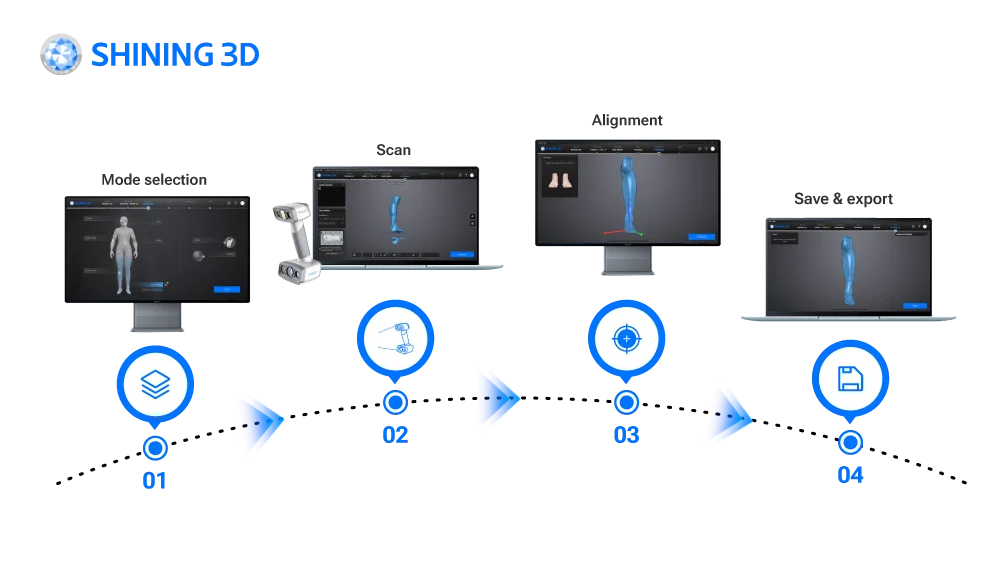
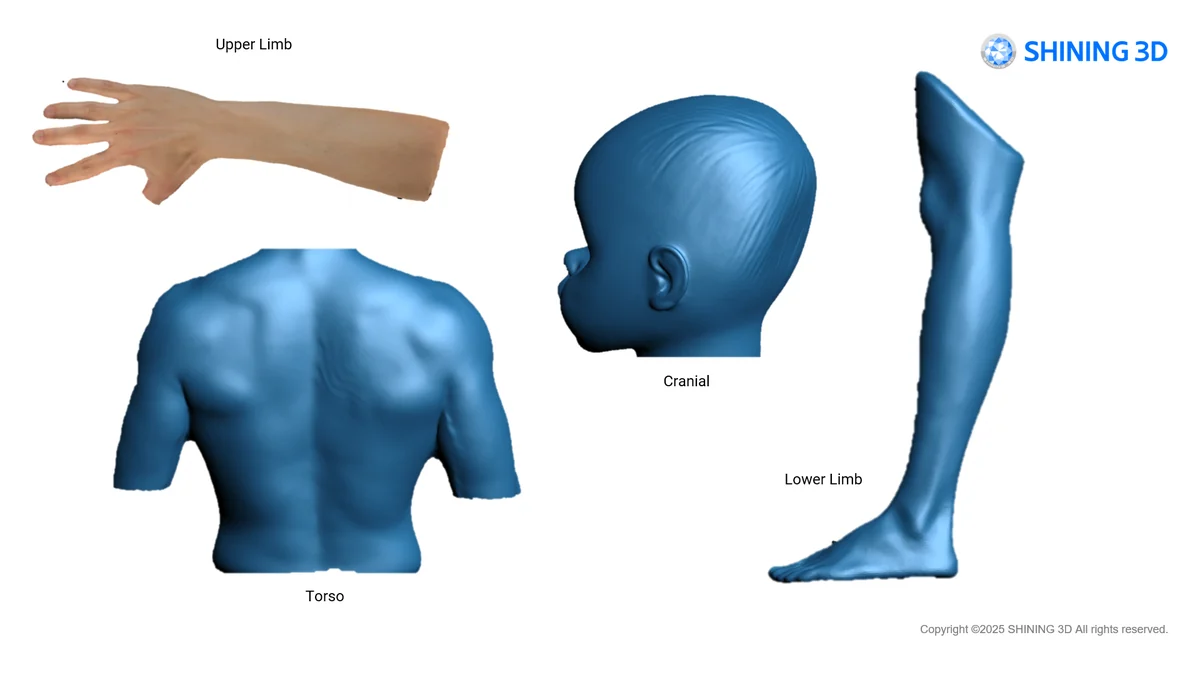
Eight preset modes cover cranial, limb, torso, foot, seating, and socket capture, and an intelligent automatic alignment algorithm stitches passes in real time. You get a clean, complete mesh of the residual limb or body segment with minimal manual cleanup, ready to export to your O&P design software.
An applications engineer on the line
Help matching EXScan O&P to your EinScan H2 and your downstream design software, plus workflow setup — from engineers who run this software. Try it on your own cases with a demo first. Sub-4h reply, NDA on request.
Shining 3D EXScan O&P is orthotics & prosthetics scanning software for the EinScan H2 handheld 3D scanner. Preset body scan modes and an intelligent automatic alignment algorithm capture socket, limb, cranial, torso, foot, and seating geometry in real time, then export clean STL and OBJ meshes for your CAD/CAM and specialized O&P design software.
Why O&P labs choose EXScan O&P
Capture tuned for orthotics and prosthetics, ready to export to your design software.
Scan modes built for O&P
Eight preset modes — cranial, face, upper and lower limb, torso, foot station, seating, and socket — configure each capture for the device you are making, instead of fighting a generic scan setup.
Intelligent automatic alignment
A real-time, step-by-step alignment algorithm stitches passes as you scan and minimizes manual post-processing, giving a clean, complete mesh of the residual limb or body segment.
Runs on the EinScan H2
Purpose-built for the EinScan H2 handheld scanner, which captures body geometry while tolerating slight patient movement — one dedicated capture-to-file workflow.
STL & OBJ export
Finished scans export as STL and OBJ for CAD/CAM and specialized O&P design software, so the mesh drops straight into your socket, orthosis, or insole design tool.
How Additive Plus delivers EXScan O&P
Licensed, set up with your scanner, and supported for your O&P workflow.
License & install
We license EXScan O&P and set it up with your EinScan H2, so capture is ready on day one.
Train & workflow
Onboarding on the O&P scan modes, alignment, and STL/OBJ export into your design software — your team scans productively from the start.
Support that answers
Questions on a difficult socket or cranial capture go to engineers who run this software. Sub-4h reply, NDA on request.
From Body Scan to O&P-Ready Mesh
EXScan O&P guides each capture through a preset scan mode and an intelligent automatic alignment algorithm, producing a high-quality 3D mesh of the body segment in real time. Because the workflow is tuned for orthotics and prosthetics — sockets, limbs, cranial shapes, feet, and seating — you spend less time on manual cleanup and more on the device. The result exports cleanly for downstream design. See the scan modes and full workflow below.
O&P Scan Modes
- Cranial — remolding helmets and cranial capture
- Face — facial prosthetics and documentation
- Upper Limb — transradial and transhumeral capture
- Torso — spinal orthoses and body jackets
- Lower Limb — transtibial and transfemoral capture
- Foot Station — insoles, SMO, and AFO-KAFO
- Seating — custom postural seating
- Socket — residual-limb socket capture
What EXScan O&P Does — and Where It Fits
EXScan O&P is capture software: it digitizes the patient and produces an aligned, optimized mesh. It does not carve or design the socket or orthosis itself — instead it exports STL and OBJ for CAD/CAM and specialized O&P design software, where you carve, modify, and finish the device. Digital archiving supports before-and-after documentation, progress tracking, and reproducing or revising a device from a stored scan. Additive Plus does not represent any medical or regulatory clearance for this software; confirm clinical requirements for your region.
Typical applications
Digital capture across orthotics and prosthetics.
Why Source EXScan O&P Through Additive Plus
- Authorized reseller — EXScan O&P licensing matched to your lab, with the EinScan H2 and a demo before you commit
- Onboarding on the O&P scan modes and export into your design software included
- Application engineers who run this software — capture strategy and workflow help
- US-based support with a sub-4h response · 200+ scanning and AM systems delivered across 23 countries
Pair EXScan O&P with the scanner it runs on
Complete the capture → design → verify workflow.
Scan-to-CADEXModelView software →
InspectionSHINING3D InspectView software →
| Brand | Shining 3D |
| Software Type | Orthotics & prosthetics (O&P) 3D scanning software |
| Compatible Hardware | EinScan H2 handheld 3D scanner |
| Scan Modes | Cranial, Face, Upper Limb, Torso, Lower Limb, Foot Station (insoles, SMO, AFO-KAFO), Seating, Socket |
| Alignment | Intelligent automatic alignment algorithm · real-time, step-by-step |
| Export Formats | STL, OBJ |
| Applications | Prosthetic sockets, AFO/KAFO orthoses, cranial helmets, foot orthoses/insoles, spinal & seating |
| Operating System | Windows |
| Licensing | Licensed download — request licensing and pricing |
Book a demo and we'll capture a sample O&P scan — a socket, cranial, or foot case — and export it into your design software so you see the full workflow before you license.
Other products teams run alongside Shining 3D EXScan O&P Software – Orthotics & Prosthetics Scan-to-Design | For EinScan H2
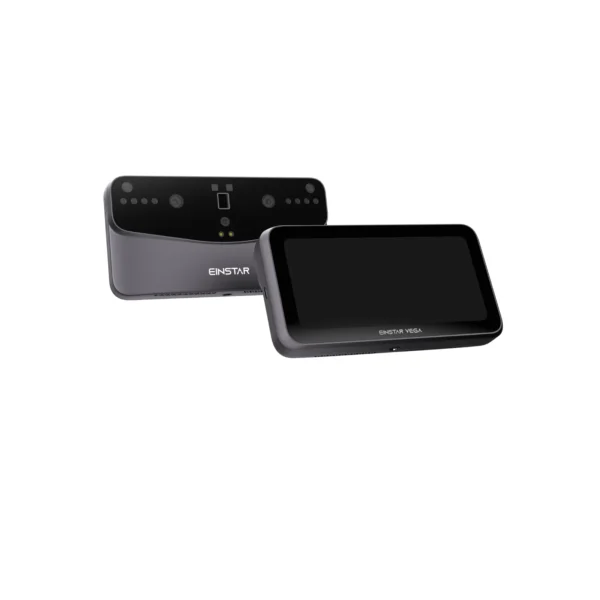
A wireless, all-in-one handheld 3D scanner: the scanner, a 6.4″ touchscreen and the computer in one 535 g device. Scan, process and share without a laptop.
- HD Mode down to 0.05 mm point distance · Fast Mode for people and car-size objects up to 1.5 m away
- 48 MP color camera — geometry and texture in one pass
- 8-core CPU, 32 GB RAM, 512 GB SSD, Wi-Fi 6, 1.5–2 h battery
- 1-year Shining 3D warranty · support from our team in California
Made to order
· Ship date confirmed by email after you order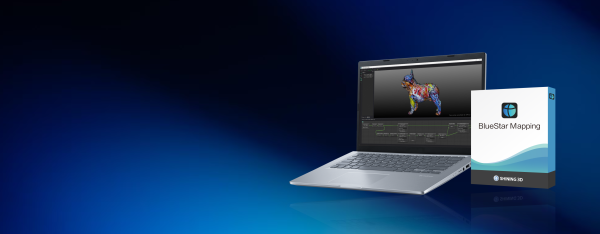
- ✓ Multi-angle phone or DSLR photos → true-color texture on your scan · up to 16384×16384 (16K)
- ✓ ≤0.1 mm mapping accuracy · AI main-body detection · real-time seam editor and global color balancing
- ✓ STL / OBJ input · exports OBJ, PLY, FBX, STL, OFF · works with all 3D scanners
- ✓ Delivered as a licensed download — issued to order, request pricing
In stock
· Delivered as a licensed download; issued to order — onboarding scheduled with your team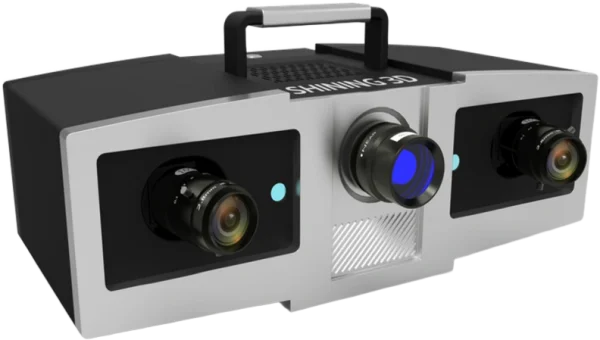
Blue-light structured-light metrology scanner with 0.005 mm single-shot accuracy and three interchangeable working ranges (100/200/400 mm) — a stationary benchtop system for dimensional inspection of small, high-precision parts.
- ✓ Two 5 MP cameras + 1080P blue-LED DLP projector, VDI/VDE 2634 Part 3 accuracy certification (Shining 3D ISO 17025 lab)
- ✓ One-click automatic marker alignment and GREC global deviation control reduce alignment errors across multi-scan datasets
- ✓ Interchangeable 100/200/400 lens configurations match accuracy and scan area to the part
- ✓ 1-year Shining 3D warranty
- ✓ Ship date confirmed by email after you order
Made to order
· Ship date confirmed by email after you order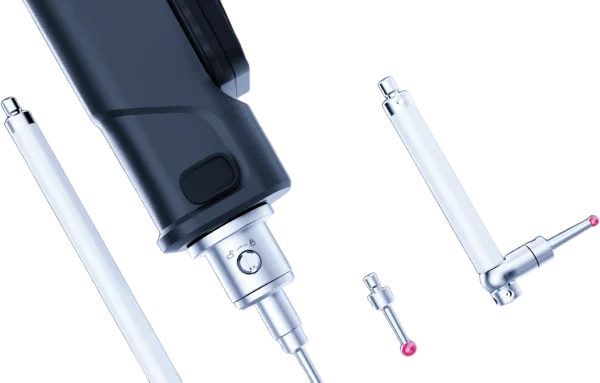
Wireless tactile metrology probe that extends a FreeScan Trak scanning system — reach hidden features, deep pockets, and reference points the scanner cannot see, capturing precise points at 0.025 mm accuracy without generating mesh.
- ✓ 0.025 mm point accuracy · ISO 10360 certified · calibrated in Shining 3D's ISO/IEC 17025 lab
- ✓ Pairs with FreeScan Trak Nova and FreeScan Trak ProW · SHINING3D Inspect, PolyWorks, Geomagic
- ✓ Wireless · lightweight · swappable tips + extension rods · up to 80 h battery (Pro)
- ✓ 1-year Shining 3D warranty · authorized US reseller
- ✓ Ship date confirmed by email after you order
Made to order
· Ship date confirmed by email after you order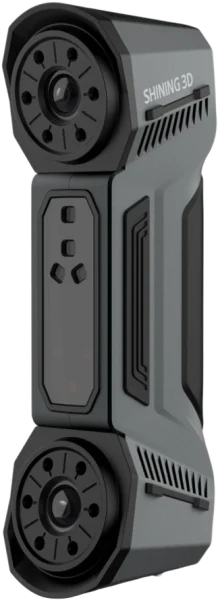
The Shining 3D FreeScan Combo is a dual-mode handheld 3D scanner combining blue laser and infrared VCSEL in a 620 g package, achieving up to 0.02 mm accuracy for metrology, reverse engineering and inspection.
- ✓ Up to 0.02 mm accuracy in laser modes — tested to VDI/VDE 2634 & ISO 10360 in Shining 3D’s ISO 17025 lab
- ✓ Dual light source — 26-line blue laser + marker-free infrared VCSEL in one device
- ✓ Four scan modes — deep bores to large assemblies without switching hardware
- ✓ 1-year Shining 3D warranty · authorized Shining 3D reseller in the US
- ✓ Ship date confirmed by email after you order
Made to order
· Ship date confirmed by email after you order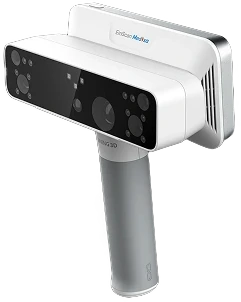
All-in-one wireless 3D scanner built for orthotics and prosthetics — white-light and infrared VCSEL capture with RMS < 0.3 mm accuracy, on-device processing, and motion compensation for patients who can’t hold still.
- ✓ RMS < 0.3 mm accuracy · 5 MP texture camera · contact-free capture
- ✓ White light + IR VCSEL · body presets for face, cranial, torso, limbs, feet, socket, seating
- ✓ Wireless standalone: onboard processing, up to 3 h scanning, no PC required
- ✓ 1-year Shining 3D warranty · authorized US reseller
- ✓ Ship date confirmed by email after you order
Made to order
· Ship date confirmed by email after you order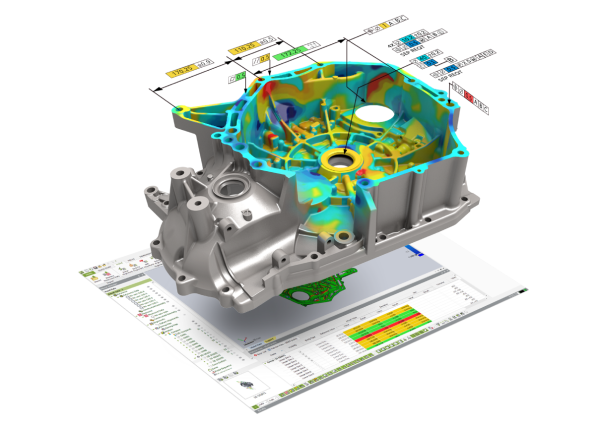
Geomagic Control X is a standalone 3D metrology inspection software — compare 3D scan data to a CAD model, run full GD&T to ASME Y14.5 and ISO, and generate customizable, traceable inspection reports, with scanner-agnostic hardware support and visual-scripting automation.
- ✓ Scan-to-CAD full-field deviation color maps · CAD-free golden-part inspection · automatic feature recognition
- ✓ GD&T to ASME Y14.5 & ISO · 2D + 3D dimensioning · cross-section · multi-alignment · airfoil analysis
- ✓ Live Inspect · trend monitoring · visual-scripting automation · reports to Excel, Word, PowerPoint, PDF & XML
- ✓ Works with major 3D scanners & portable CMMs · delivered as a licensed download, issued to order
In stock
· Delivered as a licensed download; issued to order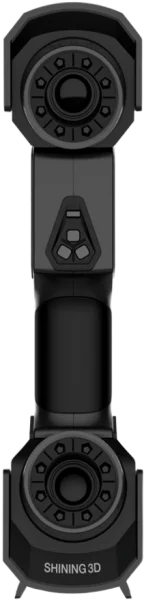
Multi-line laser scanner with 0.02 mm accuracy (with markers) and a 300 mm working distance (200 mm in fine scan) — built-in photogrammetry with no coded targets and a maximum FOV of 600 × 550 mm.
- ✓ 26+7+1 switchable laser line modes for coverage, detail, and deep-pocket scanning
- ✓ Patented built-in scale-bar photogrammetry — no coded targets required
- ✓ 1-year Shining 3D warranty · USB 3.0 wired connection
- ✓ Ship date confirmed by email after you order
Made to order
· Ship date confirmed by email after you orderWhat our customers say
“Harry and team were professional, effective communicators as we set up the order, then they executed quickly and produced an amazing product for us at a very competitive price. Am looking forward to our next print w Additive Plus!”
“Great 3D printing service and the resin parts look super smooth and clean. Really happy with how everything turned out!”
“Harry was very professional and helped me out with my 3D printing needs and explained what options I have in terms of filaments such as PEEK. Highly recommended.”
“I needed a 3D enclosure printed urgently in a specific time period, they did great!”
Common questions
Don't see yours? Email [email protected] — NDA on request, typical reply within 4 hours.
What is EXScan O&P and what does it do?
Which scanner does EXScan O&P require?
What scan modes does EXScan O&P include?
Does EXScan O&P design sockets or orthoses itself?
What file formats does EXScan O&P export?
How does the automatic alignment reduce manual work?
Can I document patient progress and reproduce a device?
What operating system does EXScan O&P need, and how is it licensed?
Place your order, or talk to an engineer first
Order Shining 3D EXScan O&P Software – Orthotics & Prosthetics Scan-to-Design | For EinScan H2 direct, or talk to materials engineer