
In stock
- Scanner-matched build EXScan licensed for your EinScan
- Onboarding + workflow capture-to-export configured
Shining 3D EXScan 3D Scanning Software – For EinScan Scanners | Mesh, Align & Export
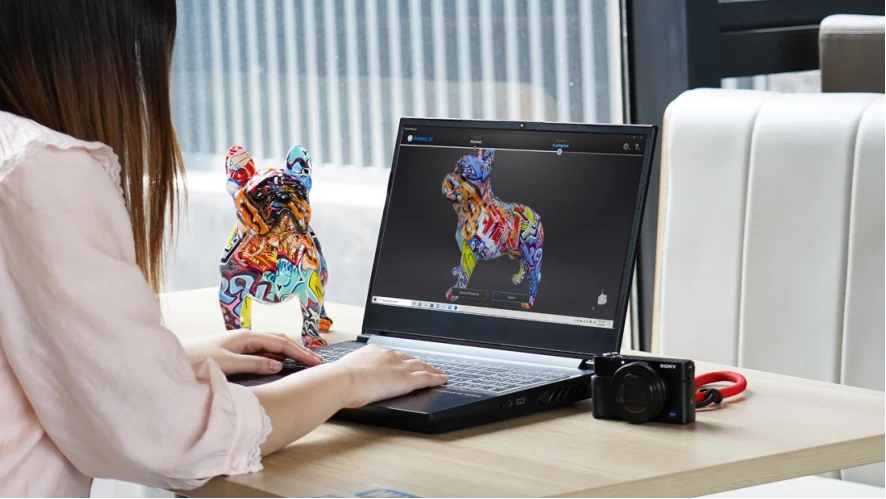
EXScan is the versatile scanning software for EinScan series 3D scanners — it drives capture with step-by-step guidance, aligns and cleans the scan, and exports a watertight mesh to STL, OBJ, PLY, ASC, 3MF, and P3 for reverse engineering, inspection, or 3D printing.
- ✓ Guided capture with Scan Rewind, Auto Cutting Plane, and a live data-quality indicator
- ✓ Full mesh post-processing — align, clean, fill holes, simplify, smooth, sharpen, texture
- ✓ Exports STL, OBJ, PLY, ASC, 3MF, P3 · one-click handoff to EXModel and Geomagic
- ✓ Delivered as a licensed download — issued to order
What your scanning team actually checks
A watertight mesh you can use
EXScan post-processes the scan in place — clean, fill holes, simplify, smooth, sharpen, and align texture — then exports STL, OBJ, PLY, ASC, 3MF, and P3. The mesh leaves ready for reverse engineering, inspection, or printing, not as a raw point cloud you still have to repair elsewhere.
An applications engineer on the line
Help with scan strategy, alignment, and export into your CAD or inspection tool — from engineers who run this software. We match the right EXScan build to your EinScan scanner first. Sub-4h reply, NDA standard.
SHINING3D EXScan is the versatile scanning software built for EinScan series 3D scanners. It guides data capture step by step, aligns and cleans the scan, and turns raw point data into a watertight, print-ready mesh — then exports STL, OBJ, PLY, ASC, 3MF, and P3 for reverse engineering, inspection, or 3D printing.
Why engineers choose EXScan
A guided path from a raw scan to a clean, manufacturable mesh.
Guided capture, fewer restarts
Step-by-step guidance walks each scan, and Scan Rewind rolls back up to 200 frames when tracking drifts — so a misalignment is a quick rewind, not a full re-scan.
See data quality as you scan
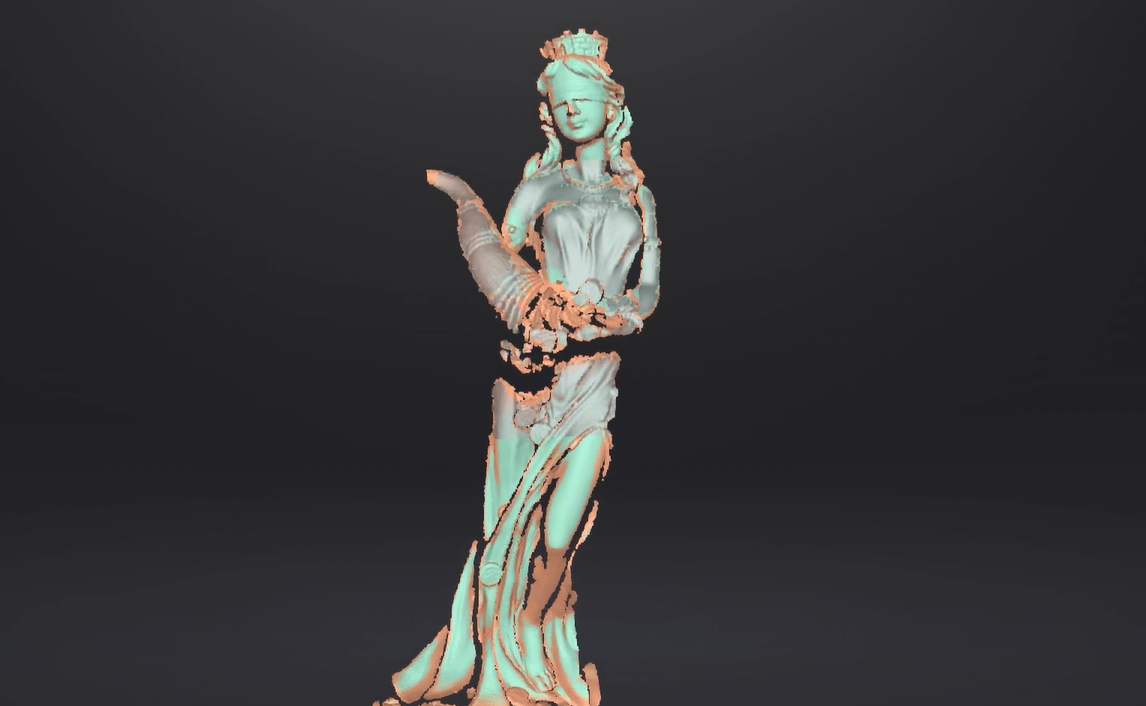
A live, color-coded data-quality indicator flags thin coverage (red) against solid data (green) in real time, and Auto Cutting Plane drops the table surface automatically during preview.
Full mesh post-processing
Align, clean, fill holes, simplify, smooth, sharpen, and map texture in one place, with variable point distance to set point density — the mesh leaves EXScan ready to use.
Open formats, one-click handoff
Export STL, OBJ, PLY, ASC, 3MF, and P3, and pass data straight into EXModel, Geomagic, or Solid Edge SHINING 3D Edition — no format gymnastics between tools.
How Additive Plus delivers EXScan
Licensed, set up, and supported alongside your EinScan scanner.
License & install
We issue the EXScan build that matches your EinScan scanner and get it licensed and installed alongside the hardware.
Train & workflow
Onboarding on capture, alignment, mesh cleanup, and export into your reverse-engineering or inspection pipeline — so your team produces usable meshes from day one.
Support that answers
Questions on a tricky scan, an alignment, or an export setting go to engineers who run this software. Sub-4h reply, NDA standard.
From Scan to Clean, Print-Ready Mesh
EXScan drives the full capture-to-mesh workflow. Step-by-step guidance and Scan Rewind keep capture on track, then post-processing tools — cleaning, hole filling, data simplification, smoothing, sharpening, and texture alignment — turn the raw scan into a watertight mesh. Variable point distance controls point density, and the finished model exports in every common mesh format. See the full feature list below.
One Software for the EinScan Family
EXScan is the unified scanning environment for EinScan hardware, shipped in scanner-matched builds — EXScan Pro for the handheld Pro 2X and Pro HD, EXScan S for the SE and SP desktop scanners, plus EXScan H, HX, and C builds for their respective devices. Each shares the same capture, alignment, and mesh-editing workflow. Use and updates are provided with the scanner; Additive Plus matches and licenses the right build for your device.
Typical applications
Wherever an EinScan scan feeds the next step.
Why Source EXScan Through Additive Plus
- Authorized reseller — EXScan licensed and set up together with your EinScan scanner
- Onboarding on capture, alignment, mesh cleanup, and export included
- Application engineers who run this software — scan strategy and workflow help
- US-based support with a sub-4h response · 200+ scanning and AM systems delivered across 23 countries
Pair EXScan with a scanner or the next step
Complete the scan → model → verify workflow.
Scan-to-CADSHINING3D EXModelView software →
Inspection softwareSHINING3D InspectView software →
| Brand | Shining 3D |
| Software Type | 3D scanning software — data capture & mesh post-processing |
| Compatible Scanners | EinScan series (Pro 2X, Pro HD, H, HX, SE, SP and variants) |
| Workflow | Capture → align → mesh post-process → export |
| Key Functions | Step-by-step guidance, Scan Rewind (up to 200 frames), Auto Cutting Plane, live data-quality indicator, variable point distance, mesh editing, texture alignment |
| Export Formats | STL, OBJ, PLY, ASC, 3MF, P3 |
| Alignment | Feature, manual, and marker alignment |
| Operating System | Windows 10 / 11 (64-bit) |
| System Requirements | NVIDIA CUDA GPU (>=960 cores desktop / >=1280 handheld), 8 GB+ RAM, Intel i5 3rd-gen or newer |
| Licensing | Issued to order with the EinScan scanner — request licensing |
Send us a sample part or your EinScan model and we'll walk you through a capture-to-export run — see the mesh before you commit.
Other products teams run alongside Shining 3D EXScan 3D Scanning Software – For EinScan Scanners | Mesh, Align & Export
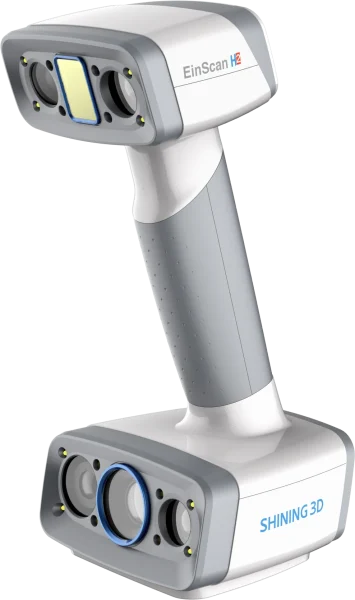
- ✓ Up to 0.05 mm accuracy (LED mode) · 0.2–3 mm point distance
- ✓ White LED + 3 infrared VCSEL projectors · up to 1,200,000 points/s · 5 MP color texture
- ✓ Adjustable 200–1500 mm working distance · marker-free body, face, and object scanning
- ✓ Lead time: 3–5 weeks — configured to order
Made to order
· Lead time: 3–5 weeks — configured to order
Scan-to-CAD reverse-engineering software that turns a 3D-scan mesh into a professional CAD solid model in a few steps — with seamless one-click import from Shining 3D scanners and export to IGES, STEP, and DXF for CAD/CAM, CNC, or 3D printing.
- ✓ Mesh to production-ready CAD solid · one-click auto-surfacing, feature-based & hybrid modeling
- ✓ One-click scan import from Shining 3D scanners — no export/import juggling
- ✓ Lite (IGES, DXF) and Pro (parametric STEP + full toolset) editions · 30-day free trial
- ✓ Delivered as a license — request editions and pricing
In stock
· License delivered on purchase — 30-day trial available; onboarding scheduled with your team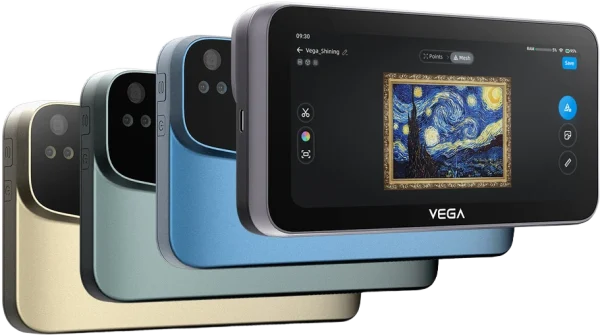
Wireless standalone handheld 3D scanner with up to 0.05 mm resolution and a 100–1500 mm combined working range — full-color capture and an onboard 6.4″ touchscreen for PC-free scanning on the floor or in the field.
- ✓ Up to 0.05 mm resolution (HD Mode) · 100–1500 mm combined working range across two modes
- ✓ Standalone, PC-free: 6.4″ 2K OLED touchscreen, 8-core CPU, 32GB RAM, 512GB SSD onboard
- ✓ 48MP full-color capture · markerless feature, texture, and hybrid alignment
- ✓ Lead time: 2–4 weeks — configured to order
Made to order
· Lead time: 2–4 weeks — configured to order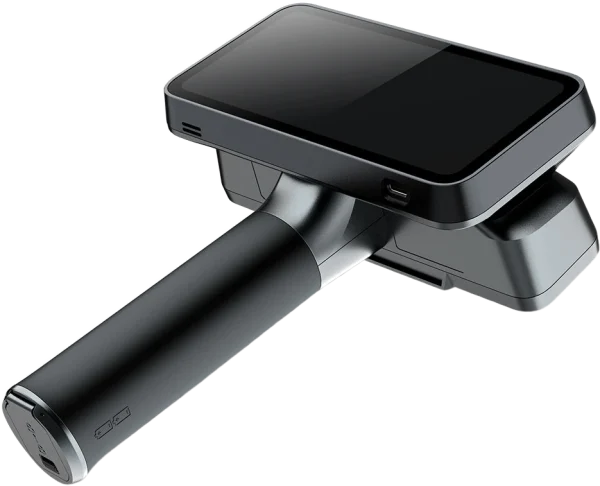
Tri-mode laser 3D scanner with up to 0.04 + 0.06 mm/m volumetric accuracy and a 170–1500 mm working range — markerless blue-laser and IR VCSEL capture combined in one wireless, PC-free device for reverse engineering, inspection, and design.
- ✓ 0.04 + 0.06 mm/m volumetric accuracy · up to 0.05 mm resolution (Laser HD)
- ✓ Three modes in one: 25+25 crossed lasers, 7 parallel lasers, IR VCSEL — up to 16M points/s
- ✓ Standalone wireless: 6.4″ 2K AMOLED, 32GB RAM, 1TB SSD, dual swappable batteries
- ✓ Lead time: 2–4 weeks — configured to order
Made to order
· Lead time: 2–4 weeks — configured to order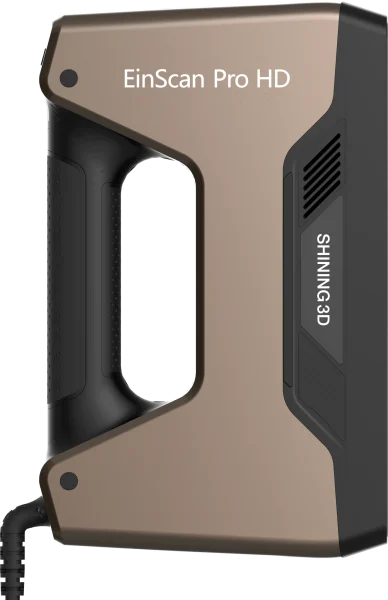
Structured-light handheld 3D scanner with up to 0.045 mm accuracy and 209×160–310×240 mm single-scan coverage — captures dark, reflective, and cast-metal surfaces without spray, for reverse engineering, product design, and CAD rework.
- ✓ Up to 0.045 mm accuracy (Handheld HD) · 0.2–3 mm point distance
- ✓ Handheld HD, Handheld Rapid, and Fixed Scan modes in one device · up to 3,000,000 points/s
- ✓ Feature, marker, and hybrid alignment · optional Color Pack for full-color texture capture
- ✓ Lead time: 2–4 weeks — configured to order
Made to order
· Lead time: 2–4 weeks — configured to order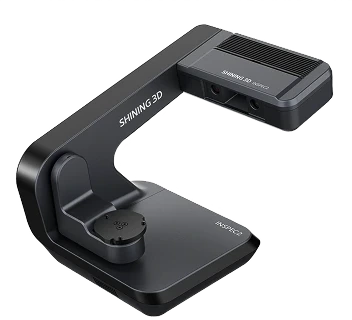
Automatic desktop blue-light 3D inspection scanner for small, intricate parts — 0.01 mm accuracy, a 3-axis turntable, and one-click automated scanning with AI-assisted software and a PTB-certified inspection module.
- ✓ 0.01 mm accuracy · 0.05 mm resolution · dual 5 MP cameras · full-color scanning
- ✓ Automatic 3-axis turntable · automatic calibration · one-click scanning
- ✓ PTB-certified inspection module · SHINING3D Inspect, PolyWorks, Geomagic · 5 kg desktop
- ✓ Lead time: 4–6 weeks — configured to order
Made to order
· Lead time: 4–6 weeks — configured to order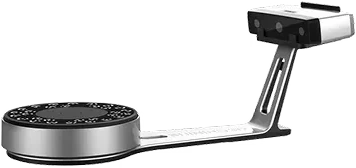
Structured-light desktop 3D scanner with ≤ 0.05 mm accuracy and dual fixed + turntable scanning — full-color capture of objects from 30 mm to 1.2 m for reverse engineering, design, and 3D printing.
- ✓ ≤ 0.05 mm accuracy · 0.17–0.2 mm point distance · 24-bit color texture
- ✓ Fixed + Auto turntable modes · objects 30 mm to 1200 mm · 5 kg turntable load
- ✓ < 1 s single scan · < 45 s full 360° turn · EXScan S software
- ✓ Lead time: 2–4 weeks — configured to order
Made to order
· Lead time: 2–4 weeks — configured to order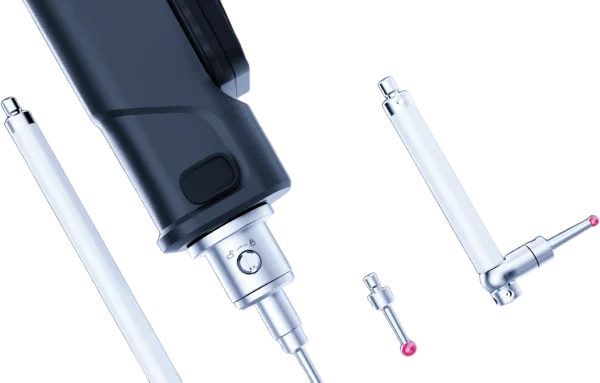
Wireless tactile metrology probe that extends a FreeScan Trak scanning system — reach hidden features, deep pockets, and reference points the scanner cannot see, capturing precise points at 0.025 mm accuracy without generating mesh.
- ✓ 0.025 mm point accuracy · ISO 10360 certified · ISO/IEC 17025 accredited-lab calibrated
- ✓ Pairs with FreeScan Trak Nova and FreeScan Trak ProW · SHINING3D Inspect, PolyWorks, Geomagic
- ✓ Wireless · lightweight · swappable tips + extension rods · up to 80 h battery (Pro)
- ✓ Lead time: 4–6 weeks — configured to order
Made to order
· Lead time: 4–6 weeks — configured to orderCommon questions
Don't see yours? Email [email protected] — NDA standard, typical reply within 4 hours.
What is EXScan and what does it do?
Which scanners does EXScan work with?
What file formats does EXScan export?
What post-processing can EXScan do to a scan?
What is Scan Rewind and how does it help?
What PC and operating system does EXScan need?
How is EXScan licensed and delivered?
Place your order, or talk to an engineer first
Order Shining 3D EXScan 3D Scanning Software – For EinScan Scanners | Mesh, Align & Export direct, or talk to materials engineer