Skip to content

Polymaker PolyBox Edition II – High-Quality 3D Printer Filament

$70

3D Printer Filament Dry Box for Optimal Storage


Request a quote
  • Description
  • Details
  • Materials
  • Documents
  • Videos
  • Review

Description

FEATURES

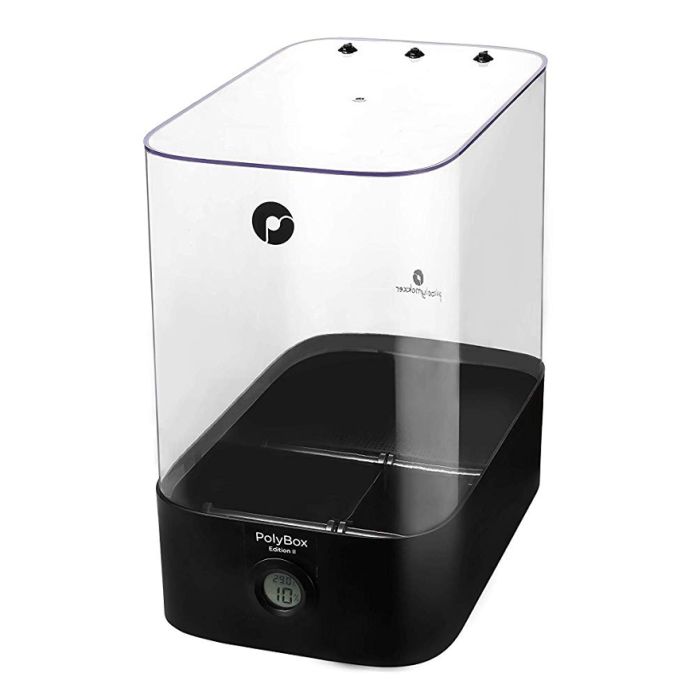
The Polymaker PolyBox Edition II is a high-quality 3D printer filament dry box designed to provide the ideal storage environment for your 3D printing filaments. It’s compatible with all 3D printers and helps protect your materials from moisture, ensuring consistent and high-quality prints every time.

Key features include:

  • Holds two 1kg spools or one 3kg spool, making it versatile for different filament sizes
  • Optimum environment for filament storage, preventing moisture-related issues like warping or poor adhesion
  • Compatible with all 3D printers, making it a universal solution for filament care
  • Filament drying function to maintain the filament’s optimal condition for precision printing

With the PolyBox Edition II, you can trust that your filament is stored properly, ready for perfect 3D print results. Keep your materials dry and your prints flawless, no matter the filament type.

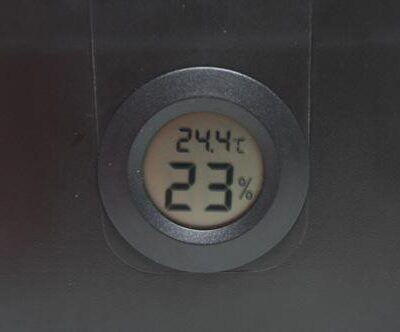
PolyboxTM includes a built-in high-precision hygrometer and silica gel desiccant sachets to control and absorb moisture from the air. The humidity within the box is maintained below 15% to prevent the filament from absorbing moisture during the storage and even during the 3d printing process. It is specifically designed for Nylon, PVA, PolySmoothTM and other highly hygroscopic 3D printing materials.
However, its good practise to keep all 3D printing filaments inside the PolyBoxTM to preserve the optimum printing quality.
PolyBoxTM is compatible with both 1.75mm and 2.85mm filaments and can contain up to two 1kg spools or one 3kg spool!

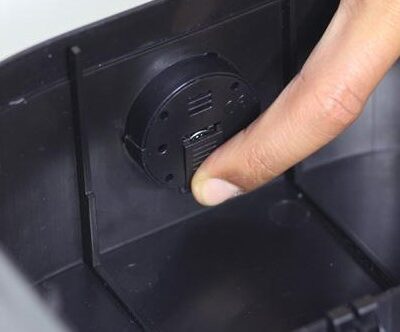
To install the hygrometer battery
Slide down the hygrometer attery cover.
Remove the battery from the package, insert it in the designed compartment and put back the cover.
Check if the front display switches on. When you notice that the hygrometer display is fading, replace the button battery 1.5V LR44.
Note: The provided battery will last approximately 3 months.

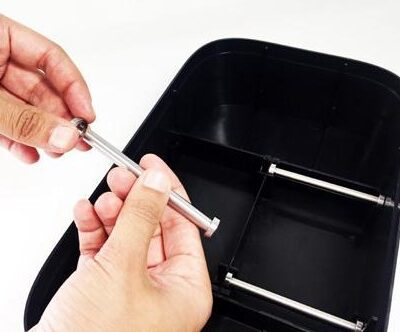
To install the rods
Slide two bearings onto both ends of the steal rod, then snap the rod and bearings into the PolyBoxTM

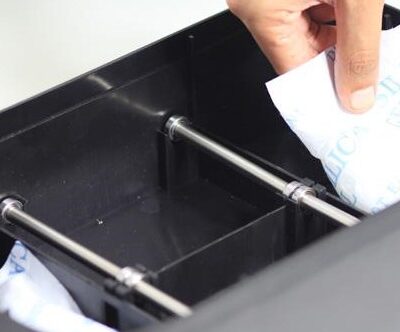
To install the desiccant sachets
Remove the set of desiccants from the package and check if the sealed bag is intact.
If there are any leaks, please dry the sachets before using it. The provided desiccant bags can be dried in a microwave for 4 times 5min (defrost mode), make sure to flip the bags upside down between each iteration. Use oven mitts to touch the desiccant bags.
Note: other types of desiccant may not have the ability to recover and be reused.
Do not expose the desiccant sachets to the air for too long. We highly recommend silica gel for the type of desiccant.
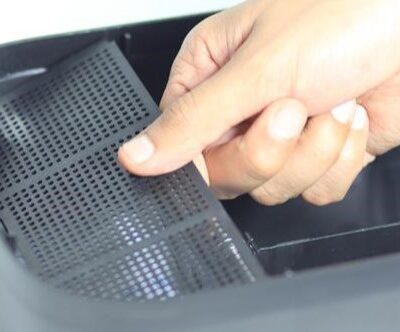
Put the two desiccant bags into the PolyBox™, one in each compartment.
Close the two compartments with the two grids.

To install the filament guide
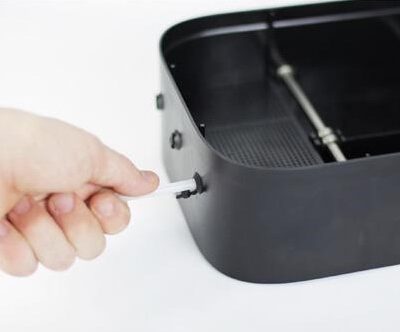
Cut the filament guide according to your need (Distance from the PolyBoxTM to the 3D printer) and insert it in the rubber holes on the back or on the top.

To place the spool

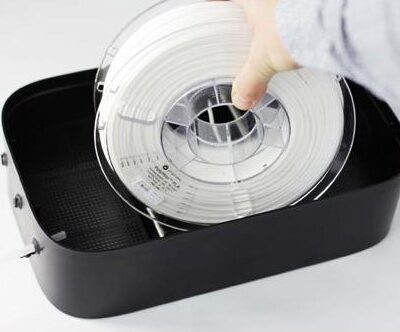
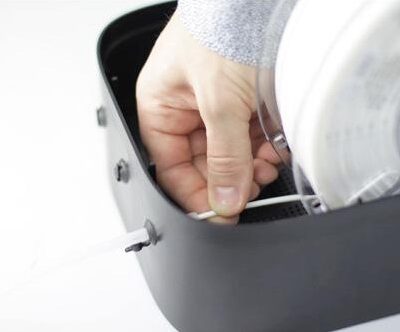
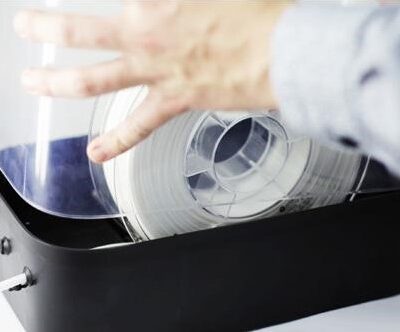
Place the spool in the PolyBoxTM and feed the filament through the rubber plug.
Note: Make sure the material is fully dried before putting it in the PolyBoxTM.
Place the cover on the PolyBoxTM.
You should feel a small friction which ensures the fit. Make sure the cover fits correctly in the base to ensure an airtight environment for the spools. Do not open the PolyBoxTM too frequently and close all the unused rubber plugs to preserve the desiccant.
Gently pull the filament out to check if the spool rolls smoothly.
After 2 hours you should see the inside humidity dropping below 15%. The time will depend on the room humidity. The hygrometer
should always display a humidity level below 15%.
Note : The minimum humidity level that can be displayed is 10%
If the hygrometer displays a humidity level above 20%, replace the desiccant.

  • Brand Polymaker
  • Printing Materials Plastic Filaments

Documents

Videos

Request a quote

Scan My Object

Please describe your part and scanning needs. Include details like size, material, and how you plan to use the 3D model. Let us know if you require additional services like digital sculpting. Upload images of your part(s) if you have them.

Ask for details

Partner with us

Get instant quote

Engineer-reviewed · Confidential · Fast response

Talk to Material Expert

Select the unit of measurement for your file
No 3D file? We’ve got you. We can design it for you or scan your existing part.
Upload a photo or drawing if you have one — we’ll get in touch soon.
Select the unit of measurement for your file
No 3D file? We’ve got you. We can design it for you or scan your existing part.
Upload a photo or drawing if you have one — we’ll get in touch soon.
Select the unit of measurement for your file
No 3D file? We’ve got you. We can design it for you or scan your existing part.
Upload a photo or drawing if you have one — we’ll get in touch soon.
Select the unit of measurement for your file
No 3D file? We’ve got you. We can design it for you or scan your existing part.
Upload a photo or drawing if you have one — we’ll get in touch soon.

Request a 3D Printing Quote

Upload your CAD file or describe your project — our engineers will follow up shortly.

We can create one for you.

Engineer-reviewed · Confidential · Fast response

Not sure which equipment is right for you?

No worries—we’ve got your back. Book a free consultation and let our specialists help you pick the perfect solution for your business.

We’ll get back to you immediately.