Skip to content

3D Printing: How to Make Supports Easy to Remove for Flawless Prints

Removing support structures from your 3D prints is essential for achieving a clean, professional finish. But it’s not always as simple as snapping them off. If done improperly, it can damage your print and create hours of post-processing.

The good news? With the right tools, design strategies, and slicer settings, support removal can be quick, easy, and leave little to no trace. 

This guide walks you through advanced techniques, material choices, slicer optimization, and post-processing tips—delivering pro-level results for hobbyists and professionals alike.

Understanding The Role Of Supports In 3D Printing

Support structures are temporary scaffolds used during printing to prevent sagging or deformation in overhanging or bridging parts of a model. Choosing the correct support type and configuring it properly ensures your prints come out strong and clean.


Common Support Types:


  • Tree Supports: Lightweight, branch-like supports ideal for organic shapes and minimizing scarring.
  • Linear Supports: Standard vertical columns. Strong but harder to remove cleanly.
  • Grid & Zigzag Supports: Stable and easier to detach. Ideal for wide overhangs.
  • Custom Supports: Manually placed in your slicer for ultimate control and reduced surface contact.


Choosing The Right Support Material for your 3D Print


Matching the right support material to your filament type and printer setup is essential to simplify removal.

Material

Soluble?

Best Paired With

Removal Method

Key Considerations

PLA

❌ No

PLA

Manual (pliers, cutters)

Inexpensive, easy to work with, may leave marks

PVA

✅ Yes

PLA

Dissolves in water

Requires airtight storage, ideal for dual-extrusion

HIPS

✅ Yes

ABS

Dissolves in limonene

Chemical handling needed, use in ventilated area

Breakaway

❌ No

Various

Snaps off cleanly

Minimal residue, perfect for functional parts

💡 Storage Tip: Keep PVA dry in sealed containers with desiccant to prevent brittleness.


Looking for professional guidance or materials to simplify your support removal workflow? 

At Additive Plus, we help designers and engineers get flawless prints with the right tools, slicer settings, and premium materials like PVA and breakaway filaments. 

Contact us today to learn how we can support your next project!

Designing For Easy Support Removal

Optimizing your model during the design phase is one of the most effective ways to simplify support removal. Many issues with 3D print supports hard to remove originate from geometry and orientation choices that create unnecessary or difficult-to-access support structures. 

To address this, begin by refining your design with removal in mind. This is a foundational part of 3D printing: how to make supports easy to remove.

Start by adjusting the model’s geometry:

  • Avoid overhangs greater than 45°, or replace them with self-supporting angles.
  • Incorporate curves or chamfers instead of sharp corners to reduce the need for supports.

Then apply design-for-additive-manufacturing (DFAM) principles:

  • Orient your model in a way that minimizes bridging and vertical overhangs.
  • Split large prints into modular parts to give each better print angles and easier support access.

Leverage slicer-aware tactics to further refine your approach:

  • Use support blockers in your slicer software to remove auto-generated supports that aren’t necessary.
  • Manually place custom supports only where absolutely needed—especially helpful when you’re trying to figure out how to remove 3D print supports from delicate areas.
  • Always preview your sliced model to identify hidden support zones and address potential problem spots early.

If you’re learning how to make 3D print supports easier to remove, start here: smart design leads to minimal post-processing. Even the best way to remove supports from 3D print parts won’t help much if the design creates impossible angles. A little strategic planning upfront makes removal easier, faster, and cleaner.


Read related articles: 


Best 3D Printers To Print Objects With Supports

Using the right 3D printer can make a substantial difference when dealing with support-heavy models. Whether you’re printing with breakaway materials or experimenting with dual extrusion for soluble supports, hardware matters. Below are a few recommended 3D printers that excel in handling support structures effectively:

Look for features such as high-resolution printing, customizable support settings, heated beds, and broad material compatibility. These will all improve your results when you’re focused on 3D printing: how to make supports easy to remove.

Slicer Settings For Optimized Supports

Fine-tuning your slicer software settings is a major step toward solving the problem of 3D print supports hard to remove. These settings directly impact how well supports adhere to the print—and more importantly, how easily they come off. If you want to master 3D printing: how to make supports easy to remove, here’s where to focus.

First, adjust the support density. A range of 10–20% works well for most prints, while 25–30% may be needed for larger overhangs. Then, consider your support pattern. Options like tree, grid, and zigzag offer a balance of support and ease of removal. Tree supports are especially useful if you’re focused on how to make 3D print supports easier to remove with minimal surface damage.

Other key slicer parameters include:

  • Z-Distance: A 0.2–0.4 mm gap helps supports detach cleanly.
  • Interface Layers: Adding 1–2 layers between the model and support minimizes scarring.
  • Support Placement: Choose “Touching Build Plate” for simplicity or “Everywhere” for complex geometries.

When you’re searching for the best support pattern for 3D printing, your slicer preview is your best friend. Always preview your print and manually adjust any unnecessary or overly dense supports. Doing so not only reduces material waste but also makes removing supports from 3D prints far less painful.

🧪 Pro Tip: Identifying problem zones in the slicer preview can save you hours of post-processing later—especially when supports get stuck in tight cavities.

The Bambu Lab P1S Combo delivers reliable cooling, precise extrusion, and consistent results—making support removal cleaner and easier for complex prints.

3D Print Support Removal Techniques

Once the print is complete, the next challenge is how to remove 3D print supports effectively without harming the model. Start by letting the print cool fully. Then use a combination of tools to make the process smoother and more controlled.

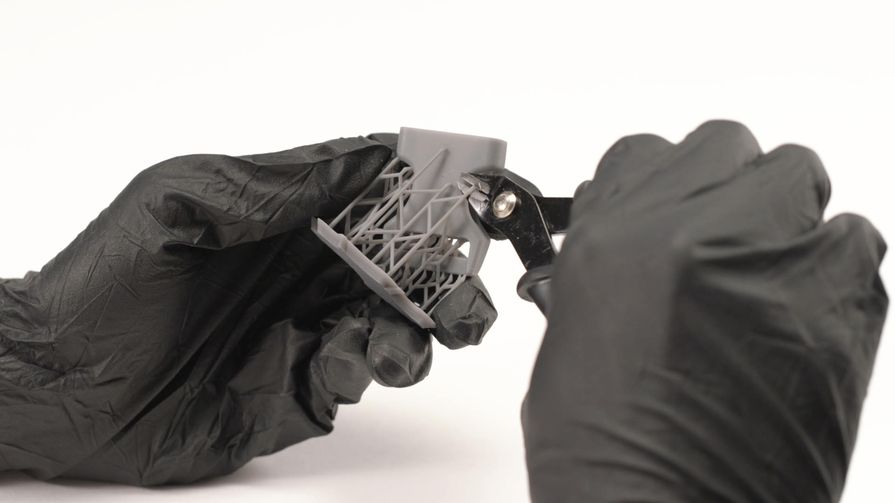
Begin with external supports using tools like needle-nose pliers for grip, flush cutters for precision trimming, and plastic scrapers to gently pry parts apart without scarring the surface. For tight or internal areas, craft knives and needle files offer the control needed to navigate delicate spaces.

For more complex models, especially those printed with dual extrusion, soluble support materials come in handy. PVA dissolves in warm water, while HIPS can be dissolved using limonene. This approach is often the best way to remove supports from 3D print assemblies where manual removal is too risky.

🔥 Bonus Tip: If residue remains, use a heat gun on low to soften and smooth stubborn marks for a polished finish.

Whether you’re new or experienced, removing supports from 3D prints becomes much easier when you use the right tool for the job, anticipate tricky areas, and adjust your slicer accordingly.


Post-Processing for Surface Perfection:


  • Sanding: Start with 400 grit and work up to 1000+.
  • Filing: Use needle files for hard-to-reach areas.
  • Acetone Vapor Smoothing (ABS only): Creates a glossy, uniform finish.
  • Filling & Painting: Use filler putty to patch damage before painting for aesthetics.

 Use primer before painting to hide any remaining support blemishes.

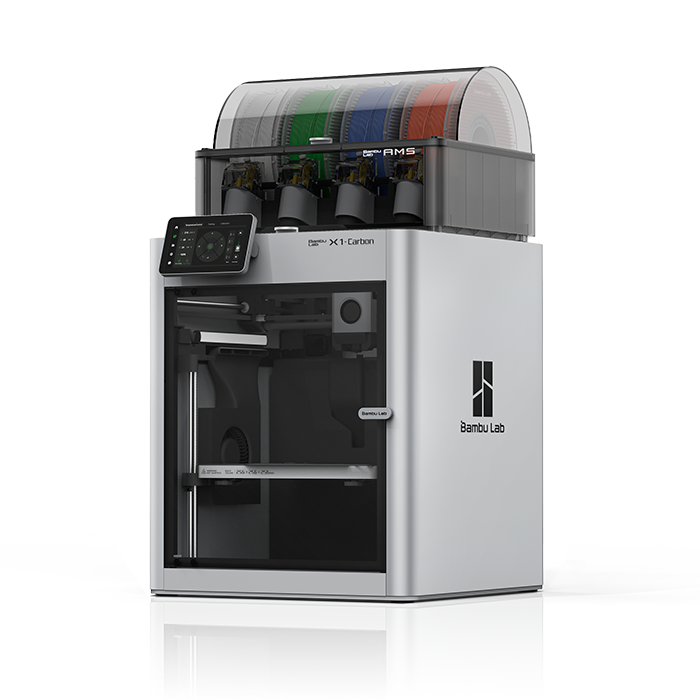
Built for demanding prints, the Bambu Lab X1-Carbon Combo offers advanced cooling, hardened components, and material versatility for effortless support removal.

Advanced Tips For Flawless 3D Prints

Getting a clean, professional finish goes beyond just removing supports. Fine-tuning your approach can reduce post-processing time, improve part strength, and enhance surface quality. Here’s how:

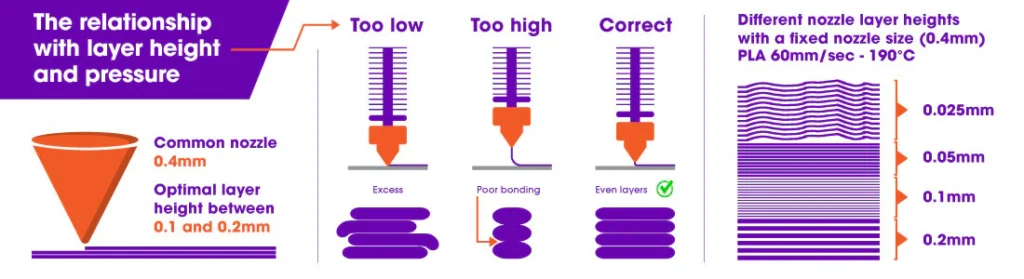
✅ Optimize Your Layer Height – Lower layer heights (e.g., 0.1mm instead of 0.2mm) create smoother transitions and reduce the need for excessive supports. This is especially useful for intricate details.

✅ Adjust Support Density & Pattern – In slicer settings, tweak support density—too much makes removal difficult, too little won’t provide enough stability.

  • Tree supports: Great for organic shapes, minimizing contact points.
  • Grid or line supports: Easier to remove for functional parts.

✅ Dial in Your Print Speed & Cooling – Printing too fast can create overhang sagging and weak supports. Slowing down outer layers and increasing cooling helps supports hold their shape.

✅ Fine-Tune Support Z-Distance – A small Z-distance gap (0.1–0.2mm) between the support and the model makes removal easier without affecting print quality.

✅ Consider Breakaway or Hybrid Supports – Some prints benefit from a mix of soluble and breakaway supports, allowing easy removal without soaking time. This works well for dual-extruder setups.

Mastering these techniques means less cleanup, stronger prints, and a better overall experience—all while saving time and materials.

3D Print Support Removal Troubleshooting

Issue

Why It Happens

Fix

Supports too hard to remove

High density or tight Z-distance

Reduce density, increase Z-gap

Surface scarring

Contact area too large

Use tree supports and interface layers

Internal supports stuck

Auto-placement in tight areas

Use manual placement or split model

Brittle print after removal

Supports pull away too much material

Increase walls, reduce infill sparsity

Excess residue

Weak separation line

Switch to soluble or breakaway, sand as needed

Removing supports from 3D prints doesn’t have to be frustrating—strategic settings and tool use make all the difference.

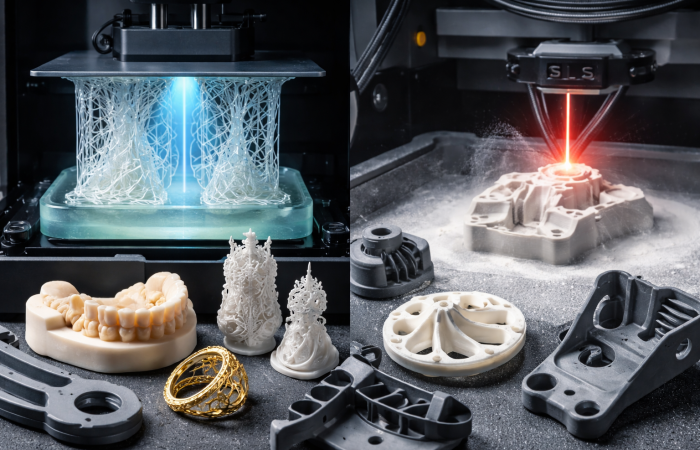
For support-heavy designs that demand flawless surfaces, explore our SLA 3D printers engineered for ultra-smooth prints and minimal post-processing.

Your Path To Cleaner, Higher-Quality 3D Prints

Mastering support removal is essential for producing smooth, high-quality 3D prints. By understanding support types, optimizing your design, and fine-tuning settings, you’ll minimize post-processing time and achieve better results. The right support strategy ensures your models come out clean, with less effort, and fewer issues.

At Additive Plus, we offer a broad selection of advanced 3D printing solutions, from high-quality machines to a wide range of specialized materials, such as PVA, HIPS, and more. Our expertise in 3D printing services, such as SLA resin 3D printing, DMLS metal 3D printing,  FDM 3D printing, and FGF 3D printing services, supports small and big businesses through every step of production, ensuring you get the prints as soon as possible. 

Whether you need consulting, equipment, or materials, or 3D services, we’re here to provide everything you need for flawless prints.

Get in touch with us for a customized quote today!

Additive manufacturing expert and tech business leader, focused on global strategy, innovation, and advancing women in 3D printing.

Request a quote

Scan My Object

Please describe your part and scanning needs. Include details like size, material, and how you plan to use the 3D model. Let us know if you require additional services like digital sculpting. Upload images of your part(s) if you have them.

Ask for details

Partner with us

Get instant quote

Engineer-reviewed · Confidential · Fast response

Talk to Material Expert

Select the unit of measurement for your file
No 3D file? We’ve got you. We can design it for you or scan your existing part.
Upload a photo or drawing if you have one — we’ll get in touch soon.
Select the unit of measurement for your file
No 3D file? We’ve got you. We can design it for you or scan your existing part.
Upload a photo or drawing if you have one — we’ll get in touch soon.
Select the unit of measurement for your file
No 3D file? We’ve got you. We can design it for you or scan your existing part.
Upload a photo or drawing if you have one — we’ll get in touch soon.
Select the unit of measurement for your file
No 3D file? We’ve got you. We can design it for you or scan your existing part.
Upload a photo or drawing if you have one — we’ll get in touch soon.

Request a 3D Printing Quote

Upload your CAD file or describe your project — our engineers will follow up shortly.

We can create one for you.

Engineer-reviewed · Confidential · Fast response