
1. Introduction
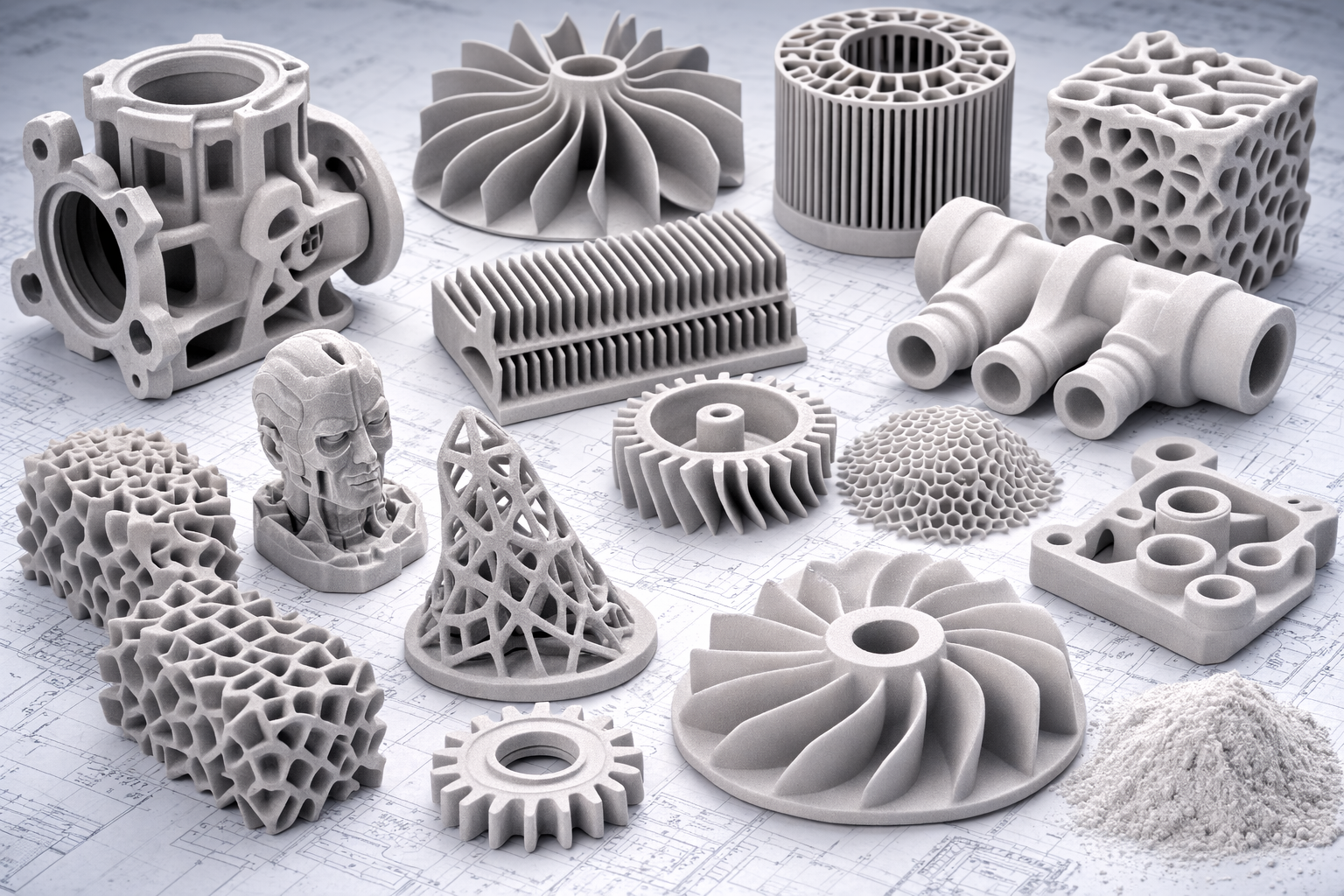
Resin 3D printing has revolutionized prototyping and manufacturing with its ability to create highly detailed, smooth, and precise parts. From jewelry to medical models, resin printing offers unparalleled quality. However, achieving flawless prints can be challenging. Common issues include visible layer lines, warping, failed prints, and incomplete curing.
In this guide, we’ll share actionable tips to help you consistently produce perfect resin 3D prints, whether you’re a beginner or an experienced user.
2. Choosing the Right Resin
Selecting the right resin is one of the most important factors in achieving high-quality resin 3D printing results. Different resins are engineered with specific mechanical and visual properties, which means the material you choose can significantly impact print strength, flexibility, surface finish, and overall durability. Understanding the characteristics of each resin type helps ensure that your printed part performs exactly as required for its intended application.
Standard Resin is the most commonly used material in resin 3D printing. It is ideal for general-purpose prints, prototypes, and models where visual quality and smooth surfaces are the primary goals. Standard resins typically produce highly detailed prints with fine features and minimal layer visibility, making them perfect for concept models, miniatures, and design validation.
Tough Resin is designed for functional parts that require improved mechanical strength and impact resistance. Compared to standard resin, tough resin can better withstand mechanical stress, making it suitable for engineering prototypes, snap-fit parts, enclosures, and components that may experience regular handling or load-bearing conditions.
Flexible Resin is formulated to allow parts to bend or compress without breaking. This material mimics rubber-like properties, making it ideal for applications such as seals, gaskets, wearable components, and soft-touch elements. Flexible resins are especially useful when the printed object must absorb impact or adapt to movement.
Specialty Resins are developed for highly specific applications that require unique properties. These include castable resins for jewelry casting, dental resins for orthodontic models and aligners, and high-temperature resins designed to maintain stability under heat. Specialty materials expand the possibilities of resin 3D printing by enabling industry-specific solutions in fields like healthcare, manufacturing, and jewelry production.
Tips for Choosing the Right Resin
Choosing the best resin for your project involves evaluating several factors beyond just appearance.
First, match the resin type to your project’s functional requirements. If your part needs strength and durability, tough resin is usually the better option. For flexible or impact-resistant components, flexible resin will perform better. If the goal is purely visual presentation or fine detail, standard resin often delivers the best results.
Second, check the manufacturer’s recommendations for printer compatibility. Not all resins are optimized for every resin 3D printer, and using incompatible materials may result in poor adhesion, inaccurate curing, or failed prints. Ensuring compatibility helps maintain consistent print quality.
Finally, consider the post-processing workflow. Some resins require longer curing times, while others are designed for faster post-curing and easier cleaning. Certain resins also support higher detail resolution during finishing, sanding, or painting. Understanding the post-processing requirements beforehand can save time and help achieve the final finish you want.
By selecting the right resin for your application, you can significantly improve print reliability, mechanical performance, and overall part quality in resin 3D printing.
3. Optimal Printer Settings
Even when using a high-quality resin and a reliable printer, the final result largely depends on your printer settings. Resin 3D printing requires precise control over parameters such as layer height, exposure time, and printing speed. Small adjustments to these settings can significantly improve surface quality, detail resolution, and overall print success. Understanding how each setting affects the printing process helps reduce failures and ensure consistently high-quality results.
3.1 Layer Height
Layer height determines the thickness of each printed layer and has a major impact on the final surface finish. Smaller layer heights—such as 0.025 mm or 0.05 mm—produce smoother surfaces and capture finer details, which is especially important for miniatures, jewelry models, dental models, and highly detailed prototypes. However, thinner layers increase the number of layers needed to complete the print, which naturally extends the total printing time.
Larger layer heights allow parts to print faster but may result in more visible layer lines and slightly reduced detail accuracy. For many functional prototypes, a medium layer height such as 0.05 mm provides a good balance between speed and quality.
3.2 Exposure Time
Exposure time controls how long each layer of resin is exposed to UV light during the curing process. This parameter directly affects how well each layer solidifies and bonds to the previous one.
If the exposure time is too long, the resin may overcure. This can cause several issues, including loss of small details, thicker-than-intended layers, and supports that become difficult to remove. Overexposure can also cause neighboring areas to partially cure, reducing print accuracy.
If the exposure time is too short, the resin may not cure properly. This can lead to weak layers, poor layer adhesion, or parts detaching from the build plate during printing. Proper exposure calibration ensures strong layer bonding while maintaining sharp details.
3.3 Print Speed
In resin 3D printing, print speed is influenced by factors such as lift speed, retract speed, and exposure delays. These settings control how quickly the build plate moves between layers and how the resin settles before the next layer cures.
While faster speeds can shorten print time, they may increase the likelihood of print defects such as layer separation, failed supports, or surface artifacts. Slower speeds allow the resin to stabilize properly between layers, which often results in better dimensional accuracy and more consistent prints—especially for complex geometries or large parts.
3.4 Calibration Tips
Proper calibration helps ensure that your printer settings are optimized for the specific resin and model you are printing.
One of the most effective approaches is to perform test prints designed to evaluate exposure and detail accuracy. Calibration models allow you to check whether small features are printing correctly and whether the layers are curing properly.
It is also important to check the recommended settings provided by the resin manufacturer. Many slicer programs include preconfigured profiles for popular printers and resins, which can serve as a reliable starting point.
Finally, avoid common setup mistakes. Always level the build plate correctly before printing, as improper leveling can cause poor adhesion and failed prints. Additionally, keep the resin vat clean and free of cured debris or leftover particles, since contamination in the vat can damage prints and interfere with layer formation.
4. Proper File Preparation in Resin 3D Printing
Proper file preparation is a critical step in resin 3D printing. Even with high-quality materials and perfectly calibrated printer settings, poorly prepared files can easily lead to failed prints, surface defects, or unnecessary resin consumption. Preparing your model correctly before sending it to the printer ensures better structural stability, improved surface quality, and more efficient printing.
Unlike some other additive manufacturing processes, resin 3D printing relies heavily on correct model orientation and support structures. Since the object is built layer by layer and lifted from the resin vat during printing, the way the model is positioned and supported directly affects the final result.
4.1 Optimize Model Orientation
Model orientation plays a major role in determining the print quality, surface finish, and success rate of resin 3D printing. Instead of placing models flat on the build plate, it is often better to tilt them at an angle, typically between 30 and 45 degrees.
Angled orientation helps reduce the surface area that cures at each layer, which lowers the suction force between the print and the resin vat. This improves print reliability and reduces the risk of layer separation. Proper orientation can also improve surface quality by preventing large flat surfaces from showing visible layer lines.
Additionally, orienting the model correctly can help minimize the number of supports needed, which reduces post-processing work and prevents unwanted support marks on important surfaces.
4.2 Add Supports for Stability
Supports are essential in most resin 3D printing projects. Because prints are formed upside down and gradually lifted from the vat, unsupported sections—especially overhangs—can easily deform or fail during printing.
Supports should be added to areas such as:
- Overhangs and steep angles
- Thin features or delicate structures
- Islands (areas that appear in mid-air during early layers)
- Heavy sections that require additional stability
Modern slicer software usually generates supports automatically, but manual adjustments often produce better results. Carefully placing supports can reduce visible marks on the final part and make removal easier during post-processing.
4.3 Hollow Large Models
When printing large objects with resin 3D printing, hollowing the model is highly recommended. Solid prints can consume a large amount of resin, making the process more expensive and time-consuming.
By hollowing the model and creating a thin outer shell—typically between 1.5 mm and 3 mm thick—you can significantly reduce resin usage and shorten printing time. Hollowing also helps reduce internal stress during curing, which can prevent warping or cracking.
However, hollow models should include drain holes to allow uncured resin to escape from inside the print. Without proper drainage, trapped resin can cause pressure buildup during curing and potentially damage the part.
4.4 Repair and Inspect Mesh Files
Before starting a resin 3D printing job, it is important to inspect your 3D model for errors. Problems such as non-manifold edges, holes in the mesh, or intersecting geometry can cause slicing errors or lead to incomplete prints.
Using mesh repair tools in your slicer or dedicated 3D modeling software helps identify and fix these issues. Many programs offer automatic repair features that can quickly correct common mesh problems.
Taking the time to verify and repair your model ensures that the slicer generates clean, accurate layers and that the printer can execute the job without unexpected failures.
5. Printer Maintenance and Calibration in Resin 3D Printing
Maintaining your resin 3D printer is just as important as choosing the right resin or preparing your files. Regular printer maintenance and calibration ensure consistent print quality, extend the lifespan of your equipment, and minimize failed prints. Resin printing involves precise movements, UV light curing, and sensitive components that can degrade or accumulate debris over time, so a routine maintenance schedule is essential for reliable results.
5.1 Build Plate Maintenance
The build plate is the foundation of every resin print. Even minor imperfections or misalignment can lead to failed prints or poor adhesion. To maintain your build plate:
- Clean regularly: Remove leftover resin after each print using isopropyl alcohol and a lint-free cloth. This prevents cured resin residues from interfering with adhesion.
- Level frequently: Check and recalibrate the build plate according to your printer manufacturer’s guidelines. A properly leveled plate ensures the first layers adhere correctly, which is critical for successful prints.
- Inspect for damage: Scratches or dents on the build plate can create uneven surfaces that affect print quality. Replace or resurface the build plate as needed.
Proper build plate maintenance ensures strong adhesion, reduces print failures, and contributes to smoother first layers—a crucial factor for high-quality resin 3D printing.
5.2 Resin Vat Care
The resin vat is where the magic happens, but it’s also one of the most delicate parts of your printer. Neglecting the vat can lead to resin contamination, poor layer curing, or damage to your LCD screen. Key maintenance steps include:
- Remove cured resin residues: After each print, check for partially cured or solidified resin in the vat and carefully remove it using the recommended tools.
- Inspect for contamination: Dust, cured particles, or leftover supports can block light or scratch the vat’s FEP film, leading to print defects.
- Replace worn parts: FEP films and transparent bottoms wear over time and should be replaced to maintain optimal light transmission and layer adhesion.
Keeping your resin vat clean and in good condition ensures that each layer cures correctly, improving print reliability and surface quality.
5.3 Regular Checks and Calibration
Beyond the build plate and resin vat, your printer has other critical components that require periodic inspection:
- LCD screens or projectors: Check for dead pixels or uneven light distribution that could affect layer curing.
- Resin pumps or flow mechanisms: Ensure smooth resin circulation, especially on printers with automatic resin feeding systems.
- Moving parts: Lubricate rails, lead screws, and other mechanical components to maintain smooth movement and prevent layer shifting.
- Firmware and slicer updates: Keep your printer software up to date for better calibration tools, optimized profiles, and improved print performance.
Regular calibration and inspection of these components help maintain dimensional accuracy, reduce layer defects, and prevent mechanical failures that can ruin prints.
5.4 Benefits of Routine Maintenance
A well-maintained resin 3D printer not only produces high-quality prints with smooth surfaces but also reduces the likelihood of failed prints, wasted resin, and prolonged post-processing. Routine maintenance saves time and money while ensuring your printer operates at peak performance for every project.
6. Environmental Considerations in Resin 3D Printing
The environment in which you perform resin 3D printing plays a crucial role in print quality and consistency. Unlike FDM printing, where temperature and airflow primarily affect layer adhesion, resin printing relies on UV-sensitive materials and precise curing. External factors such as temperature, humidity, dust, and light exposure can significantly impact the success of your prints. Paying attention to environmental conditions can help reduce print failures and produce more reliable, high-quality results.
6.1 Temperature and Humidity
Resin cures optimally within a stable temperature range of 20–25°C (68–77°F). If the ambient temperature is too low, resin may become more viscous, slowing layer curing and potentially causing weak adhesion between layers. Conversely, high temperatures can accelerate curing too quickly, leading to deformations, poor layer bonding, or unwanted resin curing in the vat.
Humidity also affects resin performance. Excess moisture in the air can interfere with layer curing, sometimes resulting in cloudy surfaces or brittleness. For consistent results, it’s best to maintain moderate humidity levels and avoid placing your printer in locations prone to temperature swings, such as near windows, heaters, or air conditioners.
6.2 Minimizing Dust, Vibrations, and Light Exposure
External disturbances can negatively affect the resin printing process:
- Dust: Tiny particles settling on the resin vat or cured layers can create surface imperfections, layer defects, or adhesion problems. Keep your printing area clean and dust-free.
- Vibrations: Mechanical disturbances from nearby machinery, foot traffic, or even doors slamming can shift the print during the curing process. Place your printer on a stable, vibration-free surface.
- Direct sunlight or UV exposure: Resin is sensitive to UV light. Printing near windows or under strong artificial light can cause premature curing in the vat, leading to clogs, uneven curing, or wasted material. Always shield the printer from direct sunlight.
6.3 Resin Storage
Proper resin storage is essential to maintain its quality and extend shelf life. Resin should always be stored in a cool, dark place, away from heat sources and UV exposure. Exposure to light, high temperatures, or frequent temperature fluctuations can degrade the resin, affecting viscosity, curing time, and the final mechanical properties of your prints.
Additionally, sealing resin containers tightly prevents contamination from dust or moisture. Some resins, especially specialty or castable types, may have stricter storage requirements, so always follow the manufacturer’s instructions.
6.4 Benefits of Controlled Environmental Conditions
Maintaining an optimal printing environment ensures that resin 3D prints cure consistently, reduces the risk of warping or layer separation, and helps achieve the intended surface finish and dimensional accuracy. It also prevents premature resin degradation, saving material costs and improving overall workflow efficiency.
7. Post-Processing Techniques in Resin 3D Printing
Post-processing is an essential part of resin 3D printing, as it transforms a freshly printed part into a fully functional, durable, and visually polished object. Even the best prints straight from the printer typically contain uncured resin on the surface, support marks, or minor imperfections that need attention. By following proper post-processing techniques, you can enhance print strength, improve surface quality, and achieve professional-looking results.
7.1 Washing
After printing, most resin parts are coated with uncured resin, which can be sticky, toxic, or prone to smudging. Proper washing removes this excess resin and prepares the print for final curing.
- Solvents: The most common solvent is isopropyl alcohol (IPA), but some resins may require manufacturer-recommended cleaning solutions.
- Washing methods: Prints can be washed manually using a brush or in a dedicated wash station with agitation to remove resin from all surfaces, including crevices.
- Safety: Always wear gloves and work in a well-ventilated area when handling uncured resin or solvents. Proper washing reduces sticky surfaces and ensures uniform curing in the next step.
7.2 Curing
Once washed, the print must undergo post-curing to reach its intended mechanical properties and stability.
- UV exposure: Resin cures fully when exposed to the correct wavelength of UV light, either in a dedicated UV curing station or under sunlight (if compatible).
- Time and intensity: Follow the resin manufacturer’s recommendations for curing time and light intensity to avoid undercured or overcured prints.
- Effect: Proper curing improves hardness, heat resistance, and dimensional stability, making parts suitable for functional use, assembly, or finishing.
7.3 Support Removal
Supports are necessary during printing but need careful removal to avoid damaging your print:
- Cutting tools: Use flush cutters, pliers, or scalpel blades to remove supports gently.
- Technique: Trim supports in stages, starting away from the print’s critical areas to prevent stress or cracking.
- Sanding touch-up: After support removal, minor sanding may be needed to smooth leftover marks or blemishes. Correct support removal ensures the structural integrity of delicate features.
7.4 Finishing
Finishing steps enhance the aesthetic and functional qualities of the print:
- Sanding: Start with coarse grit to remove layer lines or support marks, then progress to finer grits for a smooth surface.
- Priming: Apply a primer before painting to ensure adhesion and a consistent finish.
- Painting and coating: Use acrylic paints, airbrushing, or protective coatings to achieve the desired appearance and durability. Some parts may also require clear coats or UV-resistant coatings for outdoor or functional use.
7.5 Optional Techniques
Depending on your project, additional post-processing steps may include:
- Polishing: For glossy finishes on jewelry or miniatures.
- Assembly: Joining multiple resin parts using adhesives or mechanical fasteners.
- Heat treatment: Specialty resins may benefit from controlled heating to relieve internal stresses or improve durability.
Proper post-processing in resin 3D printing is not just about aesthetics—it directly impacts the part’s strength, durability, and usability. By carefully washing, curing, removing supports, and finishing prints, you can produce professional-quality components that meet both functional and visual expectations.
8. Troubleshooting Common Issues in Resin 3D Printing
Even experienced users of resin 3D printing encounter challenges from time to time. Understanding the root causes of common printing issues—and knowing how to address them—can save time, reduce wasted resin, and improve overall print quality. Below is a detailed overview of the most frequent problems and practical solutions.
8.1 Layer Separation or Peeling
Symptoms: Layers fail to bond properly, causing prints to separate from the build plate or peel mid-print.
Common Causes:
- Improper exposure settings: Underexposed layers may not fully cure, weakening layer adhesion.
- Build plate misalignment: A tilted or unlevel build plate can prevent the first layers from sticking properly.
- Contaminated or old resin: Resin that has absorbed moisture or degraded over time can reduce adhesion.
Solutions:
- Re-level the build plate to ensure the first layer adheres evenly.
- Calibrate exposure settings according to the resin manufacturer’s recommendations.
- Use fresh or properly stored resin and ensure the vat is free of cured debris.
8.2 Sticky or Tacky Prints
Symptoms: Prints feel sticky to the touch even after washing, making handling and post-processing difficult.
Common Causes:
- Overexposure or under-curing: Layers may not cure correctly, leaving uncured resin on the surface.
- Incomplete washing: Residual resin remains on the print.
- Humid or warm environment: Can affect curing consistency and resin behavior.
Solutions:
- Ensure proper washing with isopropyl alcohol or recommended solvents, reaching all crevices.
- Post-cure the print fully, using a UV curing station or sunlight as appropriate.
- Adjust exposure settings if the resin tends to overcure or undercure under current settings.
8.3 Warping or Distorted Prints
Symptoms: Prints curl, warp, or show uneven surfaces, especially on large flat areas.
Common Causes:
- Incorrect model orientation: Large flat surfaces can create suction forces during printing.
- Environmental conditions: Temperature fluctuations, drafts, or uneven curing can warp prints.
- Excessive resin thickness or lack of supports: Leads to stress buildup during curing.
Solutions:
- Reorient the model at an angle to minimize large flat contact areas and reduce suction.
- Add supports strategically to stabilize overhangs or large sections.
- Maintain stable temperature and humidity in the printing environment.
8.4 Other Quick Fixes
Some issues can be addressed with simple adjustments or routine maintenance:
- Re-level the build plate regularly to prevent adhesion problems.
- Recalibrate exposure time and layer height to match the resin and print complexity.
- Replace old or contaminated resin to avoid weak or inconsistent prints.
- Inspect the printer for worn FEP films, dirty vats, or mechanical issues affecting movement.
8.5 Preventive Measures
Preventing issues before they occur saves time and resin:
- Always perform small test prints when using a new resin or changing settings.
- Keep your printer and environment clean and free from dust, vibrations, or direct sunlight.
- Follow manufacturer recommendations for resin, printer settings, and post-processing.
By understanding these common problems and applying the recommended fixes, resin 3D printing becomes much more predictable and reliable. Troubleshooting skills, combined with careful preparation, proper maintenance, and environmental control, allow you to consistently produce high-quality prints.
9. Advanced Tips for Consistency in Resin 3D Printing
Achieving consistently high-quality results in resin 3D printing goes beyond basic settings and post-processing. Professional-grade prints often require advanced techniques and attention to subtle details that can significantly improve surface finish, structural integrity, and repeatability. By implementing these strategies, you can maximize the performance of your printer and resin.
9.1 Experiment with Part Orientation
The orientation of your model on the build plate affects both print quality and mechanical properties:
- Rotate parts strategically: Tilting models at angles—often between 30° and 45°—can minimize large flat surfaces, reducing suction forces and lowering the risk of layer separation.
- Optimize for detail and strength: Certain features, such as thin walls or intricate details, may print better when aligned in specific directions relative to the light source. Adjust orientation to preserve fine features and prevent deformation.
- Balance supports and surface quality: Angled orientation reduces the number of supports needed on key visual areas, minimizing post-processing work and preventing visible support marks.
Experimentation with orientation can significantly improve dimensional accuracy and surface smoothness, especially for complex models.
9.2 Use Additives for Enhanced Performance
Additives can enhance resin properties and printing consistency, particularly for specialty applications:
- Surface tension modifiers: Some resins benefit from additives that reduce surface tension, helping the resin flow more evenly and preventing layer defects or bubbles.
- Resin stabilizers: UV stabilizers or chemical additives can help maintain resin consistency over longer print runs or under varying environmental conditions.
- Custom formulations: In professional settings, additives may be used to achieve specific properties such as increased flexibility, heat resistance, or improved curing behavior.
Always follow manufacturer guidance when using additives, as improper dosing can negatively affect curing and print quality.
9.3 Proper Resin Storage
Proper storage is crucial for consistent resin performance:
- Seal containers tightly: Exposure to air can allow moisture to enter the resin, affecting viscosity and curing behavior.
- Keep resin in a cool, dark place: Avoid heat and direct UV light, which can prematurely cure or degrade the resin.
- Use small batches if possible: Opening large containers repeatedly increases the risk of contamination and reduces resin longevity.
Well-stored resin maintains its chemical stability, ensuring predictable curing times and mechanical properties across multiple prints.
9.4 Additional Advanced Practices
- Regularly inspect and replace consumables: FEP films, build plates, and LCD screens should be checked for wear and replaced proactively to avoid print failures.
- Document settings for repeatability: Keep a log of exposure times, layer heights, and orientations for different resin types to replicate successful prints.
- Test new resins or settings: Before committing to large or critical prints, run small calibration models to fine-tune exposure and orientation.
- Control environmental factors: Maintain consistent temperature, humidity, and airflow to reduce variations between prints.
By combining thoughtful orientation, selective use of additives, careful resin storage, and attention to consumables and environment, you can achieve professional-grade consistency in resin 3D printing. These advanced tips help reduce failed prints, improve surface quality, and ensure that every print meets your exacting standards.
10. Why Choose Additive Plus for Resin 3D Printing
When it comes to resin 3D printing, partnering with the right service provider can make all the difference between inconsistent results and professional-grade outputs. Additive Plus offers a comprehensive suite of 3D printing services designed to meet the needs of professionals, businesses, and manufacturers who demand precision, reliability, and speed.
Fast and Flexible Delivery
Time is often critical in product development. Additive Plus offers fast turnaround options, including overnight delivery for urgent projects.
- Tailored solutions: We adapt our workflow to meet your deadlines without compromising quality.
- Scalable production: From small batches to larger runs, we can scale efficiently to meet your needs.
This flexibility ensures that your project moves from concept to completion quickly, helping you stay ahead in competitive markets.
Expert Support and Consulting
We go beyond just printing. Additive Plus provides expert support to optimize your workflow:
- Equipment supply: We help you select and integrate the right 3D printers for your facility.
- Facility setup: From layout design to operational optimization, we ensure your workspace is ready for efficient 3D printing.
- Consulting: Our team offers guidance on materials, design for additive manufacturing (DfAM), and post-processing techniques to maximize print quality and efficiency.
With our expertise, even complex projects become manageable, saving you time and reducing errors.
Quality and Precision
Additive Plus uses high-end printers and premium materials to ensure your prints are accurate, detailed, and consistent.
- High-resolution resin printing: Perfect for models that require fine features and smooth surfaces.
- Reliable mechanical performance: Functional parts meet stringent standards for strength, durability, and dimensional accuracy.
- Industry-grade quality control: Each project undergoes rigorous inspection to meet professional and industrial standards.
Why It Matters
Whether you need prototyping, short-run production, or full-scale manufacturing, Additive Plus combines expertise, flexibility, and precision to help you achieve outstanding results every time. Choosing us means more than just access to 3D printing—it means having a partner who understands your goals, delivers solutions quickly, and ensures every print meets the highest standards.
With Additive Plus, your resin 3D printing projects are in expert hands, from initial design to final polished product, allowing you to focus on innovation rather than troubleshooting.
11. Conclusion
Perfect resin 3D prints are achievable with the right combination of materials, settings, maintenance, and post-processing. By following these tips, experimenting with your settings, and partnering with experts like Additive Plus, you can consistently produce high-quality, professional prints.
Frequently asked questions
1. What is resin 3D printing, and why is it popular?
Resin 3D printing is an additive manufacturing process that uses a photosensitive liquid resin cured by UV light to create highly detailed, precise parts layer by layer. It is widely popular because it produces smooth surfaces, sharp details, and complex geometries that are difficult or impossible to achieve with traditional manufacturing methods or filament-based 3D printing. Applications range from jewelry and dental models to miniatures and functional prototypes, making resin printing a versatile choice for industries that require both aesthetic quality and dimensional accuracy.
2. How do I choose the right resin for my project?
Choosing the right resin depends on the specific requirements of your project. Standard resin is excellent for visual models, miniatures, and prototypes where surface finish and detail are the main focus. Tough resin is designed for functional parts that need strength and impact resistance, while flexible resin is ideal for components that must bend, compress, or absorb shock, such as gaskets or wearable elements. Specialty resins, including castable, dental, and high-temperature types, cater to industry-specific applications. It’s also important to check printer compatibility and post-processing requirements to ensure your resin performs optimally throughout the print workflow.
3. How does layer height affect resin 3D prints?
Layer height refers to the thickness of each printed layer and directly influences surface quality and detail resolution. Smaller layer heights, such as 0.025 to 0.05 mm, provide finer detail and smoother surfaces, making them suitable for miniatures, jewelry, or intricate prototypes, though they increase overall print time. Larger layers allow for faster prints but can result in more visible layer lines and slightly reduced accuracy. Selecting the right layer height is a balance between achieving the desired detail and maintaining efficient print times, depending on the purpose of your project.
4. What are common issues with resin 3D prints, and how can I fix them?
Resin 3D printing comes with its own set of challenges, even for experienced users. Layer separation or peeling can occur when layers fail to bond properly due to underexposure, build plate misalignment, or degraded resin. Sticky or tacky prints often result from overexposure, incomplete washing, or environmental factors affecting curing. Warping or distortion is typically caused by incorrect model orientation, insufficient supports, or fluctuating temperatures and humidity. Most issues can be resolved by recalibrating the printer, re-leveling the build plate, adjusting exposure times, using fresh resin, adding or repositioning supports, and maintaining stable environmental conditions during printing.
5. How do I prepare files for resin 3D printing?
Proper file preparation is crucial to prevent failed prints and reduce post-processing work. Model orientation should be optimized, typically tilted at 30–45°, to reduce suction forces and improve surface quality. Supports must be added strategically to stabilize overhangs, thin features, and heavy sections, while large models should be hollowed with drainage holes to save resin and minimize curing stress. Inspecting and repairing mesh files ensures there are no non-manifold edges, holes, or intersecting geometries, which can interfere with slicing and lead to incomplete or flawed prints. Careful file preparation sets the foundation for a successful print.
6. How should I maintain and calibrate my resin 3D printer?
Routine maintenance and calibration are essential to ensure consistent print quality and prolong the life of your printer. The build plate should be cleaned, leveled, and inspected for scratches or dents regularly to ensure proper adhesion. Resin vats must be cleared of cured residues, checked for contamination, and have worn FEP films replaced as needed. Other critical components, such as LCD screens, resin pumps, and moving parts, should be inspected and maintained, and printer firmware and slicer software should be kept up to date. A well-maintained printer produces more reliable prints, reduces failures, and maintains consistent surface quality over time.
7. What environmental factors affect resin 3D printing?
Resin 3D printing is highly sensitive to environmental conditions, which can greatly influence print quality. Maintaining a stable temperature between 20–25°C (68–77°F) ensures proper curing and layer adhesion, while moderate humidity prevents brittleness or cloudy surfaces. Dust, vibrations, and direct sunlight can interfere with the printing process, causing layer defects or premature curing of resin in the vat. Proper resin storage in a cool, dark place further preserves material quality and consistency. Controlling these factors helps achieve reliable, high-quality prints and prevents unnecessary material waste.
8. What are the best post-processing practices for resin 3D prints?
Post-processing transforms freshly printed resin parts into fully functional, durable, and visually polished objects. Washing prints in isopropyl alcohol or manufacturer-recommended solvents removes uncured resin, while careful UV curing strengthens the part and ensures stability. Supports should be removed gently using cutters or blades, followed by sanding to eliminate residual marks. Additional finishing steps such as priming, painting, or polishing enhance aesthetics and functionality. Proper post-processing not only improves appearance but also enhances the mechanical properties and longevity of the printed part.
9. How can I achieve consistent, professional-quality prints?
Achieving professional consistency requires attention to several advanced factors. Experimenting with model orientation can optimize detail and reduce layer separation, while additives like surface tension modifiers or resin stabilizers can improve print smoothness and curing stability. Proper resin storage prevents moisture and UV degradation, and regularly inspecting and replacing consumables such as FEP films or build plates helps avoid print failures. Documenting successful settings for different resins and controlling environmental conditions further ensures predictable results across multiple prints. Combining these practices leads to reliable, repeatable, and high-quality resin 3D printing outcomes.
10. Why should I choose Additive Plus for resin 3D printing?
Additive Plus provides comprehensive resin 3D printing services designed for professionals and businesses that demand precision, reliability, and speed. Their offerings include resin, ABS, metal, and ceramic printing, fast and flexible delivery options, and expert support for equipment selection, facility setup, and workflow optimization. Using high-end printers and premium materials, Additive Plus ensures accurate, detailed prints that meet professional and industrial standards. Partnering with Additive Plus allows businesses to focus on innovation, knowing that their projects are in the hands of experienced experts who prioritize quality and efficiency.
11. Can beginners achieve perfect resin 3D prints?
Yes, beginners can achieve high-quality resin prints by following the right combination of practices. Selecting the appropriate resin, optimizing printer settings, preparing files correctly, maintaining the printer, controlling environmental conditions, and applying proper post-processing are all key steps. By learning these fundamentals, experimenting with small test prints, and gradually refining techniques, even those new to resin 3D printing can produce consistent, professional-grade parts suitable for prototyping, modeling, or functional use.
Have a question or a project? Let’s talk.
Tell us what you need — a real applications engineer replies within 24 hours. NDA standard, no sales script.