Top CAD Software Programs for Engineers, Designers, and Manufacturers
CAD software is essential for engineers, designers, and manufacturers. Whether you’re creating mechanical parts, product visuals, or prepping files for 3D printing, the right tool can make all the difference.
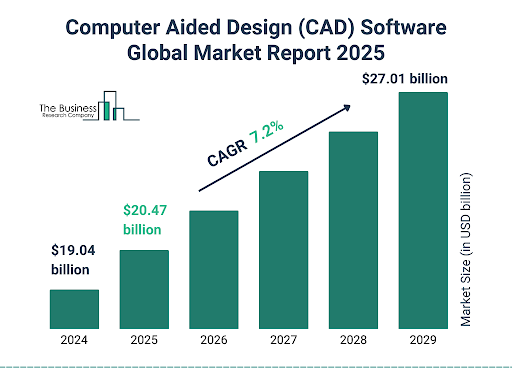
Source: The Business Research Company
Today, there’s a wide range of CAD options—some built for heavy-duty assemblies, others for sculpting and concept modeling, and many that sit somewhere in between. You’ll also find everything from free, browser-based tools to professional platforms used in aerospace and automotive.
In this guide, we’ll break down the most popular CAD programs based on who they’re best for and what they actually offer. If you’re also looking to 3D print your designs, we’ll point out which CAD software pairs well with that workflow.
This article is here to help you compare features, pricing, and use cases—so you can find software that fits your needs, skills, and budget.
Key Features To Consider When Choosing CAD Software
Choosing the right CAD software isn’t just about brand names—it’s about finding tools that match your workflow, budget, and goals. Whether you’re an engineer building precision parts or a designer shaping product concepts, here are the core features you’ll want to look at closely.
2D vs. 3D Modeling Capabilities
If you’re just creating flat technical drawings, 2D CAD packages might be all you need. But for anything involving manufacturing, prototyping, or visualization, 3D CAD packages are essential. Most professional users today rely on 3D modeling to better understand form, fit, and function before production.
Keep in mind, many free CAD software programs offer basic 2D drawing tools, while premium or affordable 3D CAD options provide full 3D modeling capabilities.
Parametric vs. Direct Modeling
Parametric modeling lets you build features based on dimensions and constraints—great for when your designs need to be updated regularly. Direct modeling, on the other hand, is faster for one-off designs or conceptual work where you don’t need to track a detailed history.
If you’re working in teams or on parts that evolve, go for parametric. For quick, flexible edits, direct modeling might be more efficient. Some inexpensive CAD programs even offer both in one package.
Simulation and Analysis Tools
Look for software that includes simulation features like:
- FEA (Finite Element Analysis) – to test stress and load.
- CFD (Computational Fluid Dynamics) – for analyzing airflow or fluid movement.
- Motion analysis – for understanding how parts interact.
These tools are often found in mid-to-high-tier software, but a few affordable CAD software packages include basic versions.
CAM and 3D Printing Compatibility
If you’re moving from design to production, make sure your CAD software can export STL, STEP, or IGES files—formats commonly used in CAM tools and 3D printing.
For those using 3D printers at home or in the office, there are computer aided drawing software free download options that work well, like Fusion 360’s free startup license or free 3D CAD drawing programs like FreeCAD.
Cloud-Based vs. Desktop
Cloud CAD platforms like Onshape and Fusion 360 offer real-time access, updates, and collaboration across devices. They’re ideal for remote teams or users on the go. But if you’re working with sensitive data or need robust local processing, desktop CAD software systems might be a better fit.
Just remember: some cheap CAD software options come with storage limits or reduced features in cloud versions.
Collaboration and File Sharing
For teams, real-time collaboration tools are a big plus. Some platforms let multiple users work on the same file simultaneously. Others offer comment and versioning tools that help keep everyone aligned.
This is especially useful for manufacturers and design studios sharing files with clients or suppliers.
Customization, APIs, and Plugins
If you need to automate repetitive tasks or add custom features, check whether the CAD system supports APIs or scripting. Popular platforms like SolidWorks and Rhino offer robust plugin ecosystems.
Even some free CAD systems include plugin support or let you integrate with open-source tools.
Comprehensive Comparison Of CAD Software Options
There’s no one-size-fits-all when it comes to CAD. Different industries and workflows require different tools. Here’s a closer look at top CAD software programs for engineers, designers, and manufacturers—along with options for different budgets and experience levels.
For Engineers
AutoCAD
A long-standing standard in the field, AutoCAD supports both 2D drafting and 3D modeling. It’s widely used for civil, mechanical, and electrical engineering plans. If you’re asking what is a CAD software and want something industry-recognized, this is a reliable starting point.
💡 Budget note: AutoCAD isn’t cheap, so if you’re looking for inexpensive CAD software, this may not be ideal for small teams or startups.
SolidWorks
Perfect for engineers working on precision parts and assemblies. Known for its parametric modeling and integrated simulation tools.
Consider this for medium to large businesses that need advanced functionality, even though it’s not part of the cheap CAD packages crowd.
Fusion 360
A strong contender for those seeking affordable CAD software with serious features. It combines CAD, CAM, and CAE tools and works well for prototyping and 3D printing.
- Free for students, hobbyists, and qualifying startups, making it one of the best free 3D CAD programs for budget-conscious professionals.
PTC Creo
Used in industrial-grade modeling with strong simulation features and generative design. Great for handling large assemblies.
More suited for enterprise-level projects—check your team size before investing.
Siemens NX
An enterprise powerhouse for managing complex products and teams. Offers deep simulation, surfacing, and PLM integration.
- Definitely not cheap CAD software, but if you’re designing jet engines or automotive systems, it’s hard to beat.
For Designers
Rhino 3D
Excellent for freeform and NURBS modeling. Popular among industrial designers, product developers, and architects.
- Compatible with Grasshopper for parametric scripting—making it more powerful than many expect from affordable 3D CAD tools.
Blender
A full-featured, open-source modeling and animation suite. Ideal for concept design, rendering, and artistic work.
- It’s completely free, making it one of the most accessible free CAD software programs for creative professionals.
SketchUp
Great for architectural designs and early-stage concept modeling. Easy to learn and widely used in construction and interior design.
- A top choice if you want CAD drawing software for beginners or simple modeling without technical overload.
ZBrush
Best for sculpting and organic modeling. Widely used in games, animation, and concept design.
- Not your typical CAD software list pick for mechanical work—but unbeatable for detailed surface work.
For Manufacturers
CATIA
Ideal for automotive and aerospace applications, CATIA excels in surfacing, assemblies, and simulation.
- Used by major players like Boeing and Tesla. If you’re serious about scalability, this is top-tier.
Autodesk Inventor
Focused on mechanical design, Inventor is known for parametric modeling and native CAM compatibility.
- Solid middle ground between cheap CAD programs and high-end enterprise tools.
Onshape
A fully cloud-based CAD platform that supports real-time team collaboration. It’s powerful, intuitive, and flexible.
- Excellent for manufacturing teams who need to work remotely or across locations. Offers a free CAD system for educators and students.
FreeCAD
Open-source and community-supported, FreeCAD offers solid parametric modeling and scripting capabilities.
Perfect for those looking for inexpensive CAD software to start prototyping or build hobby projects.
CAD Programs Comparison Table
| Software | Type | Price Range | Best For | Notable Features |
| AutoCAD | Engineers | $$$ | 2D/3D Drafting, Civil & Electrical Plans | Industry standard, strong documentation tools |
| SolidWorks | Engineers | $$$$ | Precision Engineering, Mechanical Design | Parametric modeling, simulation, complex assemblies |
| Fusion 360 | Engineers | $ / Free* | Startups, 3D Printing, Prototyping | CAD/CAM/CAE in one, cloud-based, generative design |
| PTC Creo | Engineers | $$$$ | Simulation-Heavy Engineering Projects | High-end modeling and analysis tools |
| Siemens NX | Engineers | $$$$$ | Aerospace, Automotive, Enterprise Use | Advanced PLM, FEA/CFD, large team collaboration |
| Rhino 3D | Designers | $$ | Product & Industrial Design | NURBS modeling, parametric plugins via Grasshopper |
| Blender | Designers | Free | Animation, Artistic Modeling, 3D Printing | Free, powerful sculpting, rendering, animation |
| SketchUp | Designers | $ / Free | Architecture, Interior Design | Intuitive interface, large 3D object library |
| ZBrush | Designers | $$$ | Digital Sculpting, Game/Concept Design | Brush-based modeling, fine detail sculpting |
| CATIA | Manufacturers | $$$$$ | Aerospace, Automotive, Large Assemblies | Surface modeling, complex assemblies, simulation |
| Inventor | Manufacturers | $$$ | Mechanical Design, Manufacturing | Parametric tools, CAM integration |
| Onshape | Manufacturers | $$ / Free Edu | Collaborative Design in the Cloud | Multi-user editing, version control, browser-based |
| FreeCAD | All | Free | Learning CAD, Hobby Use, 3D Printing | Open-source, parametric modeling, scripting |
💡 *Fusion 360 is free for students, educators, and eligible startups.
💡 $$ = affordable CAD software | $$$$ = high-end, not for cheap CAD packages
Industry-Specific CAD Solutions
Not all CAD software is built the same—and that’s a good thing. Different industries have unique requirements when it comes to modeling, file formats, simulation needs, and output compatibility.
Whether you’re working on prosthetics, electronics, or building skyscrapers, there are CAD software systems built specifically for your needs.
Medical and Dental Design
CAD has revolutionized how custom implants, dental restorations, and surgical guides are made. These applications require high precision, anatomical accuracy, and compatibility with 3D printing.
Popular software:
- 3Shape – Widely used in dental labs for crowns, bridges, and aligners.
- Materialise Magics – Helps prepare complex medical scans for additive manufacturing.
These tools support features like scan-to-CAD workflows and patient-specific modeling, which are essential in healthcare applications.


Jewelry Design
Intricate designs, small tolerances, and artistic flexibility are crucial in this field. CAD programs for jewelry must allow for detailed sculpting, gemstone settings, and real-time rendering.
Popular software:
- MatrixGold – Combines CAD precision with artistic freedom for professional jewelers.
- JewelCAD – A user-friendly option with tools tailored to 3D jewelry modeling.
Jewelry designers often need inexpensive 3D CAD software that still handles delicate geometry and file formats for 3D wax printing.

Two measurements of fine metal powders with a d50 value of 4.5 μm and 5.2 μm measured in dry dispersion mode. The CAMSIZERX2 analyzes fine powders down to 1 μm with excellent resolution, repeatability and sensitivity
Architecture and Construction
For building professionals, CAD goes beyond modeling—it needs to integrate with BIM systems, support structural analysis, and help visualize large-scale projects.
Popular software:
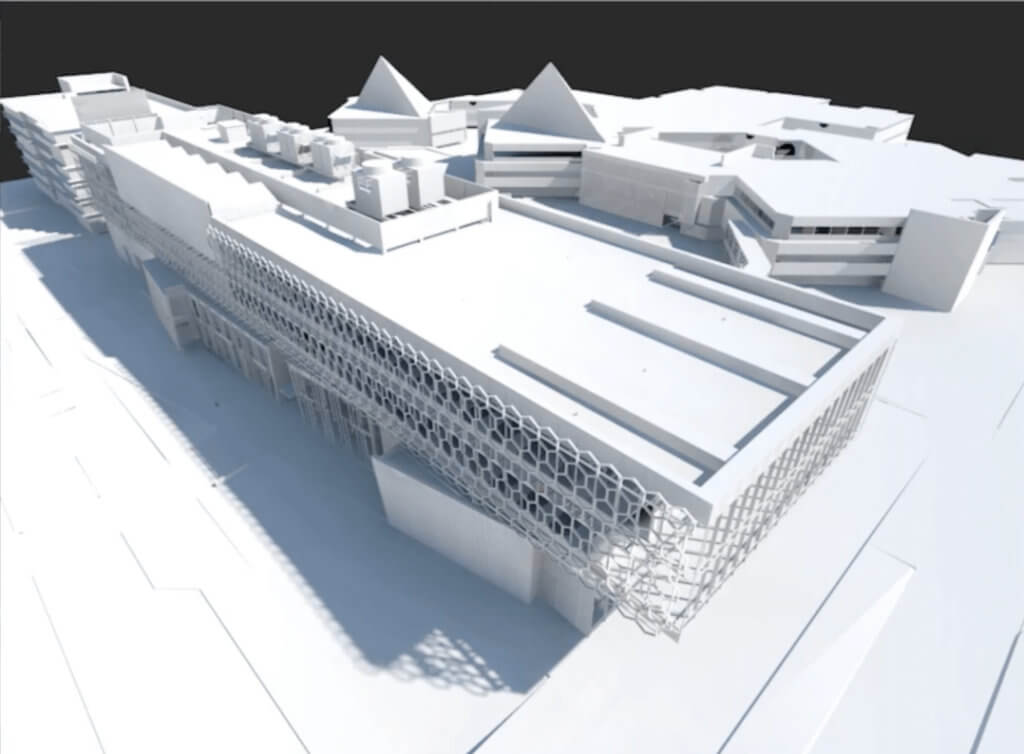
Architecture and Construction
These industries demand CAD tools that support Class-A surfacing, tolerance control, simulation, and full integration with CAM and PLM systems.
Popular software:
- CATIA – A gold standard for complex assemblies in aerospace and automotive.
- Siemens NX – Ideal for advanced surfacing, simulation, and high-end engineering.
Here, the most used CAD software is defined by its ability to manage huge assemblies and simulate stress, airflow, and motion.
Electronics and PCBs
Electronic design automation (EDA) and PCB layout tools must support schematics, circuit simulation, and real-time checks for board layout.
Popular software:
- Altium Designer – Professional-grade PCB design software with strong integration features.
- KiCad – A free CAD system with a full suite for circuit design and layout.
These tools often integrate with mechanical CAD programs to ensure PCB enclosures are precisely modeled and manufacturable.
Evaluating Free vs. Paid CAD Software
When choosing a CAD program, budget plays a big role—especially for individuals, startups, and small teams. The good news is there are solid options at every price point. But not all free CAD software programs or cheap CAD packages are created equal. Let’s break down what you really get with free versus paid solutions.
Free CAD Software: When It Makes Sense
Free CAD tools are great for learning, simple projects, or basic 3D printing. They’re often easier to use and have lower hardware requirements. Some are even browser-based, requiring no installation.
Top Free Options:
Software | Best For | Platforms | Key Benefits |
Beginners, educators | Web-based | Extremely user-friendly, ideal for quick projects | |
Intermediate users | Windows, macOS, Linux | Parametric modeling and modular architecture | |
Artists, animators, 3D printing | Windows, macOS, Linux | Powerful mesh modeling, completely free |
Free tools like FreeCAD and Blender are also a great way to explore inexpensive CAD software that offers flexibility without upfront costs.
Paid CAD Software: What Are You Paying For?
Paid CAD software usually provides advanced modeling, better support, and industry-specific features. If you’re working on professional, commercial, or complex engineering projects, a paid solution often justifies its cost.
Top Paid Options:
Software | Best For | Licensing | Price (approx.) |
2D/3D drafting | Subscription | $1,865/year | |
Engineering & simulation | Perpetual + annual maintenance | $4,000 + $1,300/year | |
Aerospace, automotive | Custom quote | $10,000+ initial | |
All-in-one CAD/CAM/CAE | Subscription or free for hobbyists | $495/year or free for students/startups |
If you’ve ever asked “how much is CAD software?”, the answer can vary widely—from free CAD systems like TinkerCAD, to high-end solutions like CATIA designed for enterprise manufacturing.
Key Differences to Consider
Feature | Free Software | Paid Software |
Support | Community-based | Dedicated support teams |
Features | Basic modeling & export | Advanced modeling, simulation, CAM |
Updates | Occasional, user-driven | Regular, feature-rich updates |
Licensing | Free forever | Subscription or perpetual |
Scalability | Limited for large assemblies | Handles complex projects with ease |
Choosing between free CAD design programs and paid versions comes down to your project scope, team size, and long-term needs.
5 Steps For Selecting The Right CAD Software For Your Needs
With so many CAD software systems available today, the “best” option isn’t about features alone—it’s about fit. Choosing the right tool means matching it to your actual needs, budget, experience level, and existing tools.
1. Assess What You Really Need
Before jumping into a subscription or downloading a tool, ask:
- Do you need 2D drafting, 3D modeling, or both?
- Are you working solo or collaborating with a team?
- Will the software be used for prototyping, manufacturing, or presentation?
- Do you need CAM, simulation, or rendering capabilities?
This will narrow your choices quickly and help filter between 3D CAD packages, CAD drawing software for beginners, or complex enterprise systems.
2. Balance Features with Affordability
If you’re a startup, student, or independent designer, it makes sense to look at budget CAD software or inexpensive CAD programs first. These often deliver more than enough functionality to get started.
If you’re handling large assemblies, running simulations, or managing a production line, the investment in affordable 3D CAD tools like SolidWorks or Fusion 360 can pay off fast.
Use Case | Best Fit |
Education / Beginners | TinkerCAD, FreeCAD, SketchUp Free |
Intermediate 3D Design | SelfCAD, Blender, Fusion 360 (free version) |
Advanced Engineering | SolidWorks, CATIA, PTC Creo |
Manufacturing / Production | Siemens NX, Autodesk Inventor, TopSolid |
3. Consider the Learning Curve
Some tools are intuitive and beginner-friendly, while others require formal training. If you’re just starting out, CAD easy software like TinkerCAD or SketchUp will get you modeling in minutes. For advanced use cases, platforms like SolidWorks or NX take more time to master—but offer powerful long-term capabilities.
4. Check Compatibility with Existing Tools
Don’t forget to check whether the software plays nicely with:
- Your operating system (cad programs for Windows/macOS/Linux)
- 3D printers and CAM tools (does it export STL or STEP?)
- Other software like rendering engines or PLM systems
Even free 3D CAD drawing programs can be a great fit if they integrate well into your workflow.
5. Test It Out
Most tools offer free trials, and many have demo versions or computer aided drawing software free downloads. Always test the software before making a purchase—especially for cheap CAD software that looks good on paper but might lack essential functionality.
Bringing Your Designs To Life: 3D Printing Services
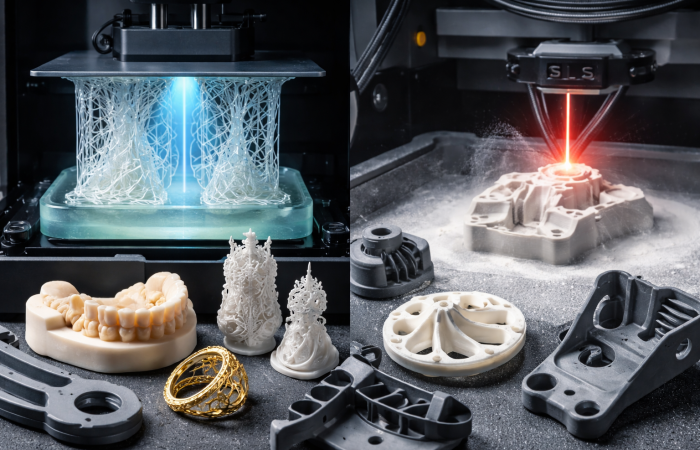
- SLA for high-detail prototypes
- SLS for strong, functional partsFFF for affordable, fast iterations
- Metal printing for durable, industrial-grade components
- Stainless Steel 3D Printing: The Future of Durable Precision Manufacturing
- What Materials Do 3D Printers Use? A Comprehensive Guide
- Open House: Advanced 3D Printing Technologies in Action
- SLA vs FDM 3D Printer: A Comprehensive Comparison
- Types of Springs and Their Applications: A Complete Engineering Guide
- How to Choose an Industrial Vacuum for SLS and Metal Printing Workflows
- Best PLA Filament to Start With: A Beginner’s Guide to Choosing the Right Material
- Corded vs Cordless Industrial Vacuums for 3D Printing Labs: Which Is More Practical?
- Inspection and Quality Control of Carbon Fiber Monocoque for Hypercars with FreeScan Trak Pro2
- Why Industrial Vacuum Cleaners with HEPA/ULPA Filters Are Essential in 3D Printing
Related Posts
1. Introduction Additive manufacturing, commonly known as 3D printing, has fundamentally transformed modern product development,…

Metal additive manufacturing has fundamentally transformed the way industries approach design and production, enabling the…
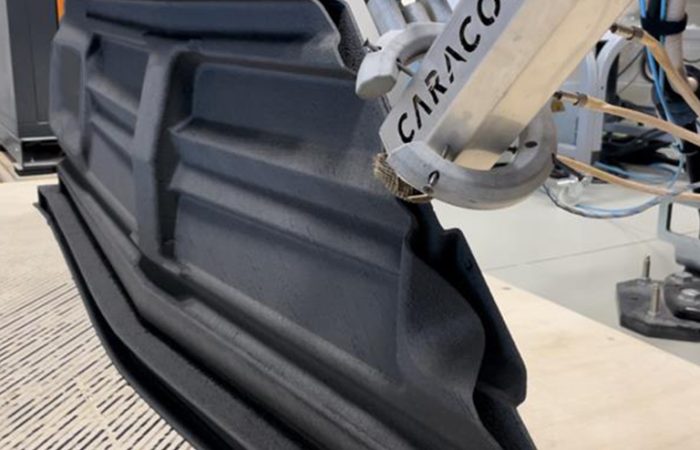
Imagine a manufacturing process capable of producing parts measured in meters, not millimeters—components so vast…
CAD software is essential for engineers, designers, and manufacturers. Whether you're creating mechanical parts, product…

Ashkhen Ovsepyan
Additive manufacturing expert and tech business leader, focused on global strategy, innovation, and advancing women in 3D printing.